;
Set
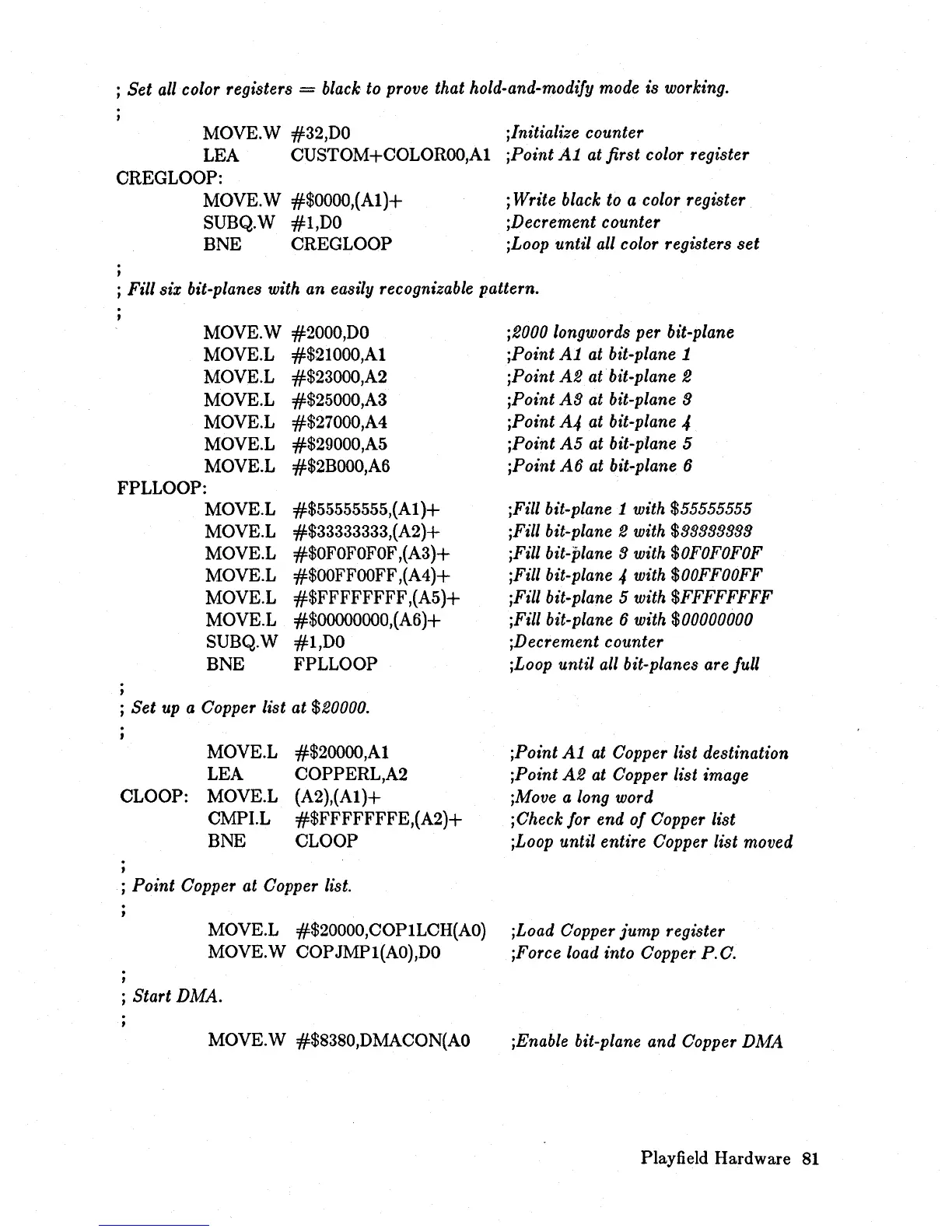
all color registers = black to prove that hold-and-modiJy mode is working.
MOVE.W #32,DO
LEA CUSTOM+COLOROO,A1
CREGLOOP:
.
,
MOVE.W
#$OOOO,(A1)+
SUBQ.W
#l,DO
BNE CREGLOOP
;Initialize counter
;Point
Al
at first color register
; Write black to a color register
;Decrement counter
;Loop until all color registers
set
; Fill six bit-planes with an easily recognizable pattern.
MOVE.W #2000,DO
MOVE.L #$21000,A1
MOVE.L #$23000,A2
MOVE.L #$25000,A3
MOVE.L #$27000,A4
MOVE.L #$29000,A5
MOVE.L
#$2BOOO,A6
FPLLOOP:
,
MOVE.L
MOVE.L
MOVE.L
MOVE.L
MOVE.L
MOVE.L
SUBQ.W
BNE
#$55555555,(Al
)+
#$33333333,(A2)+
#$OFOFOFOF
,(A3)+
#$OOFFOOFF
,(A4)+
#$FFFFFFFF
,(A5)+
#$OOOOOOOO,(A6)+
#l,DO
FPLLOOP
j
Set
up a Copper list at $20000.
CLOOP:
MOVE.L
LEA
MOVE.L
CMPI.L
BNE
#$20000,A1
COPPERL,A2
(A2),(Al)+
#$FFFFFFFE,(A2)+
CLOOP
; Point Copper at Copper list.
MOVE.L #$20000,COPILCH(AO)
MOVE.W COPJMPl(AO),DO
; Start DMA.
MOVE.W #$8380,DMACON(AO
;2000 longwords per bit-plane
;Point
Al
at bit-plane 1
;Point
A2
atbit-plane 2
;Point
A3
at bit-plane 3
;Point
A4
at bit-plane 4
;Point
A5
at bit-plane 5
jPoint
A6
at bit-plane 6
jFill bit-plane
1 with $55555555
;Fill bit-plane
2 with $33333333
jFili bit-plane
3 with
$OFOFOFOF
;Fill bit-plane 4 with
$OOFFOOFF
;Fill bit-plane 5 with $FFFFFFFF
jFill bit-plane
6 with $00000000
jDecrement counter
jLoop until all bit-planes are Jull
jPoint
Al
at Copper list destination
jPoint
A2
at Copper list image
jMove a long word
jCheck
Jor
end
oJ
Copper list
jLoop until entire Copper list moved
jLoad Copper
jump
register
jForce load into Copper P.C.
jEnable bit-plane and Copper
DMA
Playfield Hardware
81














 To Next Page