CTH200 Series PLC User Manual
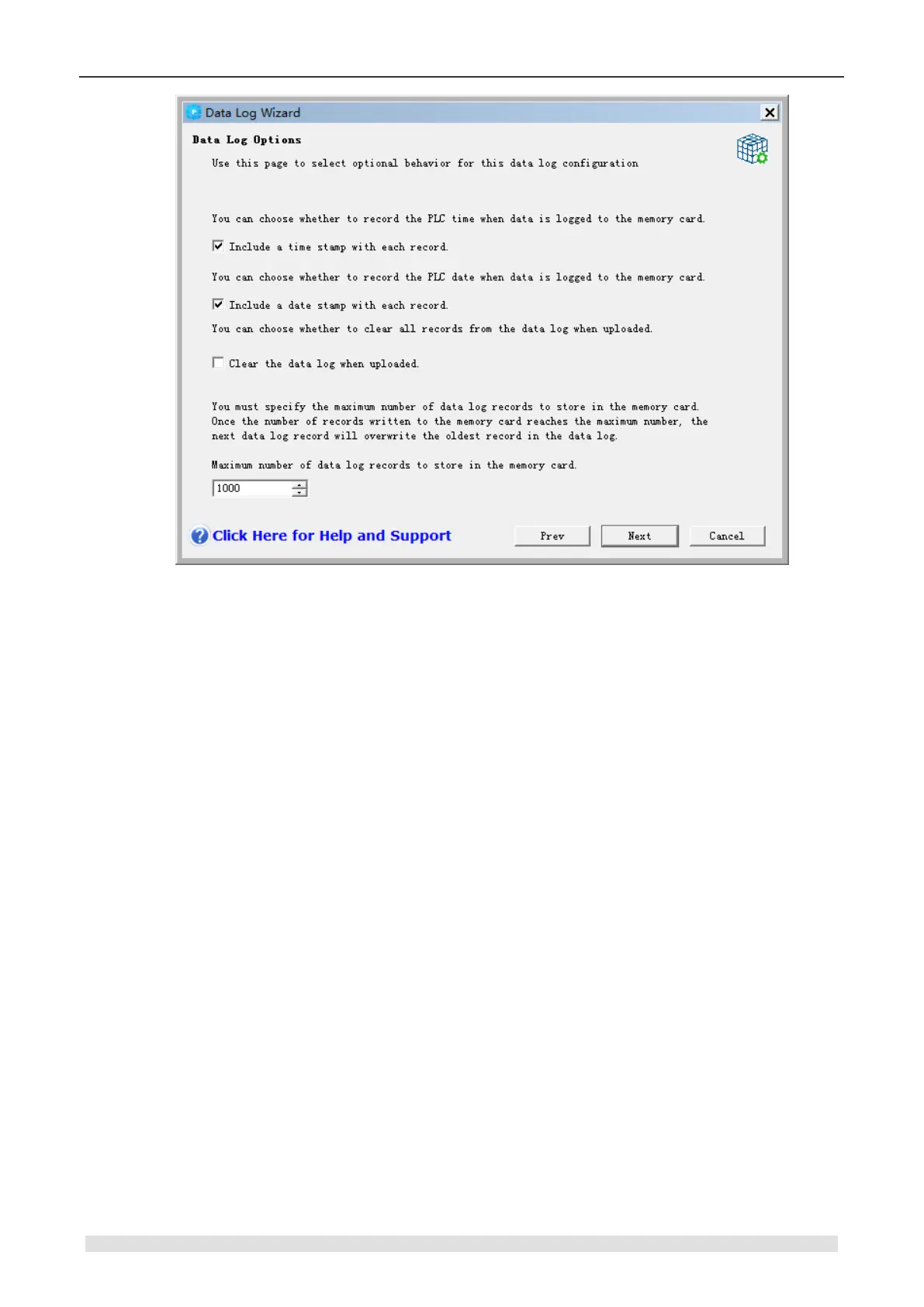
Figure 6-25 Data Log Options
Data log is a circular queue (when full, a new record will replace the oldest one). You must
specify the maximum number of records, which is 65534 and default as 1000, stored in the data
log.
Defining the Data Log
Assign domain, as a symbol in project, as well as its data format for data log. Each data log
record contains 4 ~203 bytes of data. Follow the steps below to define the data field. See Figure
6-26.
1. Click “Field Name” to enter the name, which is the symbol referenced by the user program.
2. Click “Data Type” cell and select a type from the drop down list.
3. Click “Comment” to enter a comment,
4. Use as many rows as necessary to define a record.
5. Click “Next”.


 To Next Page