Overview
Operator's Manual 5-3
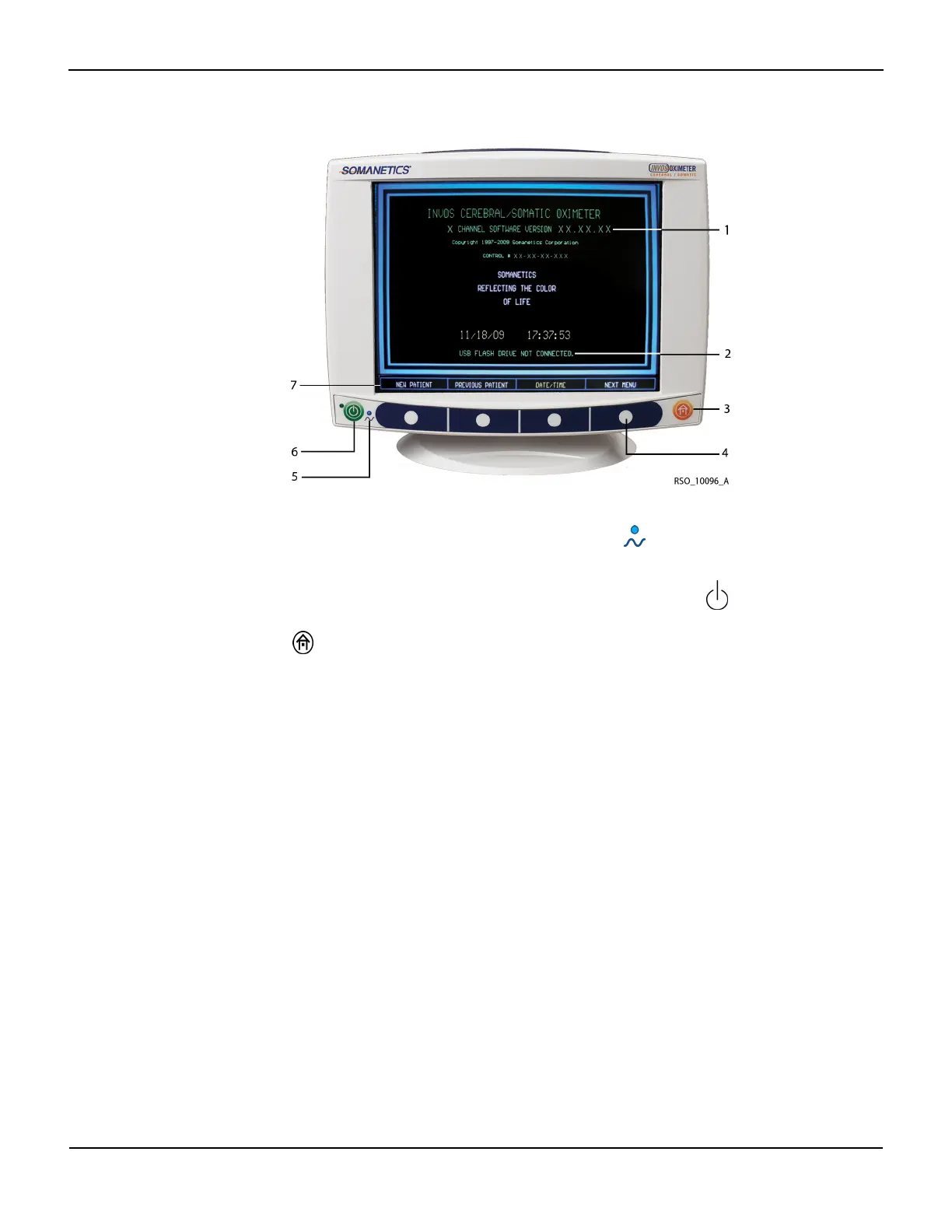
Figure5-2.Start Screen, Navigation Bar, Key Panel and Software Version
New Patient/Previous Patient
Select NEW PATIENT to begin monitoring a new case. New patient data files are created.
Select PREVIOUS PATIENT to continue monitoring. When pressing PREVIOUS PATIENT within 24
hours of the last power down, all patient data is restored and monitoring of the same patient con-
tinues.
Note:
The informational message “RESTORING PATIENT DATA” appears when selecting PREVIOUS PATIENT and
there is a large amount of data to recall.
Note:
After any power interruption, the monitor restores the previously set user configuration values and retains
the trend data for the current patient.
1 Software version 5
Blue LED, AC power, and charge indi-
cator
2 Reminder to connect the USB flash drive 6
ON/OFF (stand-by) key
3
HOME key
7 Navigation bar (menu options)
4 Menu keys















 To Next Page