Screens
5-16 Operator's Manual
In Real-time review—tabular trends approximately 28 hours of data will be temporarily stored
until the unit is turned off. When the case memory is full, the oldest line of data will be deleted to
make room for newer line of data.
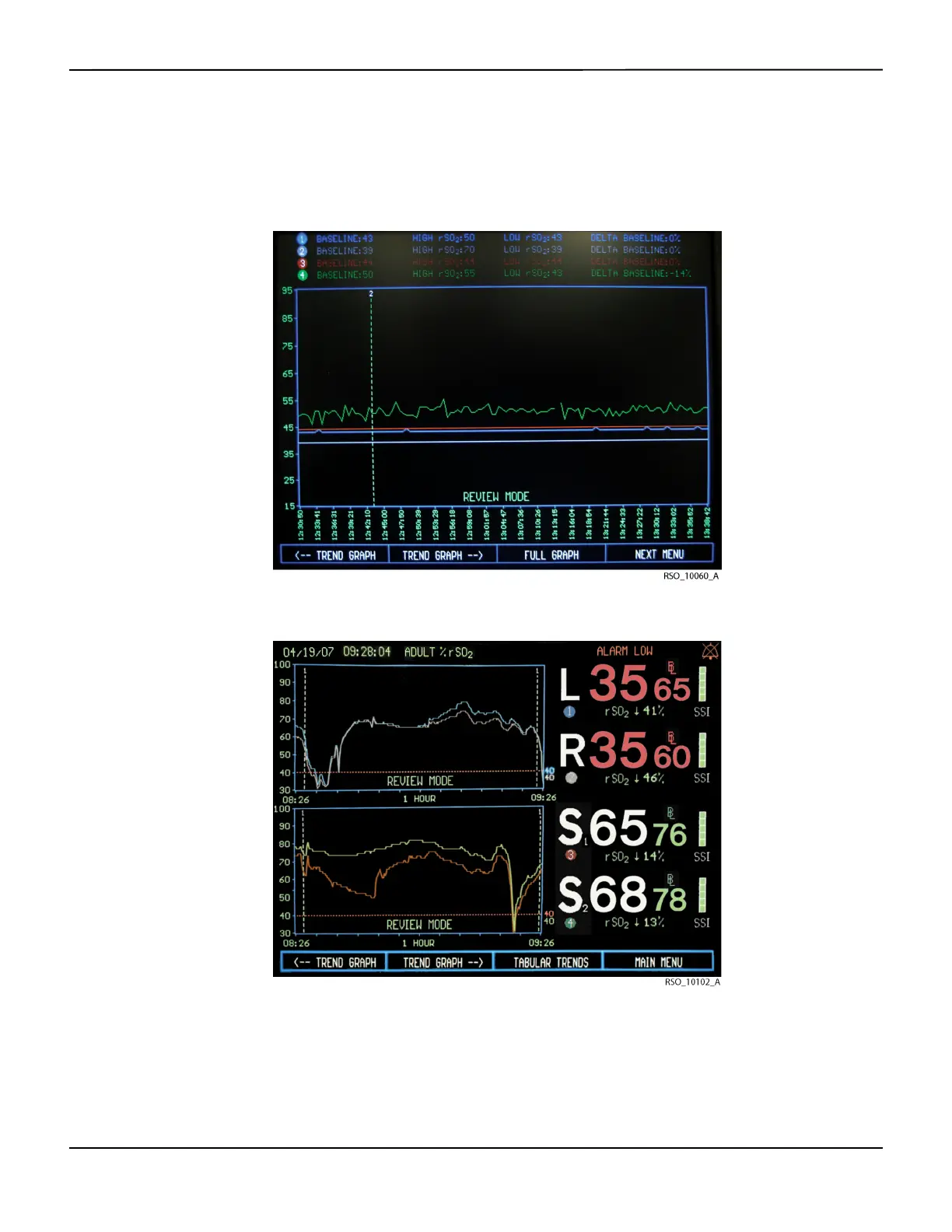
Figure5-20.Trend Graph Screen—Case Archive Function in Normal Mode
Figure5-21.Trend Graph Screen—Run Function in Normal Mode




 To Next Page