Overview
Operator's Manual 5-15
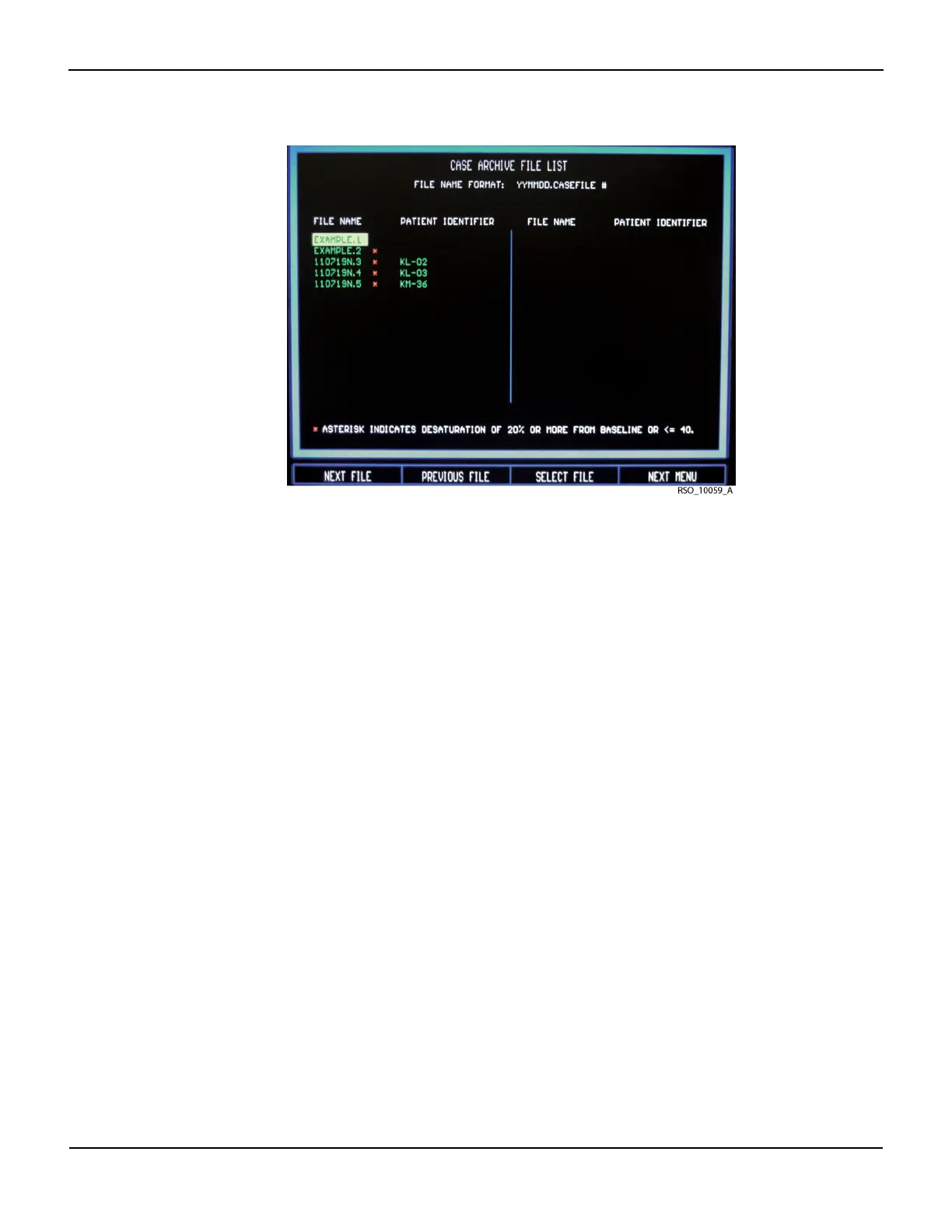
Figure5-19.Case Archive File List Screen
Data File Name Format
Stored data files created by the INVOS™ system are automatically named by the software using
the date (YYMMDD) followed by a letter indicating the type of recording (N = Normal run func-
tion, C = control, I = intervention) and a file extension consisting of a sequence number. For exam-
ple, a CASE HISTORY file recorded on September 13, 2009 in Normal run function would have a
filename of 090913N.1. An asterisk (*) indicates a desaturation of ≥20% from baseline or ≤40 rSO
2
values occurred during the case.
Up to 24 hours of data may be stored per case file. When data storage exceeds 24 hours or mid-
night is reached, a new case file will be started.
Stored case data files can be viewed on screen or downloaded (see sections 6.5.16 Real-Time
Review, 6.6 Case Archive Function, 7.3 Using the USB Port, and 7.4 Using the Digital Output Port).
5.1.12 Review Screen
The Review screens display stored real-time (Run function) and case history (Case archive func-
tion) data in trend graph and tabular trend formats (see sections 6.5 Run Function (Patient Moni-
toring) in Normal Mode and 6.6 Case Archive Function).
When reviewing in trend graph format, the “REVIEW MODE” message will appear at the center of
the graph indicating that the reviewed trend data is not displayed in real-time. No data channel
area elements will be displayed when in Case archive function (as it is in the Main screen, for real-
time format). The trend graph will be displayed as a full screen.















 To Next Page