Run Function (Patient Monitoring) in Normal Mode
Operator's Manual 6-13
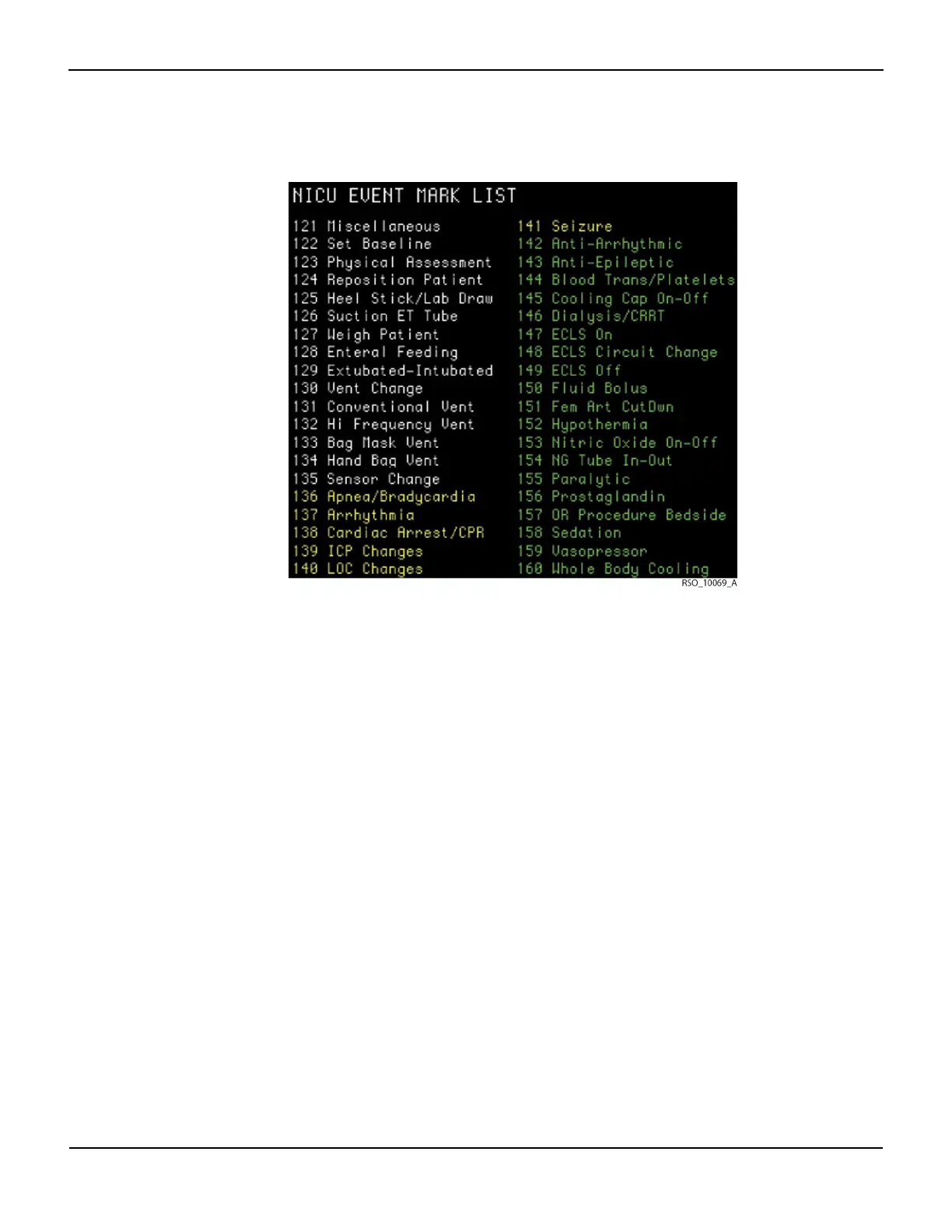
White events reflect relatively routine occurrences in the environment. These are listed in the
order they typically occur. Yellow events mark events clinicians may consider “cautionary”
because they could cause ischemia. These are listed alphabetically. Green events mark interven-
tions taken and are listed alphabetically.
6.5.3 Alarm Limits
WARNING:
Do not set alarm limits to extreme values that can render the INVOS™ system ineffective. Ensure
alarm limits are appropriate for each patient.
Alarm limits can be set and adjusted in the User configuration menu.
Note:
Alarm limits are stored in the INVOS™ system nonvolatile memory. They will reappear as the operator set
them when the INVOS™ system is rebooted.
Note:
The upper and lower alarm limits for each channel are not allowed to cross. When being increased, the
lower alarm limit is allowed to bump the upper alarm limit higher until it reaches 5 units below the upper
Table6-4.Event Codes and Descriptions for Neonatal Intensive Care Unit















 To Next Page