Secon 5 - Engineer’s Program
G xx - Espresso (CoEx) machine no grinder with/without Oltre brewer tea brewer.
E xx - Espresso (CoEx) Bean to Cup machine with/without Oltre brewer tea brewer.
5.11.5 Machine Conguraon Id
This enables the drink types to be selected that are available based on the Machine Id.
There may be up to three opons, hot only, hot and cold and hot and cold with carbonated
opons. Touch to select from the available list.
5.11.6 Cup Sizes
Depending on the machine conguraon you may be able to select the cup size to be used,
changing this will load the Crane default values for your new seng, it will not scale any
bespoke sengs you have made.
5.11.7 Demo Mode
This allows the machine to run through a vend cycle without vending a cup, water or
ingredients.
5.11.8 Time and Date
This enables the Time Zone, Time and Date of the machine’s locaon to be selected.
1. The local Time Zone should be selected as this will automacally adjust the clock for
summer me.
2. In the Time menu there is the opon to use either a 12 or 24 hour clock display.
3. The Date is displayed in an alphanumeric format to prevent confusion.
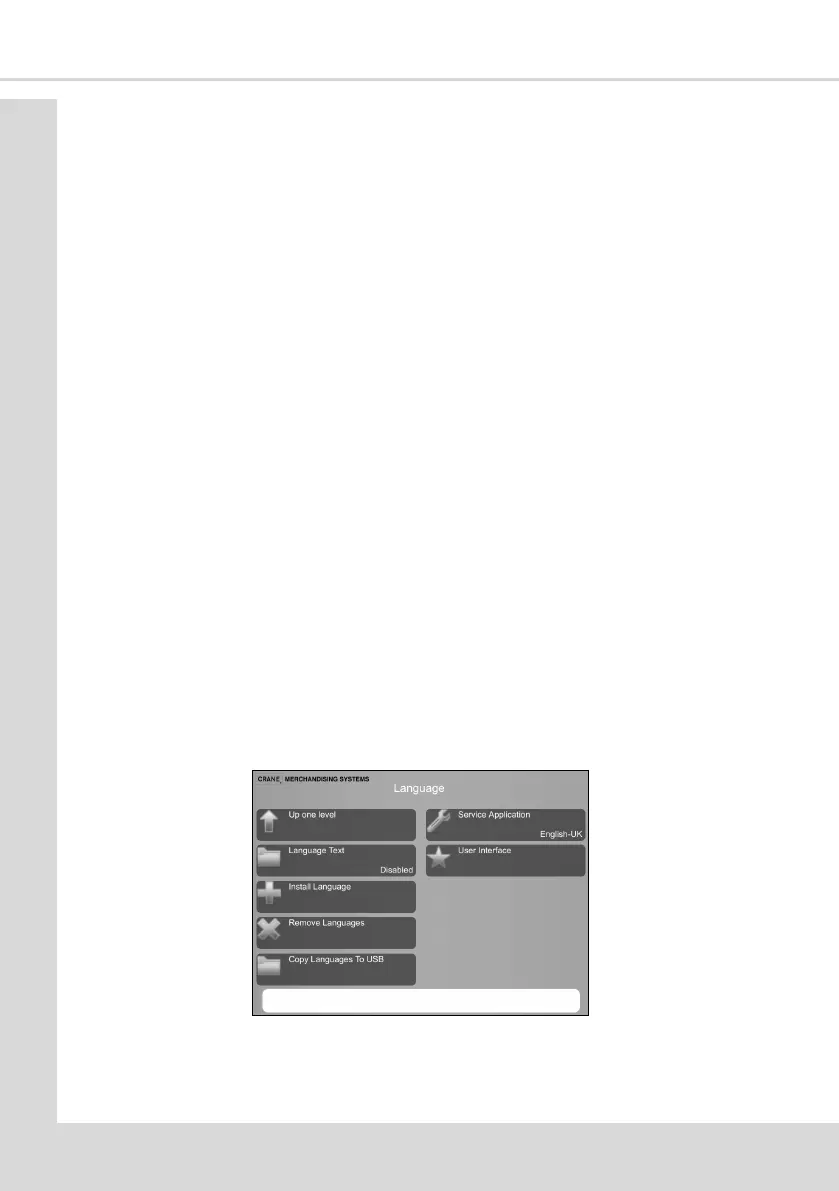
5.11.9 Language
This menu enables the selecon and installaon of dierent languages on the machine. The
installed languages are displayed, addional languages can be installed from a USB sck.
Dierent languages for the consumer (user) and the service engineer can be used
simultaneously.
1. Language Text - if Enabled the list of oponal languages for the user will be shown as
text rather than the country’s ag.
2. Install Language - to install a new language it must be available on a suitable USB sck
in the correct le format.



 To Next Page