Secon 5 - Engineer’s Program
Technical Manual
1. While the test is running the ‘test animaon’ accompanied by a Test Started message
will be displayed.
2. On compleon of a successful test the screen returns to the Dispense Head screen. If
the dispense head fails to move a Moving Failed message is displayed and you are
asked to Connue, returning to the Dispense Head screen.
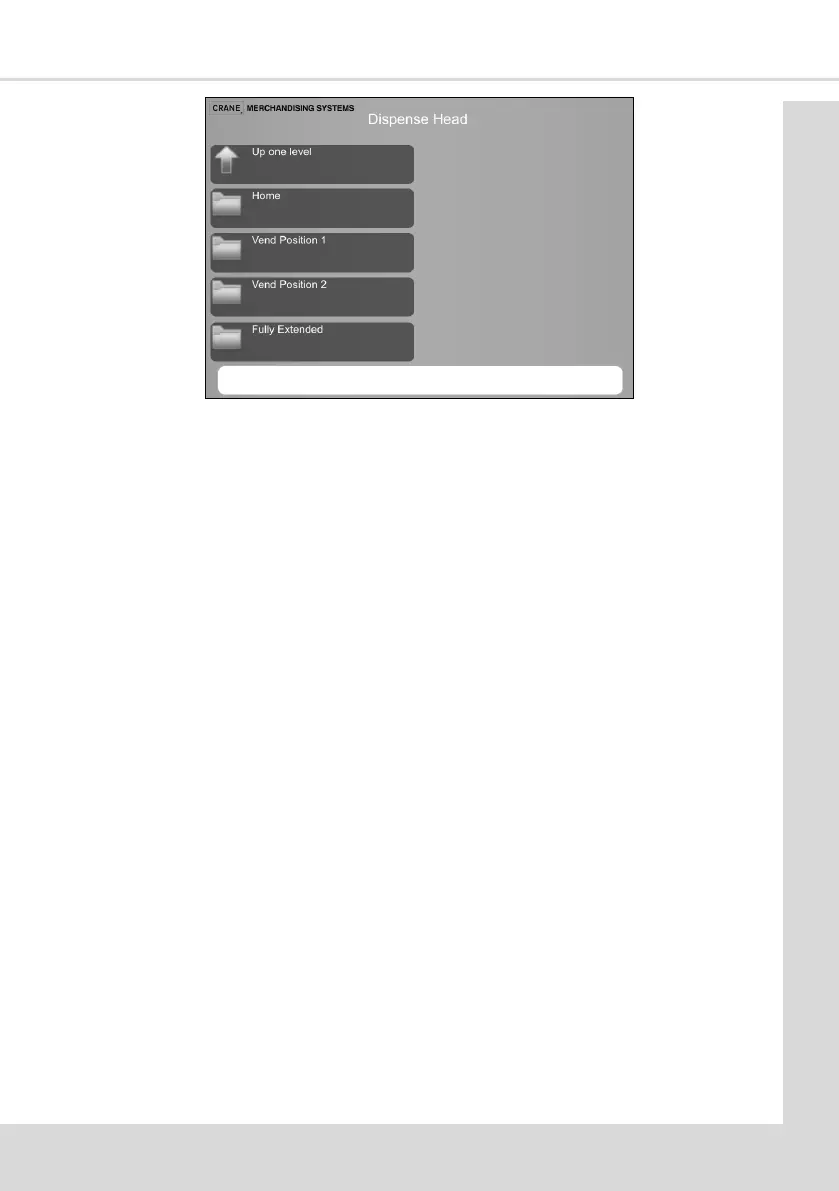
3. Four test posions are available; Home, Vend Posion 1, Vend Posion 2 and Fully
Extended. (Home being the back posion, this proves the micro switch operaon)
5.5.8 Vend Without Cup
This menu enables the engineer to test vend all of the drinks that are available from the
machine without dropping a cup to ensure each drink is correctly dispensed.
A suitable container must be placed under the dispense posion to receive the vend. While
the tests are running the ‘test animaon’ accompanied by a Test Started message will be
displayed. On a successful compleon of the test the screen returns to the Vend Without
Cup screen.
1. Select the required drink to be tested.
2. The ingredient, milk and sugar strengths can be changed using the – and + to change
the values as required.
3. Select Start to start the vend process.
4. Each drink can be tested as required by repeang the procedure above.
5.5.9 Vend With Cup: COTI
This menu enables the engineer to test vend all of the drinks that are available from the
machine into a cup, to ensure each drink and cups are correctly dispensed. While the tests
are running the ‘test animaon’ accompanied by a Test Started message will be displayed.
On a successful compleon of the test the screen returns to the Vend With Cup screen.
1. Select the required drink to be tested.
2. The ingredient, milk and sugar strengths can be changed using the – and + to change
the values as required.



 To Next Page