Secon 5 - Engineer’s Program
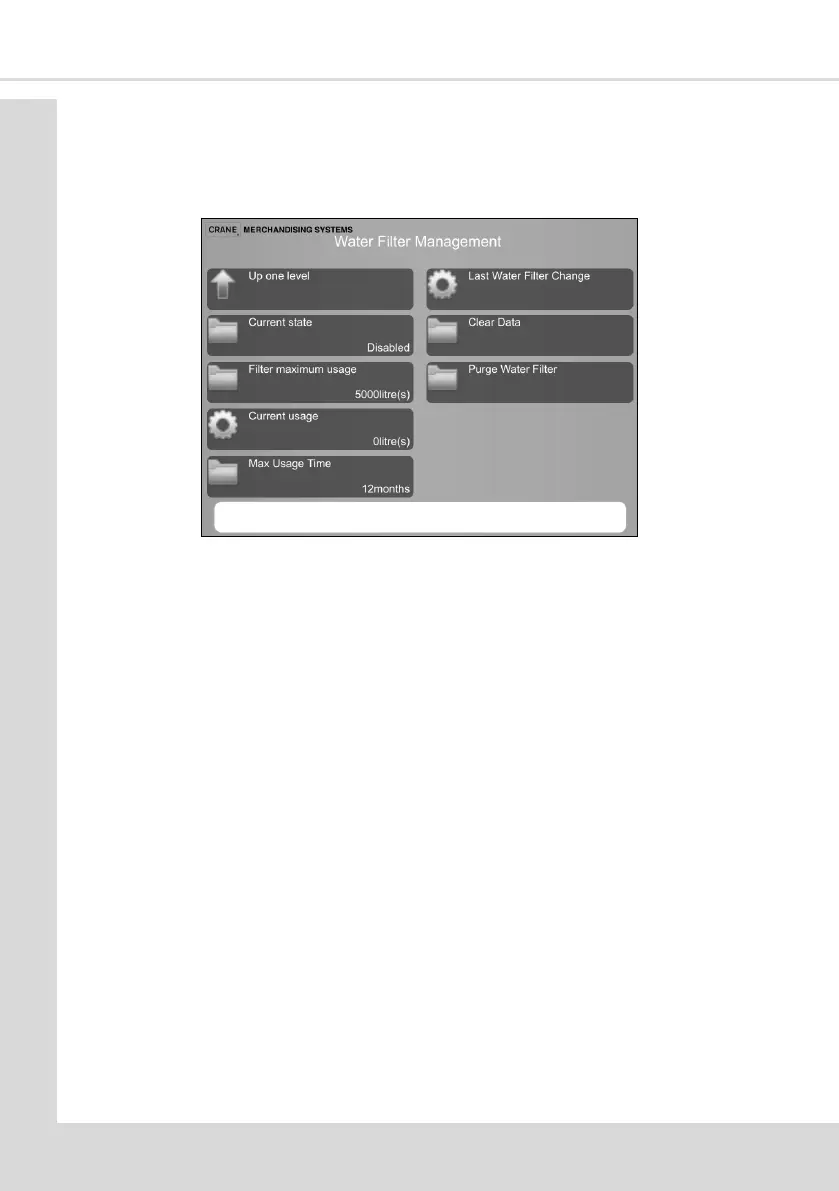
5.7.18 Water Filter Management
This enables an indicaon of when the water lter requires changing. A litre count or me
period can be used and when either is reached the message Change Water Filter will be
shown when the door is opened.
1. Current State - touch to Enable or Disable this feature, current status is displayed.
2. Filter Maximum Usage - specify the maximum number of litres through the lter, the
default is 5000.
3. Current Usage - this indicates current litres count.
4. Max Usage Time - enables a set me period to be entered aer which the change lter
message is displayed when the door is opened
5. Last Water Filter Changed - this indicates the date and me of the last lter change.
6. Clear Data - resets the counter aer conrmaon.
7. Purge Water Filter - this will purge the lter for 30 seconds. Ensure you have a suitable
receptacle in posion to catch the water.
5.7.19 Bowl Rinse At Home Posion
This enables the Bowl Rinse and CoEx® Clean to be used with the dispense head in the
home (back) posion. The dispense head remains over the waste bucket.
5.7.20 CoEx® Brewer
This menu enables the following opons for the CoEx® brewer to be set-up.
1. CoEx® No Coee Failures - indicates the total number of vend failures, the number
since the last reset and a reset opon.
2. Grinder Vend Counter - indicates the number of grinder vends and a reset opon.
3. CoEx® Vend Counter - indicates the number of vends and a reset opon.



 To Next Page