7-21
7
UPS Operation
BYPA.
MAIN
2010 - 06 - 01
11 : 59 : 59
UNIT : #1.1
LOAD UNPROTECTED
ON AUTO BYPASS
Fault
2
If the UPS that you turned off matches 1) situation, repeat the procedures stated
in
1
to continually switch the remaining parallel UPSs into bypass mode.
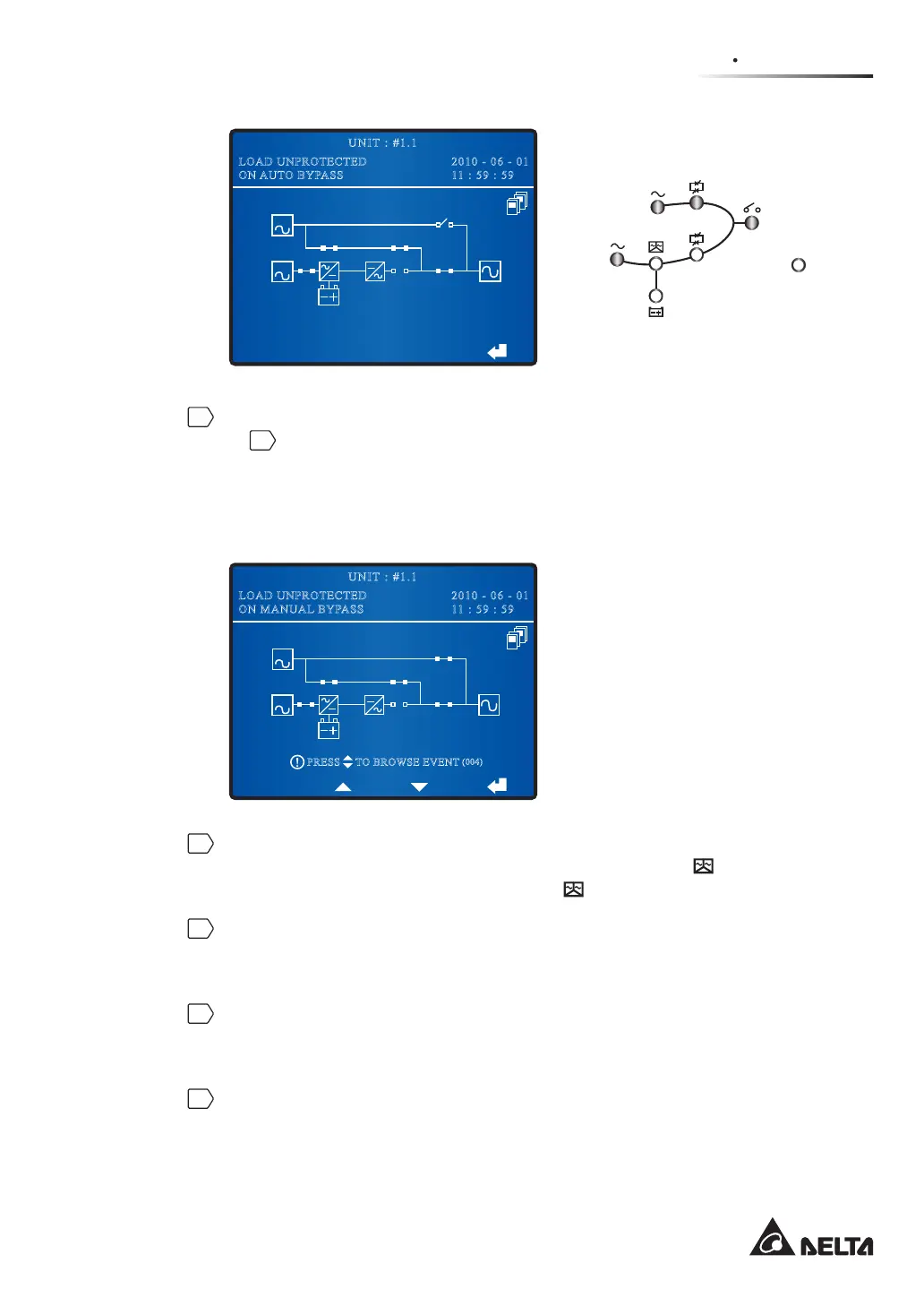
If the UPS that you turned off matches 2) situation, please turn on each UPS’s
Manual Bypass Switch (Q3). After that, the manual bypass supplies power to
the connected loads and each UPS’s LCD shows ‘LOAD UNPROTECTED ON
MANUAL BYPASS’ as follows.
BYPA.
MAIN
2010 - 06 - 01
11 : 59 : 59
UNIT : #1.1
LOAD UNPROTECTED
ON MANUAL BYPASS
TO BROWSE EVENT
(004)
PRESS
3
Turn off each UPS’s Input Switch (Q1), and each UPS’s stars discharging. During
the discharging process, each UPS’s Inverter Start-up LED
illuminates. After
discharging, per unit’s Inverter Start-up LED
turns off.
4
Turn off each UPS’s Bypass Switch (Q2). After that, the manual bypass
supplies power to the connected loads and each UPS’s LCD shows ‘LOAD
UNPROTECTED ON MANUAL BYPASS’.
5
Turn off each UPS’s Output Switch (Q4) and all external battery cabinets’ circuit
breakers or fuses. Now, all fans stop running, and each UPS’s LCD and LEDs
shut down.
6
Open each UPS’s auxiliary fuse holder.











 To Next Page