7-12
Ultron DPS Series
4
When the power module performs discharging, the Inverter Start-up LED
lights up.
$IWHUWKHSRZHUPRGXOH¿QLVKHVGLVFKDUJLQJWKH,QYHUWHU6WDUWXS/('
shuts off.
5
Turn off the UPS Output Switch (Q4). All LEDs are off, and after 30 seconds, the LCD
shuts down.
6
Switch off the circuit breakers or fuses of all external battery cabinets to discontinue
power supply to the UPS.
7.1.7 Bypass Mode Turn-off Procedures (Single)
1
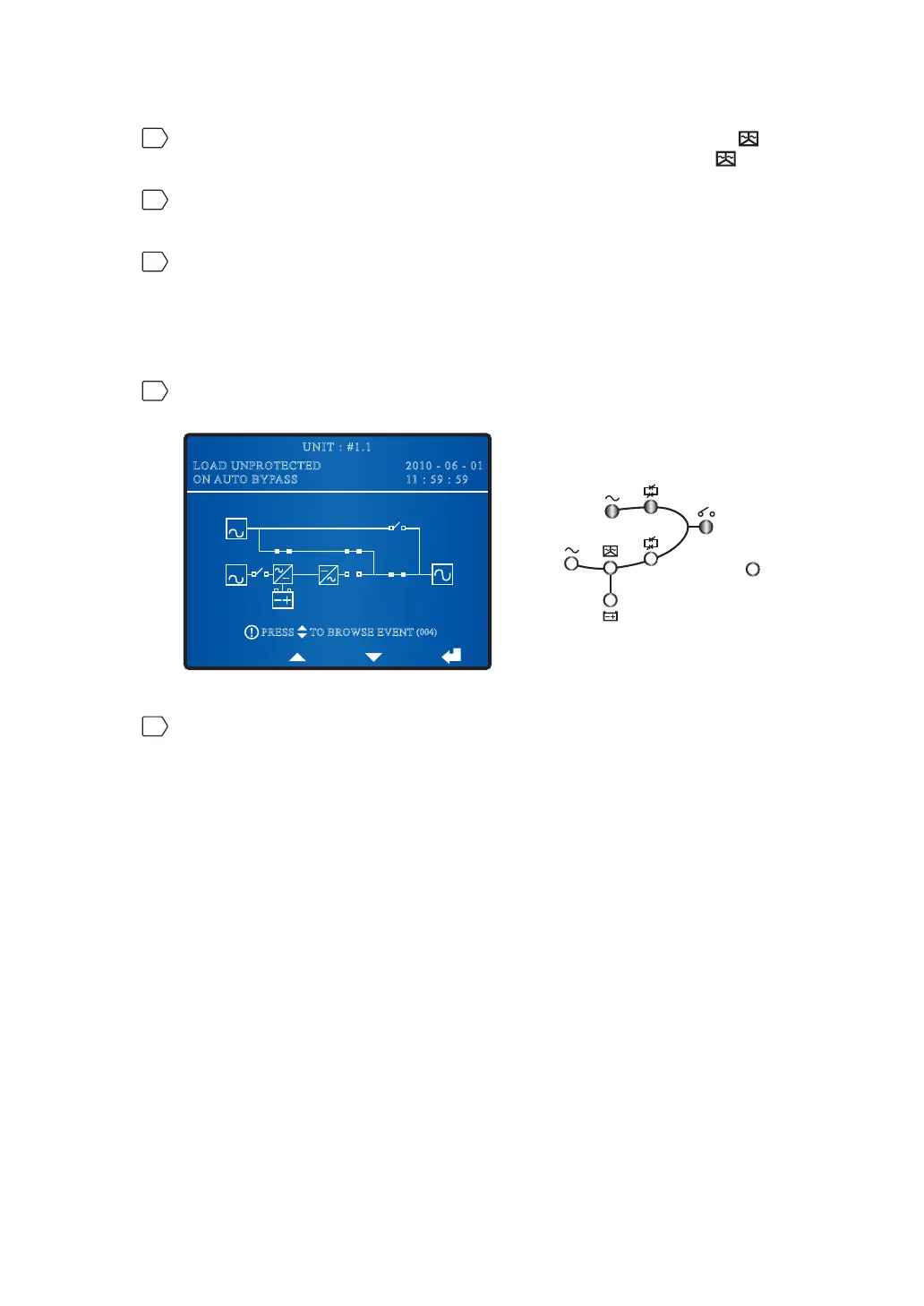
During bypass mode, the following screen appears and LEDs illuminate as follows.
BYPA.
MAIN
2010 - 06 - 01
11 : 59 : 59
UNIT : #1.1
LOAD UNPROTECTED
ON AUTO BYPASS
TO BROWSE EVENT
(004)
PRESS
Fault
2
Turn off the Bypass Switch (Q2) and the Output Switch (Q4). Now, all LEDs are off
and the LCD shuts down.
7.1.8 Manual Bypass Mode Turn-off Procedure (Single)
During manual bypass mode, no LED illuminates and no screen appears on the LCD. Just
turn off the Manual Bypass Switch (Q3) to shut down the UPS.











 To Next Page