8-11
8
LCD Display & Settings
y
ECO
Set up the UPS in ECO mode. In ECO mode, it is the bypass to supply power to the
critical loads. To ensure power supply quality, it is recommended that you set up the
UPS in ECO mode only when the line power is stable. Only maintenance personnel can
set up ECO mode.
y
FREQ CONV
Enable or disable frequency converter mode. Only in bypass mode can you set up this
item. After enabling the frequency converter mode, you can press the ON button
to
start up the UPS.
y
REDUNDANCY (PWR UNIT)
Set up how many power units that you want to reserve for redundancy.
y
ASYNC TRANSFER TIME (ms)
Based on the connected loads to set up the asynchronous transfer time (for normal
mode to bypass mode only).
y
DC TO AC DELAY TIME (s)
Set up the DC to AC delay time.
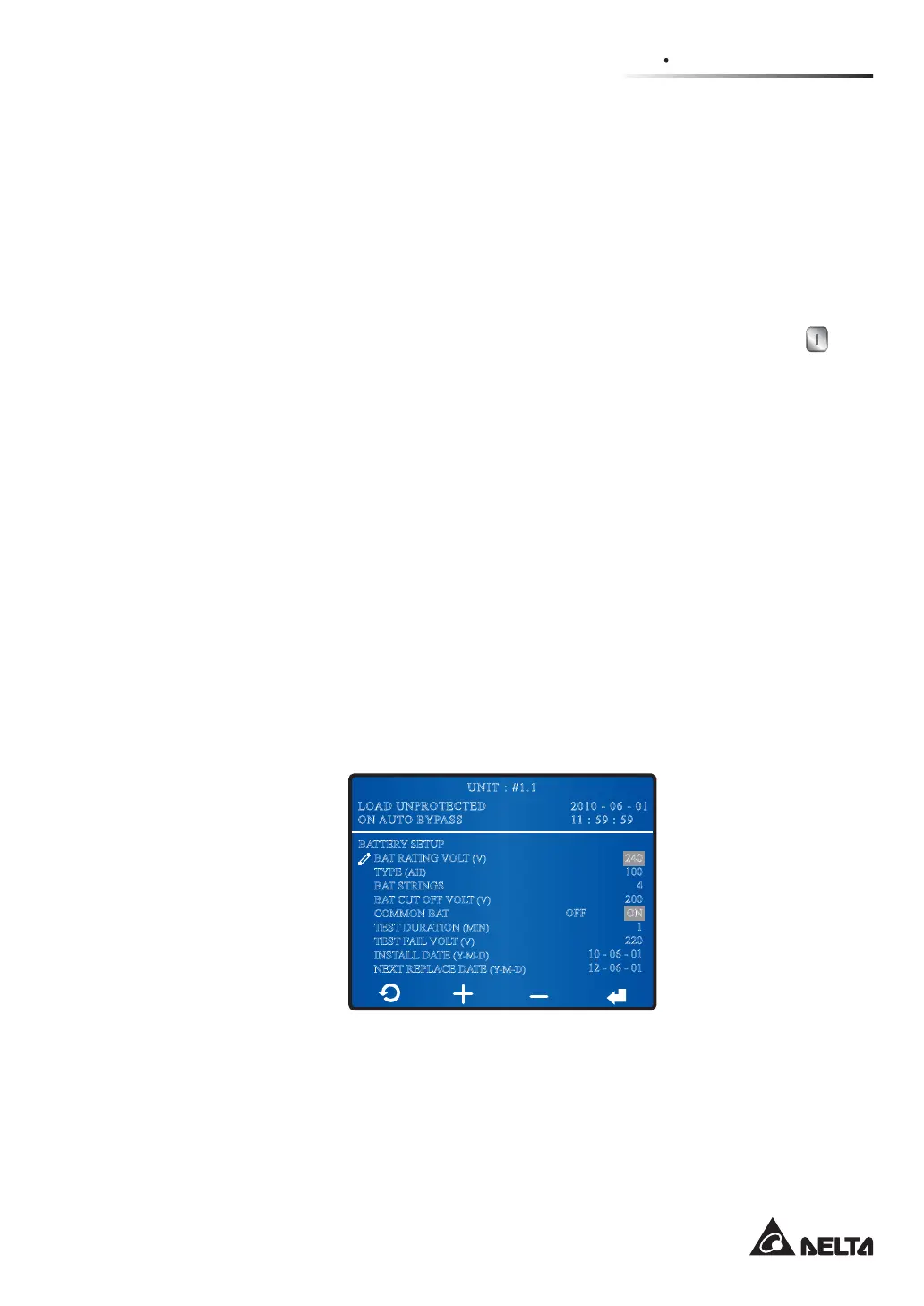
8.7.3 Battery Setup
5RXWH0DLQ6FUHHQĺ0DLQ0HQXĺ8366HWXS&RQWUROĺ%DWWHU\
After entering the BATTERY SETUP screen shown below, you can set up the following
items.
2010 - 06 - 01
11 : 59 : 59
UNIT : #1.1
LOAD UNPROTECTED
ON AUTO BYPASS
BATTERY SETUP
BAT RATING VOLT (V)
TYPE (AH)
BAT STRINGS
BAT CUT OFF VOLT (V)
COMMON BAT
TEST DURATION (MIN)
TEST FAIL VOLT (V)
INSTALL DATE (Y-M-D)
NEXT REPLACE DATE (Y-M-D)
240
100
4
200
ON
1
220
10 - 06 - 01
12 - 06 - 01
OFF
y
BAT RATING VOLT (V)
Set up battery voltage.
y
TYPE (AH)
Set up battery type.











 To Next Page