2-7
2
Introduction
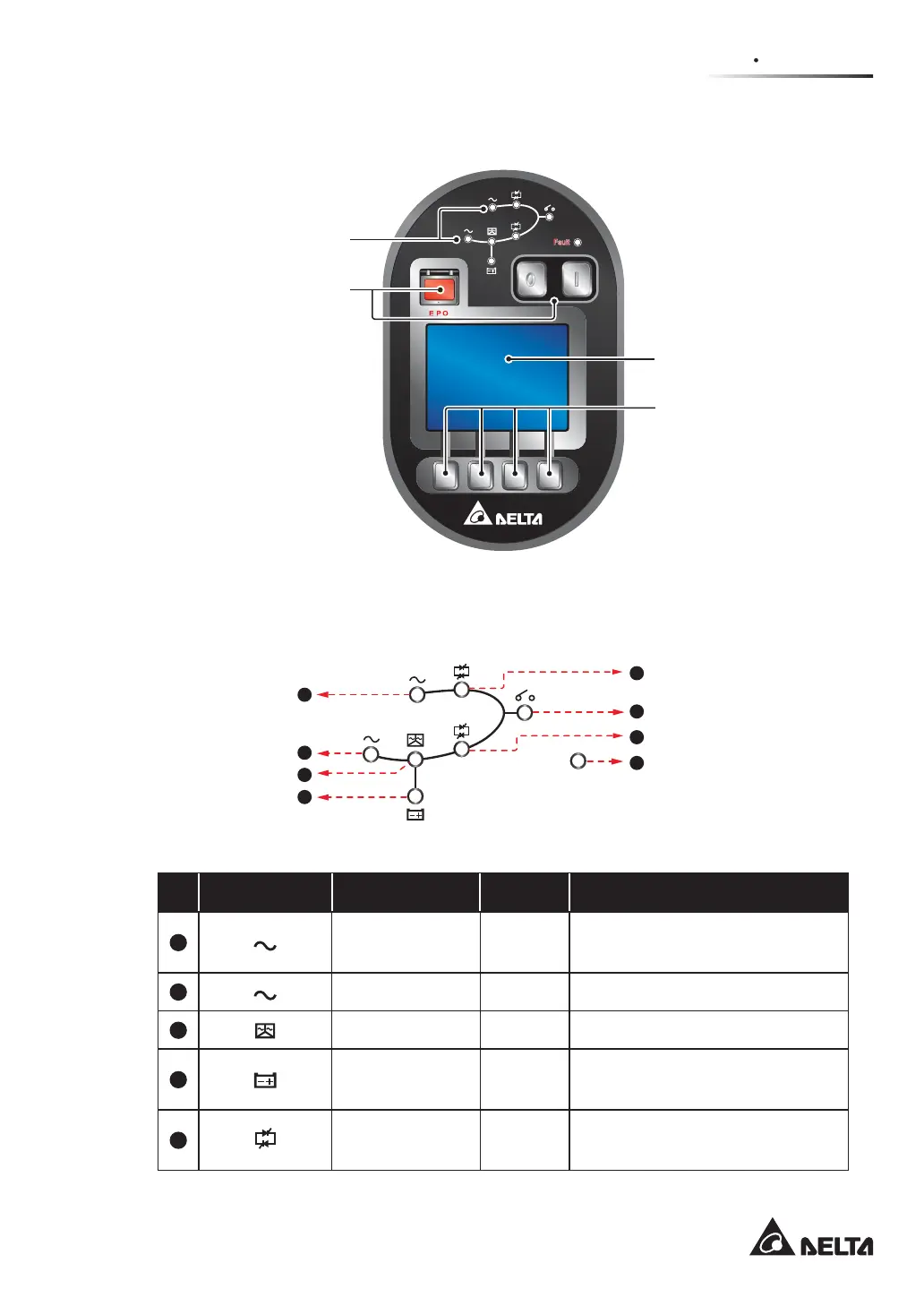
2.5 Control Panel
2.5.1 LED Indicators
2.5.3 LCD Display
2.5.4 Function Keys
2.5.2 ON, OFF, and
EPO Buttons
(Figure 2-5: UPS Control Panel)
2.5.1 LED Indicators
(Figure 2-6: LED Indicators)
Fault
1
2
3
4
5
6
7
8
No. LED Symbol Indicates LED On Meaning
1
Bypass AC
Source
Green When bypass AC Source is normal.
2
Main AC Source Green When main AC Source is normal.
3
Inverter Start-up Green When the UPS’s inverter starts up.
4
Battery Power
Supply
Yellow
When batteries supply power to the
critical loads.
5
Bypass Power
Supply
Yellow
When the bypass supplies power to
the critical loads.











 To Next Page