8-10
Ultron DPS Series
836&RQ¿JXUDWLRQV
8.7.1 Bypass setup
5RXWH0DLQ6FUHHQĺ0DLQ0HQXĺ8366HWXS&RQWUROĺ%\SDVV
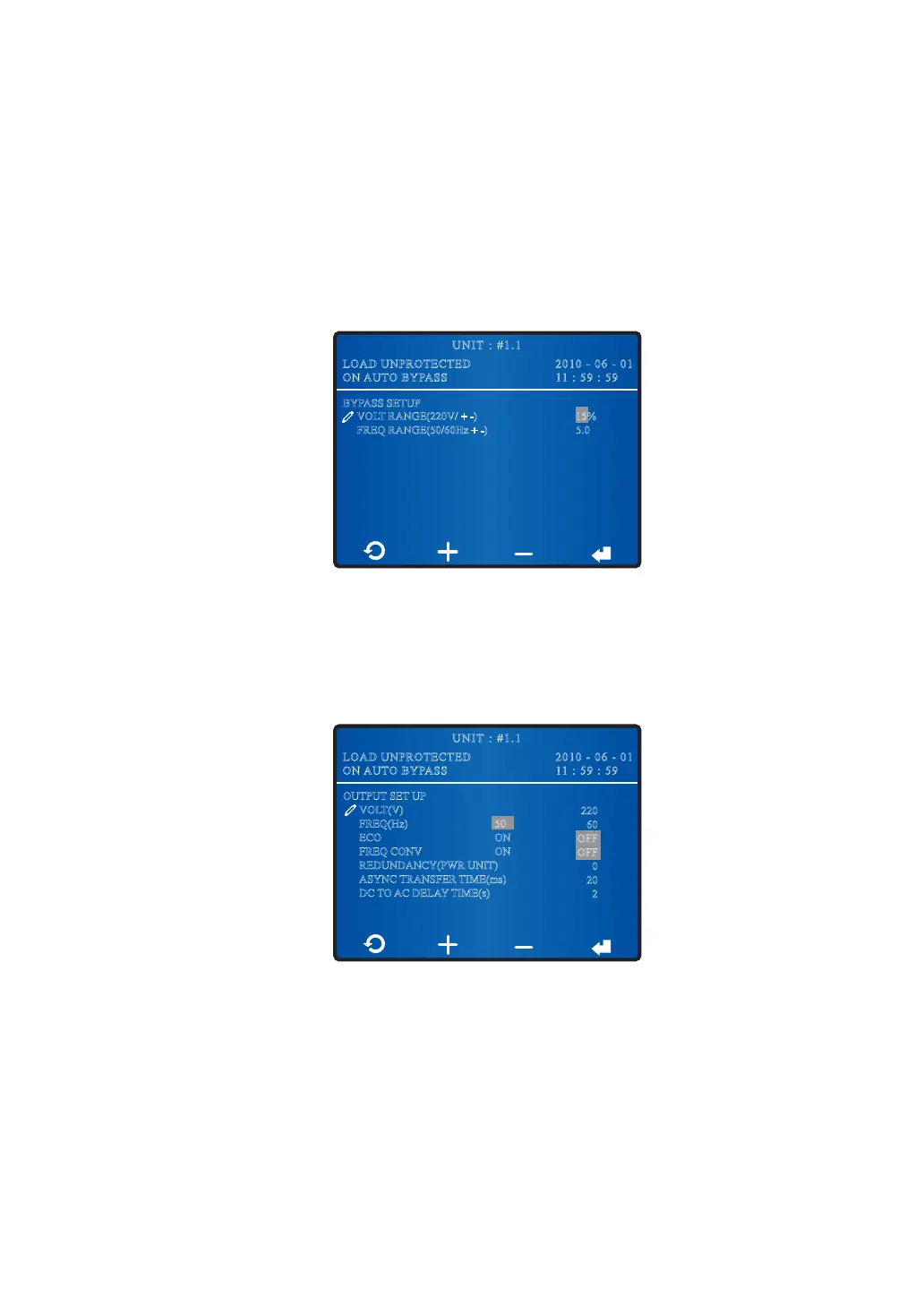
In the BYPASS SETUP screen shown below, you can set up bypass mode’s voltage range
and frequency range. Out of the range, the system will disable the bypass function.
2010 - 06 - 01
11 : 59 : 59
UNIT : #1.1
LOAD UNPROTECTED
ON AUTO BYPASS
BYPASS SETUP
VOLT RANGE(220V/ + -)
FREQ RANGE(50/60Hz + -)
15%
5.0
8.7.2 Output Setup
5RXWH0DLQ6FUHHQĺ0DLQ0HQXĺ8366HWXS&RQWUROĺ2XWSXW
In the OUTPUT SETUP screen shown below, you can set up the following items.
2010 - 06 - 01
11 : 59 : 59
UNIT : #1.1
LOAD UNPROTECTED
ON AUTO BYPASS
220
60
OFF
OFF
0
20
2
OUTPUT SET UP
VOLT(V)
FREQ(Hz)
ECO
FREQ CONV
REDUNDANCY(PWR UNIT)
ASYNC TRANSFER TIME(ms)
DC TO AC DELAY TIME(s)
50
ON
ON
y
VOLT (V)
Set up the output voltage.
y
FREQ (Hz)
The system will automatically select the bypass source’s output frequency.











 To Next Page