7-11
7
UPS Operation
4
Switch off the Input Switch (Q1) and the Main AC Source LED
shuts off.
5
When the UPS’s power module performs discharging, the Inverter Start-up LED
LOOXPLQDWHV$IWHUWKHSRZHUPRGXOH¿QLVKHVGLVFKDUJLQJWKH,QYHUWHU6WDUWXS/('
shuts off.
6
Turn off the circuit breakers or fuses of all external battery cabinets and turn off the
Bypass Switch (Q2) and the Output Switch (Q4). All LEDs are off and no screen
appears.
7.1.6 Battery Mode Turn-off Procedures (Single)
1
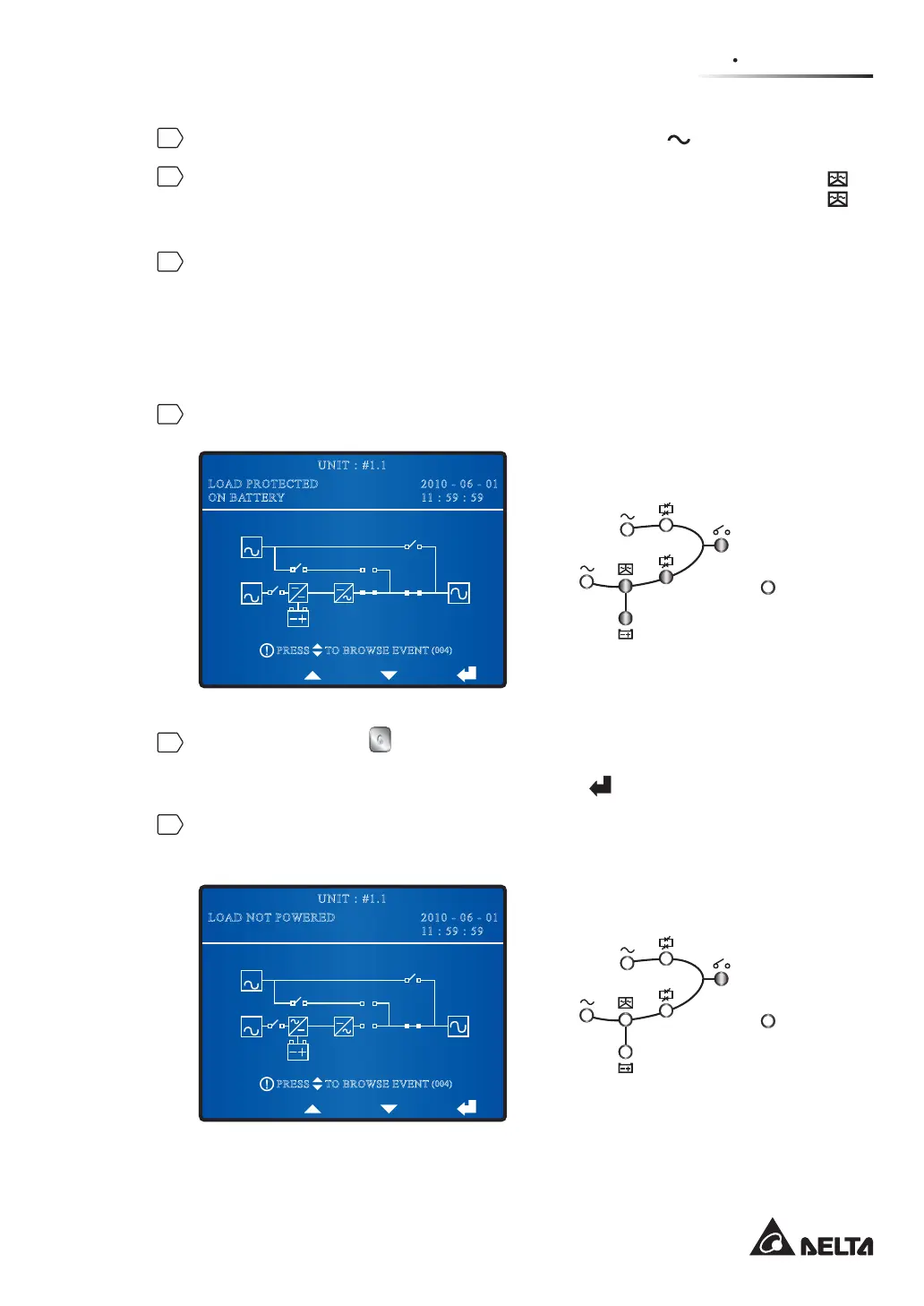
During battery mode, the following screen appears and LEDs illuminate as follows.
BYPA.
MAIN
2010 - 06 - 01
11 : 59 : 59
UNIT : #1.1
LOAD PROTECTED
ON BATTERY
TO BROWSE EVENT
(004)
PRESS
Fault
2
Press the OFF button on the control panel for three to ten seconds and release it
after you hear one beep. The LCD shows the message: ‘SHUTDOWN UPS?’. Select
‘YES’ and press the function key below the symbol ‘
¶WRFRQ¿UP\RXUVHOHFWLRQ
3
$IWHU\RXFRQ¿UP\RXUVHOHFWLRQWKH836WXUQVRIIWKHLQYHUWHUDQGFXWVRIIWKHRXWSXW
The following screen appears and LEDs illuminate as follows.
BYPA.
MAIN
2010 - 06 - 01
11 : 59 : 59
UNIT : #1.1
LOAD NOT POWERED
TO BROWSE EVENT
(004)
PRESS
Fault











 To Next Page