2-6
Ultron DPS Series
2.4.2 Other Views
y
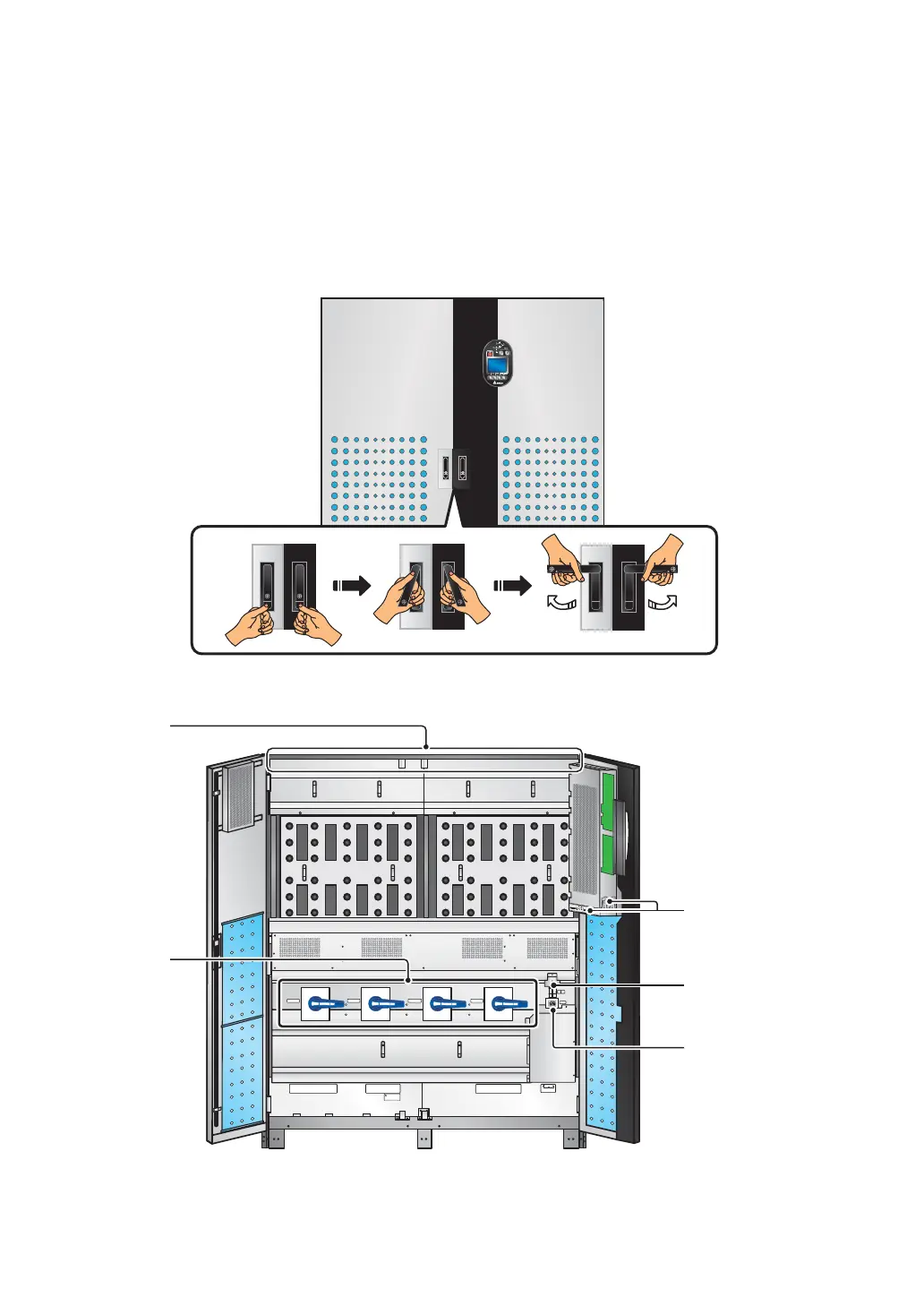
Open Door: there are two door handles and one control panel on the front of the cabi-
net. To open the front doors, please refer to Figure 2-3.
y
Front View with Door Open: after opening the doors, you can see internal mecha-
nisms. Please refer to Figure 2-4.
(Figure 2-3: Front View & Door Handles)
90°90°
(Push)
P.S.
FUSE
AC OUTLET
FUSE
AC OUTLET
220/230/240Vac,8A
O OFF
ON I
O OFF
ON I
O OFF
ON I
O OFF
ON I
Isolate Uninterruptible Power System (UPS)
Then check for Hazardous Voltage between all
terminals including the protective earth
See installation instructions before connecting to the supply
Apparatet er egnet for tilkopling til et IT forsyningsnett
RISK OF VOLTAGE BACKFEED
BEFORE WORKING ON THIS CIRCUIT
T
SR
N
UPS O UTPU T
TSRN
AC INPUT
R
S
T
BYPASS INPUT
240VDC240VDC
BATTERY INPUT
N
BYPASS SWITCH
INPUT SWITCH
MANUAL BYPASS SWITCH
OUTPUT SWITCH
SLOT 2SLOT 1
RS
2
32
P
ARA
LLE
L
O
U
T
P
U
T
DRY
C
ONTA
C
T
1
2
O
N
C
1
C2
C
3
C
4
C
5
C
6
P
1
P
2
P
3P
4
P5
P6
P
7
Fans
AC Outlet
Input &
Output
Switches
Communication
Interfaces
Auxiliary Power Fuse
Holder (Left)/
AC Outlet Fuse
Holder (Right)
(Figure 2-4: Internal Mechanisms)











 To Next Page