8-5
8
LCD Display & Settings
8.4 Main Screen
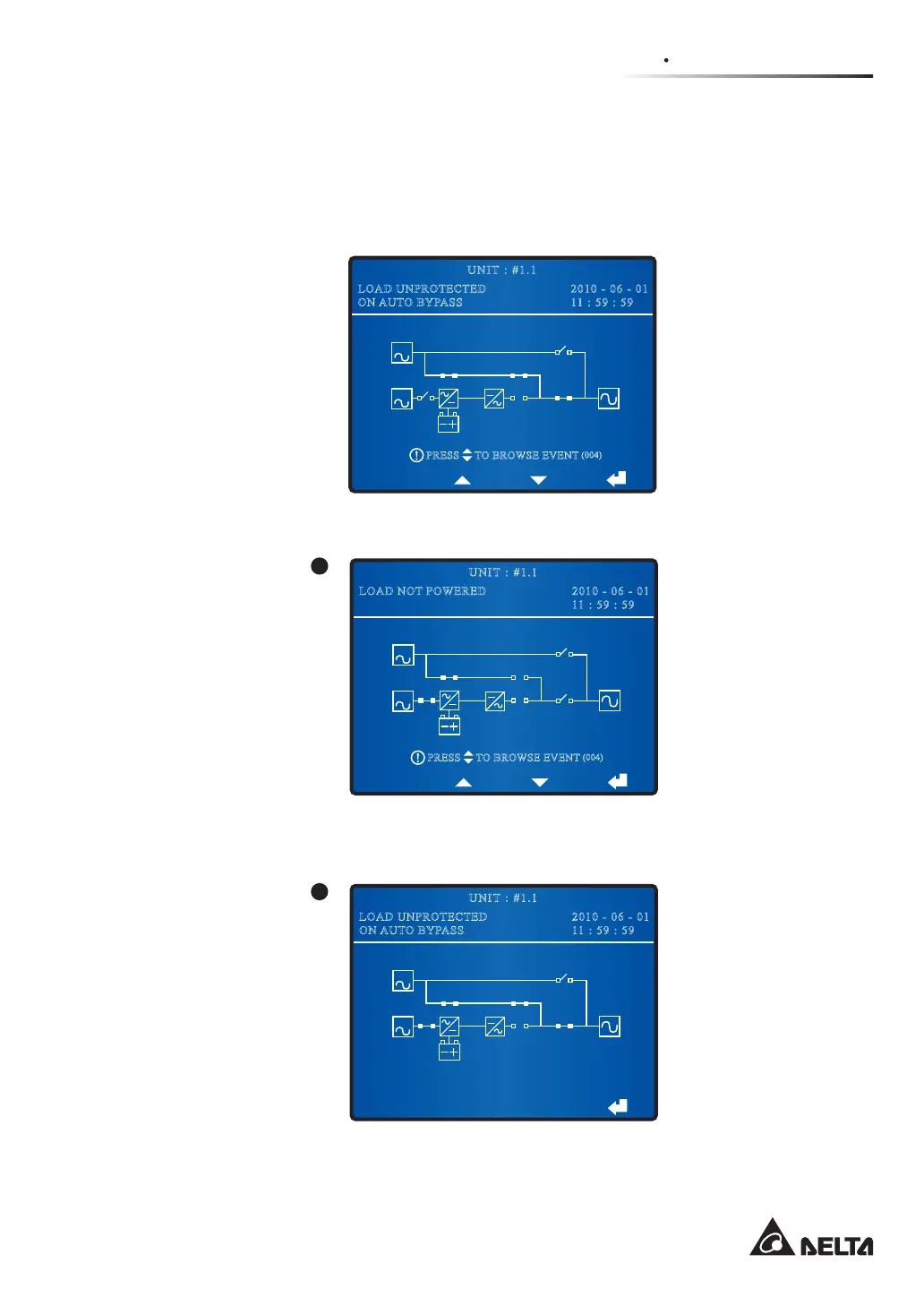
When you turn on the Bypass Switch (Q2) and the Output Switch (Q4), the UPS starts up
and the following screen appears. The system shows different screens depending on the
status of the UPS. There are nine statuses, and each is called Main Screen.
BYPA.
MAIN
2010 - 06 - 01
11 : 59 : 59
UNIT : #1.1
LOAD UNPROTECTED
ON AUTO BYPASS
TO BROWSE EVENT
(004)
PRESS
The nine statuses of the UPS shown in the LCD display are as follows.
BYPA.
MAIN
2010 - 06 - 01
11 : 59 : 59
UNIT : #1.1
LOAD NOT POWERED
TO BROWSE EVENT
(004)
PRESS
1
When the screen above appears, it means that no power is supplied to the critical loads
connected.
2010 - 06 - 01
11 : 59 : 59
UNIT : #1.1
LOAD UNPROTECTED
ON AUTO BYPASS
BYPA.
MAIN
2
When the screen above appears, it means the bypass is supplying power to the critical
loads.











 To Next Page