8-15
8
LCD Display & Settings
y
BUZZER & LED TEST
Perform buzzer and LED test.
y
RESET MODULE
In bypass mode, if you press the ON button
to start up the UPS and there is no
response, please use the LCD to reset module. After the module is reset, you can press
the ON button
to start up the UPS.
NOTE:
After entering each of the following selections, SILENCE ON/OFF,
MANUAL BAT TEST, FORCE BOOST CHARGE, CLR BAT TEST RESULT,
BUZZER & LED TEST and RESET MODULE, use the function keys below the
symbols ‘
’ and ‘ ’ to select ‘YES’ or ‘NO’, and then press the function key
below the symbol ‘
’ to complete your setup.
8.7.7 Local Setup
5RXWH0DLQ6FUHHQĺ0DLQ0HQXĺ8366HWXS&RQWUROĺ/RFDO
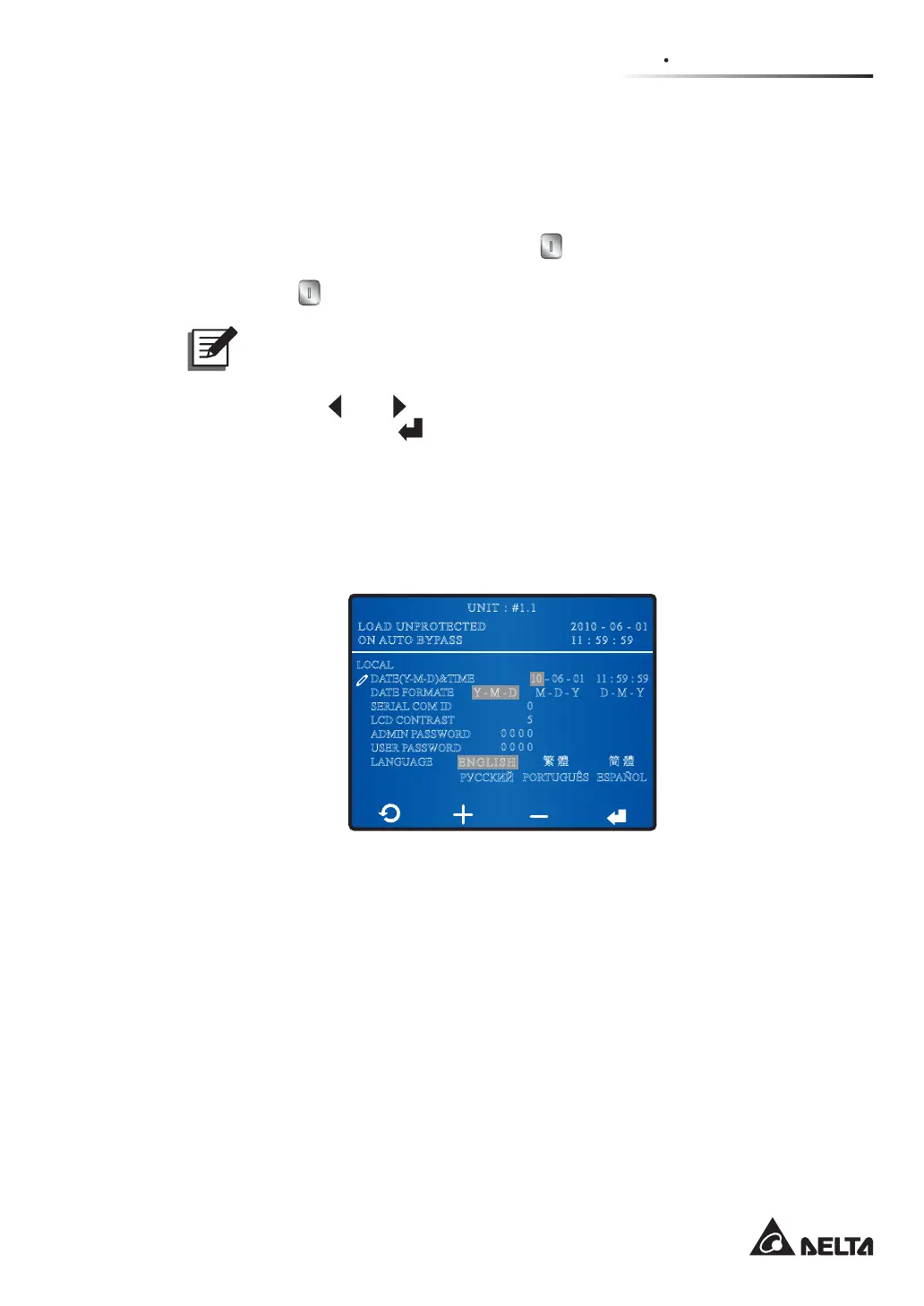
In the LOCAL screen shown below, you can set up the items as follows.
2010 - 06 - 01
11 : 59 : 59
UNIT : #1.1
LOAD UNPROTECTED
ON AUTO BYPASS
LOCAL
DATE(Y-M-D)&TIME
DATE FORMATE
SERIAL COM ID
LCD CONTRAST
ADMIN PASSWORD
USER PASSWORD
LANGUAGE
䷩橼
PORTUGUÊS
䬨橼
ESPAÑOL
ENGLISH
ɊɍɋɋɄɂɃ
ŚĮŎĮŅ
10 - 06 - 01
ŎĮŅĮŚ
0
5
0 0 0 0
0 0 0 0
11 : 59 : 59
ŅĮŎĮŚ
y
DATE (Y-M-D) & TIME
Set up date and time.
y
DATE FORMAT
Select a date format you like.
y
SERIAL COM ID
For standard RS-232 connection, this ID is meaningless. If you use other brand’s RS-
485/ RS-422 converter to connect to the UPS's RS-232 port, this ID should be set (0~
3OHDVHFRQVXOWTXDOL¿HGVHUYLFHSHUVRQQHO
y
LCD CONTRAST
Adjust the LCD display contrast. The default setting is 5.











 To Next Page