8-14
Ultron DPS Series
y
PARALLEL ID
Set up a parallel ID No. (1~8) for each parallel UPS. You can parallel at maximum eight
UPS units.
8.7.6 Test, Buzzer and LED Setup, and Module Reset
5RXWH0DLQ6FUHHQĺ0DLQ0HQXĺ8366HWXS&RQWUROĺ&RQWURO7HVW
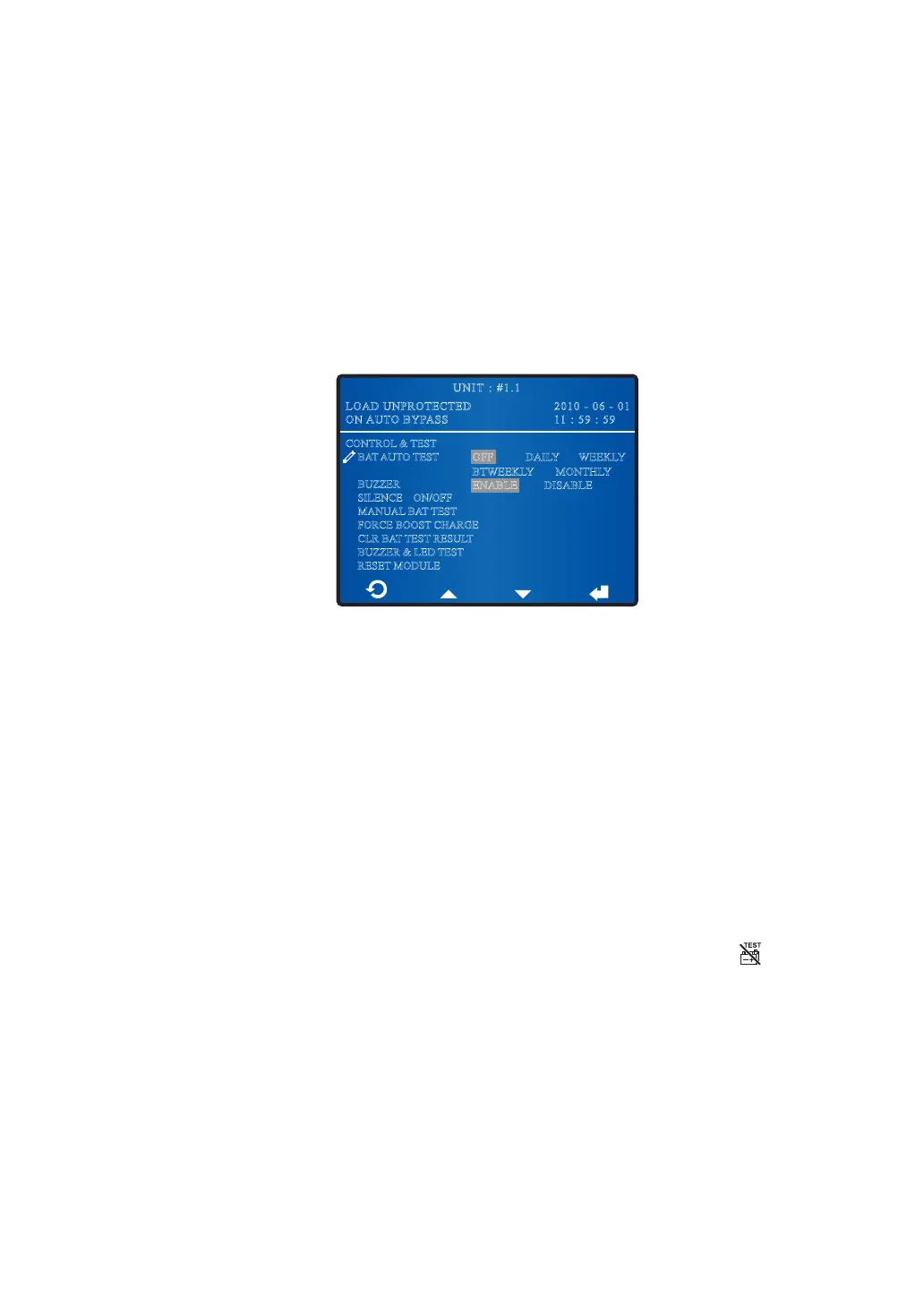
In the CONTROL & TEST screen shown below, you can execute some tests, enable/
disable buzzer, clear battery test result, and reset module.
2010 - 06 - 01
11 : 59 : 59
UNIT : #1.1
LOAD UNPROTECTED
ON AUTO BYPASS
CONTROL & TEST
BAT AUTO TEST
BUZZER
SILENCEON/OFF
MANUAL BAT TEST
FORCE BOOST CHARGE
CLR BAT TEST RESULT
BUZZER & LED TEST
RESET MODULE
OFF DAILY WEEKLY
MONTHLY
DISABLE
BTWEEKLY
ENABLE
y
BAT AUTO TEST
Enable or disable battery auto test. If you wish to enable the battery auto test, please
select an auto test frequency.
y
BUZZER
Enable/ disable buzzer.
y
SILENCE ON/OFF
Silence the buzzer. Please note that the UPS will trigger the buzzer again if the same
abnormality re-occurs.
y
MANUAL BAT TEST
Manually force the unit to perform a battery test. However, if the icon
appears
on the Main Screen, a battery test won’t be executed even you have set up to active
the manual battery test. For the meaning of the icon, please refer to 1.5 Glossary of
Symbols.
y
FORCE BOOST CHARGE
Manually force the unit to execute boost charge to charge the batteries.
y
CLR BAT TEST RESULT
Clear battery test result.











 To Next Page