7-7
7
UPS Operation
7.1.4 Manual Bypass Mode Start-up Procedures (Single Unit)
WARNING:
1. Please note that you can only turn on the Manual Bypass Switch (Q3) when
the UPS needs maintenance. This ensures that the supply of power to the
critical loads will continue. If you turn on the Manual Bypass Switch (Q3) during
normal mode, the inverter will shut down, the UPS will transfer from normal
mode to manual bypass mode, and the output won’t be protected.
2. In manual bypass mode, the manual bypass supplies power to the critical loads
and maintenance personnel can perform maintenance without interrupting the
power supply to the loads.
3. When the UPS is in manual bypass mode, there is no high voltage inside the
UPS except the wiring terminal block and the Manual Bypass Switch (Q3). Do
not touch the wiring terminal.
y
From Normal Mode to Manual Bypass Mode (Single)
1
During normal mode, LEDs illuminate as follows.
Fault
2
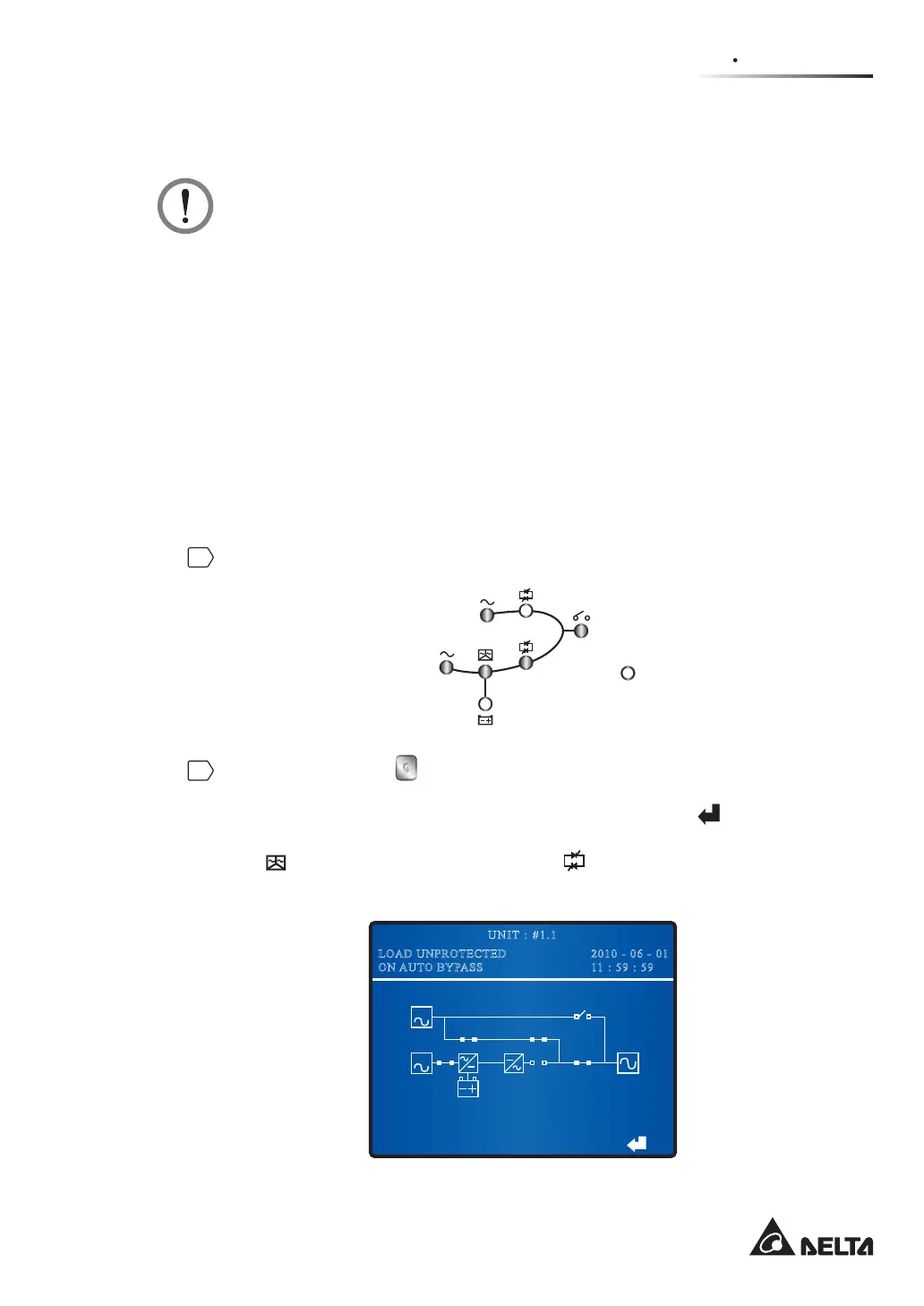
Press the OFF button on the control panel for three to ten seconds and release
it after you hear one beep. The LCD will show the message: ‘SHUTDOWN UPS?’.
Select ‘YES’ and press the function key below the symbol ‘
’ to confirm your
selection. At this moment, the UPS transfers to bypass mode, the Inverter Start-up
LED
and the Inverter Power Supply LED shuts off, and the following screen
appears.
BYPA.
MAIN
2010 - 06 - 01
11 : 59 : 59
UNIT : #1.1
LOAD UNPROTECTED
ON AUTO BYPASS











 To Next Page