7-24
Ultron DPS Series
7.2.5 Normal Mode Turn-off Procedures (Parallel)
y
Press the OFF button of one of the parallel UPSs for three to ten seconds and re-
lease it after you hear one beep. The LCD shows the message: ‘SHUTDOWN UPS?’.
Select ‘YES’ and press the function key below the symbol
‘
’
WRFRQ¿UP\RXUVHOHF-
tion.
1. If the remaining parallel UPSs’ total capacity exceeds the total critical loads, the
inverter of the UPS that you turned off will automatically shut down, and the critical
loads will be shared equally by the remaining parallel UPSs.
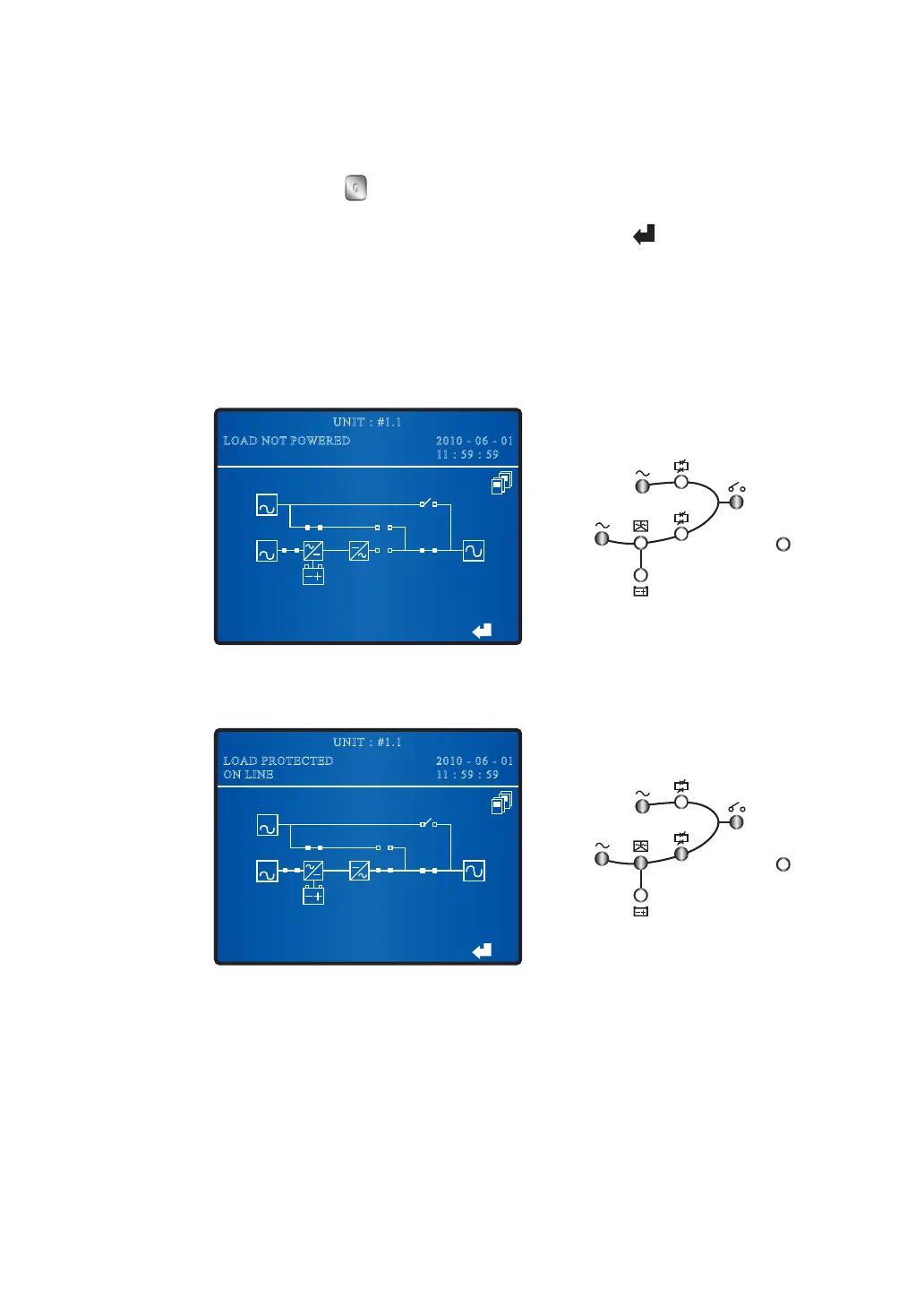
The status of the LCD and LEDs for the UPS that you turned off:
BYPA.
MAIN
2010 - 06 - 01
11 : 59 : 59
UNIT : #1.1
LOAD NOT POWERED
Fault
The status of the LCD and LEDs for the remaining parallel UPSs:
2010 - 06 - 01
11 : 59 : 59
UNIT : #1.1
LOAD PROTECTED
ON LINE
BYPA.
MAIN
Fault











 To Next Page