7-2
Ultron DPS Series
NOTE:
All of the unit No., date, time, and event No. (e.g. 004) shown in the LCD diagrams
presented in this section are for reference only. Actual readings depend on the
operation of the UPS.
7.1 Single Unit Operation Procedures
y
Pre Start-up Warnings for Single Unit
1. Make sure all switches including the circuit breakers or fuses of all external battery
cabinets are switched to the OFF position.
2. Ensure that the voltage difference between the Neutral (N) and the Ground (
) is <
3V.
3. Check if the wiring is correct and the AC power source’s voltage, frequency, phase
and battery type meet UPS requirements.
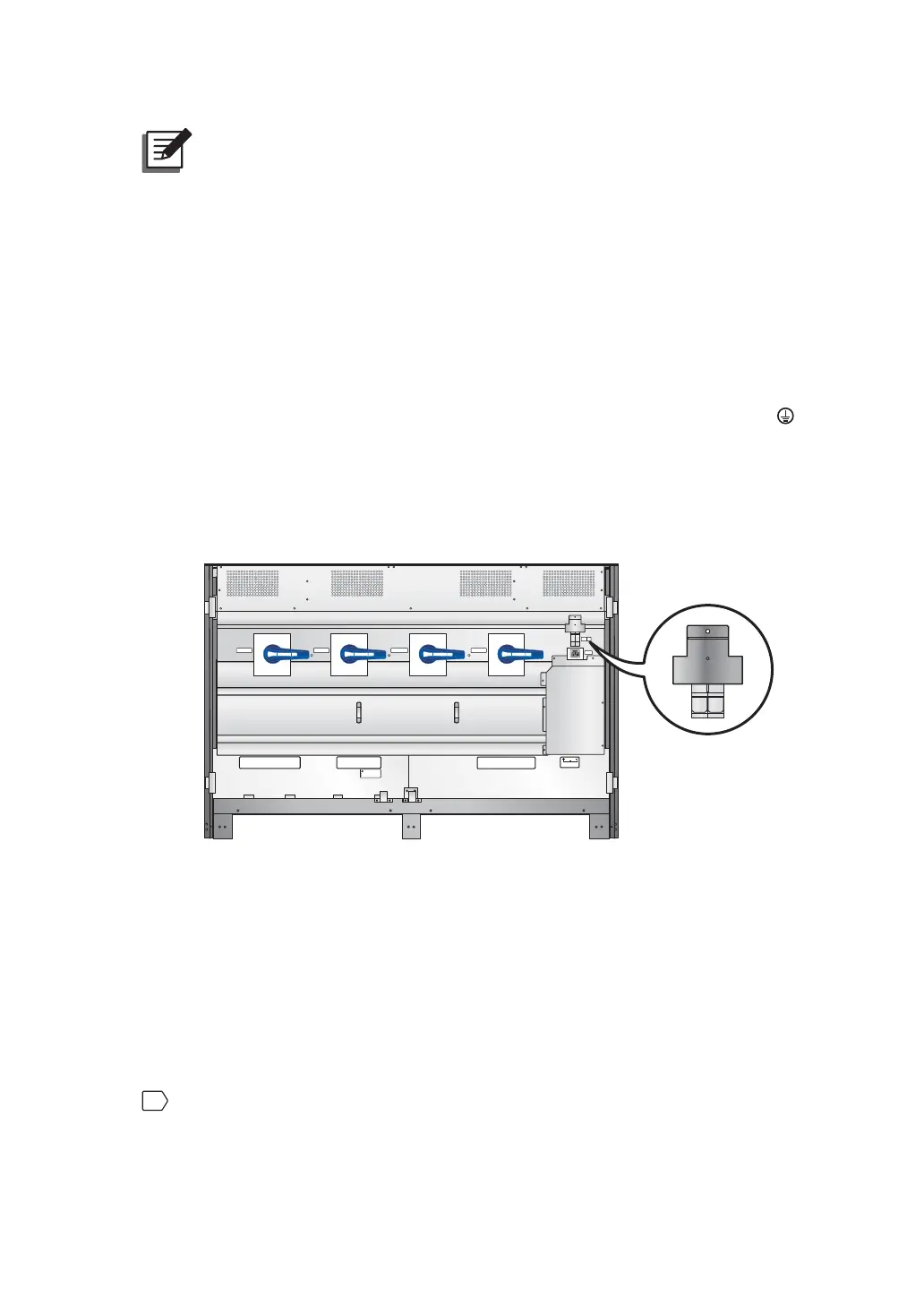
4. Inspect if the auxiliary power fuse holder is closed. Please see Figure 7-1.
P.S.
FUSE
AC OUTLET
FUSE
AC OUTLET
220/230/240Vac,8A
O OFF
ON I
O OFF
ON I
O OFF
ON I
O OFF
ON I
BYPASS SWITCH
INPUT SWITCH
MANUAL BYPASS SWITCH
OUTPUT SWITCH
Isolate Uninterruptible Power System (UPS)
Then check for Hazardous Voltage between all
terminals including the protective earth
See installation instructions before connecting to the supply
Apparatet er egnet for tilkopling til et IT forsyningsnett
RISK OF VOLTAGE BACKFEED
BEFORE WORKING ON THIS CIRCUIT
T
SR
N
UPS O UTP UT
TSRN
AC INPUT
R
S
T
BYPASS INPU T
240VD C240 VD C
BATTERY INPUT
N
(Figure 7-1: Close the Auxiliary Power Fuse Holder)
y
Pre Turn-off Warnings for Single Unit
If you perform turn-off procedures for single unit, all power supplies will be completely
cut off. Please make sure the critical loads connected to the UPS have already been
safely shutdown before you perform the turn-off procedures.
7.1.1 Normal Mode Start-up Procedures (Single)
1
Switch on the circuit breakers or fuses of all external battery cabinets, and ensure that
the Manual Bypass Switch (Q3) is in the OFF position.











 To Next Page