8-8
Ultron DPS Series
2010 - 06 - 01
11 : 59 : 59
UNIT : #1.1
LOAD UNPROTECTED
ON MANUAL BYPASS
TO BROWSE EVENT
(004)
PRESS
BYPA.
MAIN
9
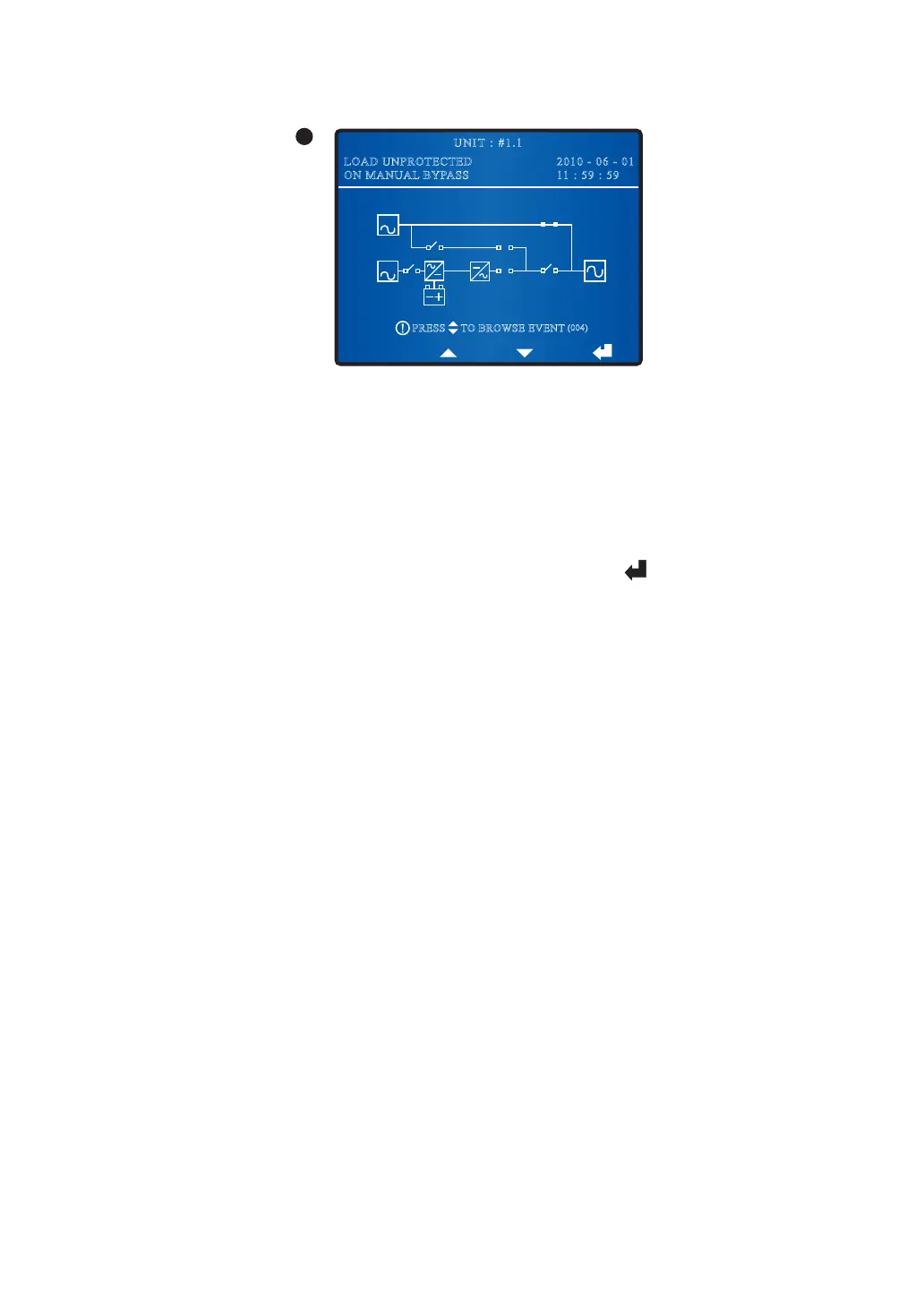
When the screen above appears, it means that the UPS is in manual bypass mode. Before
maintenance, do not forget to switch the UPS into manual bypass mode and cut off the
main AC source and batteries. During this mode, if the bypass AC source fails, the critical
loads won’t be protected.
8.5 Main Menu
In a Main Screen, press the function key below the symbol ‘ ’ to enter into the Main
Menu shown below.
y
MEASURE
Check the unit’s mains, bypass, inverter, output, battery, and STS T(°C) readings.
y
UPS SETUP & CONTROL
Configure UPS’s setup including bypass, output, battery, charger, parallel, buzzer,
LEDs, test and module reset.
y
MAINTENANCE
Check/ clear the UPS's event log and statistics, check/ upgrade the UPS's firmware
version, and check the UPS's power module information.











 To Next Page