8-7
8
LCD Display & Settings
BYPA.
MAIN
2010 - 06 - 01
11 : 59 : 59
UNIT : #1.1
LOAD PROTECTED
ON BATTERY
TO BROWSE EVENT
(004)
PRESS
6
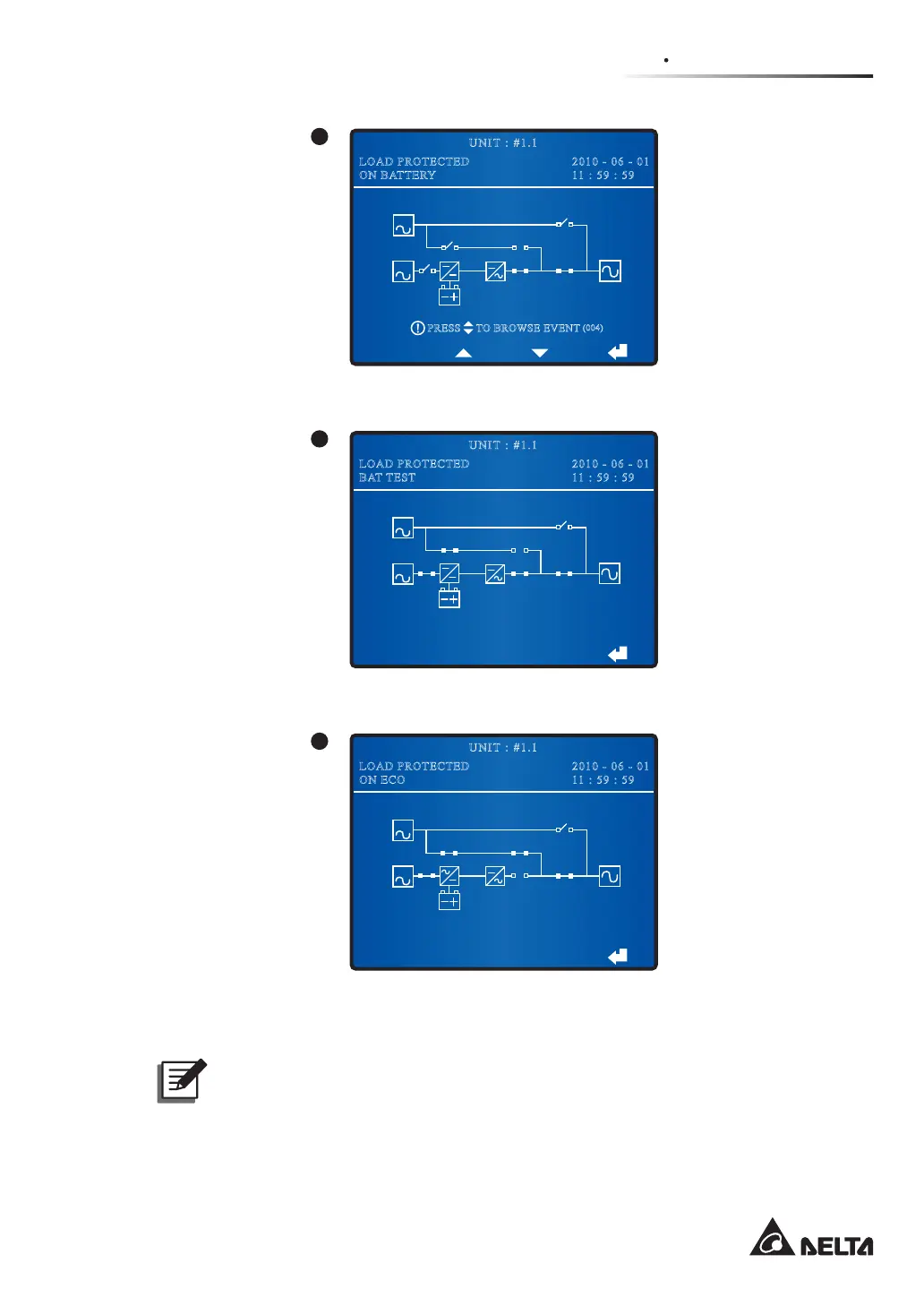
When the screen above appears, it means that the UPS is in battery mode.
BYPA.
MAIN
2010 - 06 - 01
11 : 59 : 59
UNIT : #1.1
LOAD PROTECTED
BAT TEST
7
When the screen above appears, it means that the UPS is executing a battery test.
2010 - 06 - 01
11 : 59 : 59
UNIT : #1.1
LOAD PROTECTED
ON ECO
BYPA.
MAIN
8
When the screen above appears, it means that the UPS is in ECO mode and the bypass
supplies power to the critical loads. Please see 8.7.2 Output Setup for ECO mode setup.
NOTE:
To ensure power supply quality, it is recommended that you set up the UPS in ECO
mode only when the line power is stable. Only maintenance personnel can set up
ECO mode.











 To Next Page