7-25
7
UPS Operation
1
Switch off the Input Switch (Q1) and the Output Switch (Q4) of the UPS that you
just turned off and turn off all of its connected external battery cabinets’ breakers
or fuses. After that, the Bypass AC Source LED
, the Main AC Source LED
and the Output Switch LED
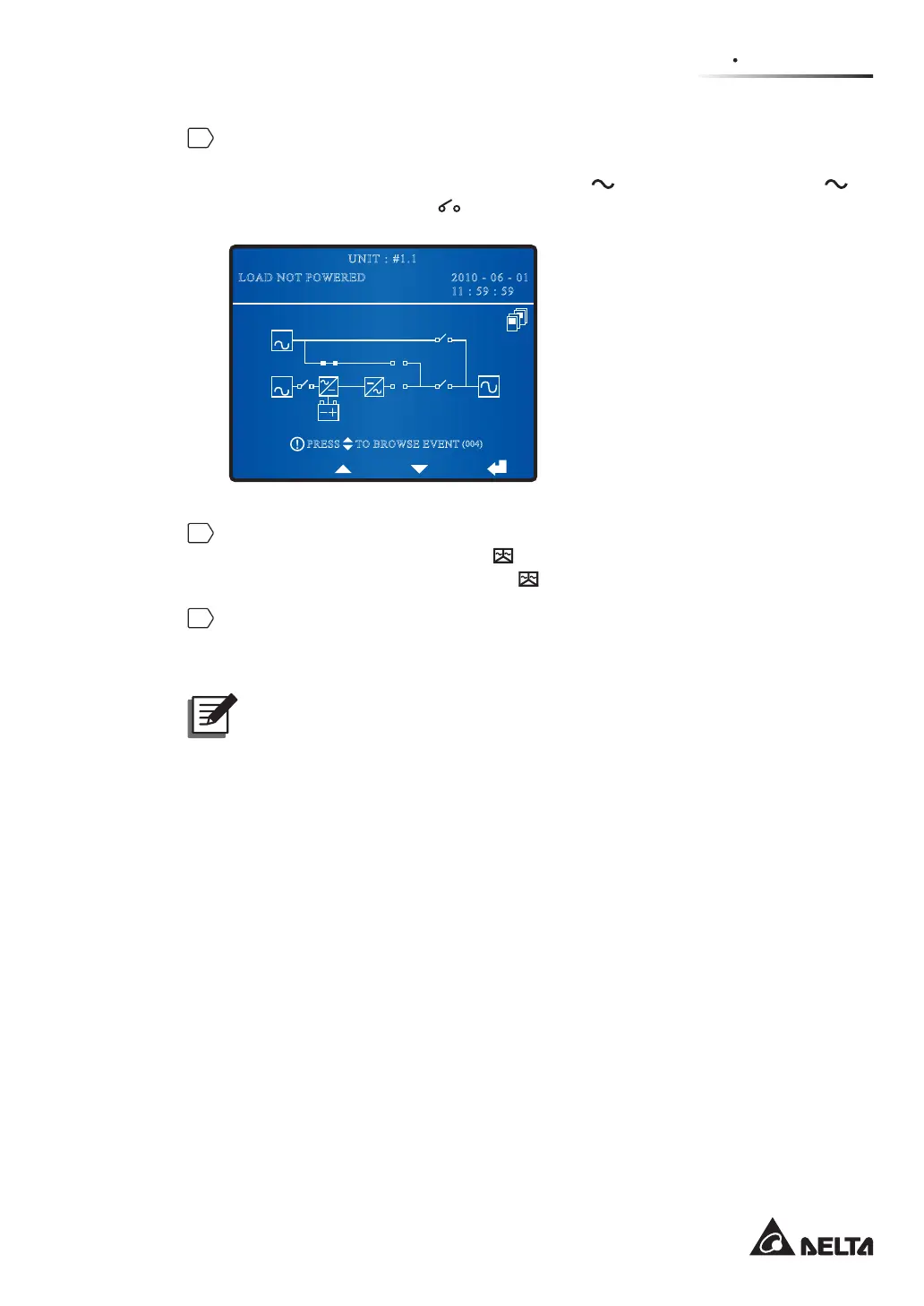
are off and the LCD shows the following screen.
BYPA.
MAIN
2010 - 06 - 01
11 : 59 : 59
UNIT : #1.1
LOAD NOT POWERED
TO BROWSE EVENT
(004)
PRESS
2
:DLWXQWLOWKH836VSRZHUPRGXOH¿QLVKHVGLVFKDUJLQJ'XULQJWKHGLVFKDUJLQJ
process, the Inverter Start-up LED
LOOXPLQDWHV$IWHUWKHSRZHUPRGXOH¿QLVKHV
discharging, the Inverter Start-up LED
shuts off.
3
Switch off the Bypass Switch (Q2) of the UPS that you turned off and all of its
connected external battery cabinets’ circuit breakers or fuses. After that, all LEDs
are off and no screen appears on the LCD.
NOTE:
If you need to turn off the remaining parallel UPSs, please repeat the
procedures above.
2. If the total critical loads exceed the remaining parallel UPSs’ total capacity, all
parallel UPSs’ inverters will shut down, inverter static switches will automatically turn
off, and all parallel UPSs will transfer to bypass mode. The total critical loads will be
shared equally by all parallel UPSs, and each of the parallel UPSs has the status of
the LCD and LEDs as follows.











 To Next Page