7-26
Ultron DPS Series
2010 - 06 - 01
11 : 59 : 59
UNIT : #1.1
LOAD UNPROTECTED
ON AUTO BYPASS
BYPA.
MAIN
Fault
1
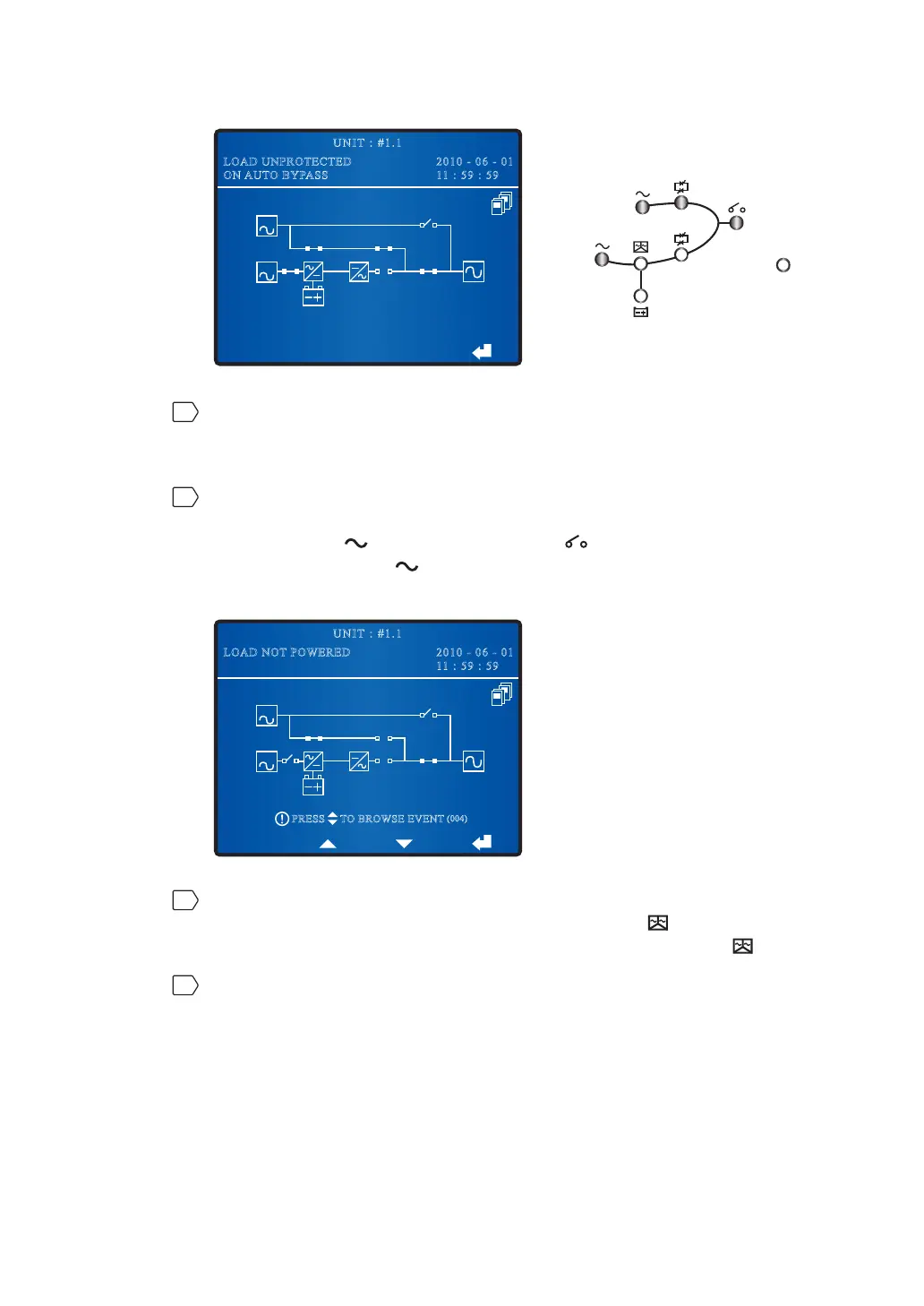
Since all parallel UPSs are in bypass mode, the critical loads won’t be protected
LIDSRZHUIDLOXUHRFFXUV3OHDVHFRQ¿UPZKHWKHUWKHFULWLFDOORDGVVKRXOGEHVKXW
down or not.
2
Turn off each parallel UPS’s Input Switch (Q1) and its all connected external
battery cabinet’s circuit breakers or fuses. After that, each parallel UPS’s Bypass
AC Source LED
and Output Switch LED illuminate, each parallel UPS’s
Main AC Source LED
shuts off, and each parallel unit’s LCD shows the
following screen.
BYPA.
MAIN
2010 - 06 - 01
11 : 59 : 59
UNIT : #1.1
LOAD NOT POWERED
TO BROWSE EVENT
(004)
PRESS
3
Wait until all parallel UPSs’ power modules finish discharging. During the
discharging process, each UPS’s Inverter Start-up LED
illuminates. After the
SRZHUPRGXOHV¿QLVKGLVFKDUJLQJHDFK836¶V,QYHUWHU6WDUWXS/('
is off.
4
Switch off each UPS’s Bypass Switch (Q2), Output Switch (Q4) and all of its
connected external battery cabinets’ circuit breakers or fuses. After that, each
unit’s LCD and LEDs are off.











 To Next Page