5-16
Ultron DPS Series
3
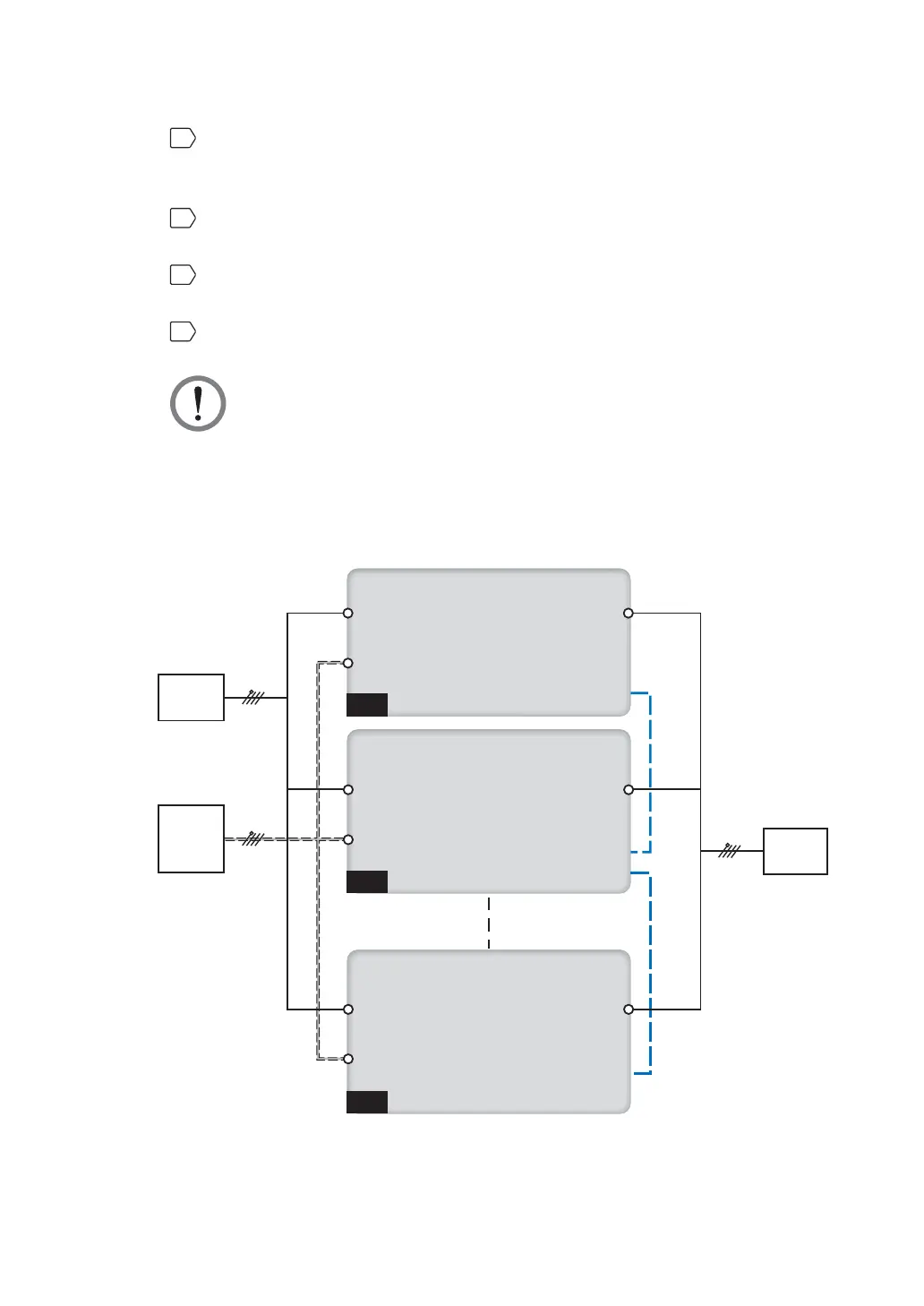
Connect the main AC source/ bypass AC source/ UPS output/ external battery
cabinet cables to the wiring terminal block. Please refer to Figure 5-13, Figure 5-15
and 5.5 External Battery Cabinet Connection Warnings.
4
Connect the bypass source’s neutral to the neutral (N) terminal of the AC Input
Block.
5
Use the provided parallel cable to connect the parallel ports on the parallel units.
Please see Figure 4-1 for parallel port location.
6
Ground the parallel UPSs.
WARNING:
1. When UPSs are paralleled, the length of each unit's input cables (bypass
AC source) plus output cables must be the same. This ensures that the
parallel UPSs can equally share the critical loads in bypass mode.
2. Only UPSs with the same capacity, voltage and frequency can be paralleled;
otherwise, parallel functions will fail.
UPS 1
UPS 2
UPS 8
Main
Source
LOAD
Main Input
Main Input
Main Input
Output
Output
Output
Parallel Port
Parallel Port
Parallel Port
Parallel Port
Bypass
Bypass
Bypass
Second
Source
(for Bypass)
3Ø4W
3Ø4W
3Ø4W
Parallel CableParallel Cable
(Figure 5-15: Parallel Units Dual Input Wiring Diagram)











 To Next Page