Memory Direct5-2
Memory Direct
PDF, XPS, JPEG and TIFF files saved on USB memory devices can be
printed by plugging the USB memory device into the machine.
d
Memory direct can be used only if the optional Hard Disk Kit HD-P03
or a CompactFlash card is installed.
In order to perform collated printing with memory direct, the optional
Hard Disk Kit HD-P03 or a CompactFlash card of 1 GB or more must
be installed.
d
For details on specifying settings with the control panel, refer to
“MEMORY PRINT Menu” on page 2-85.
Printing From a Connected USB Memory Device
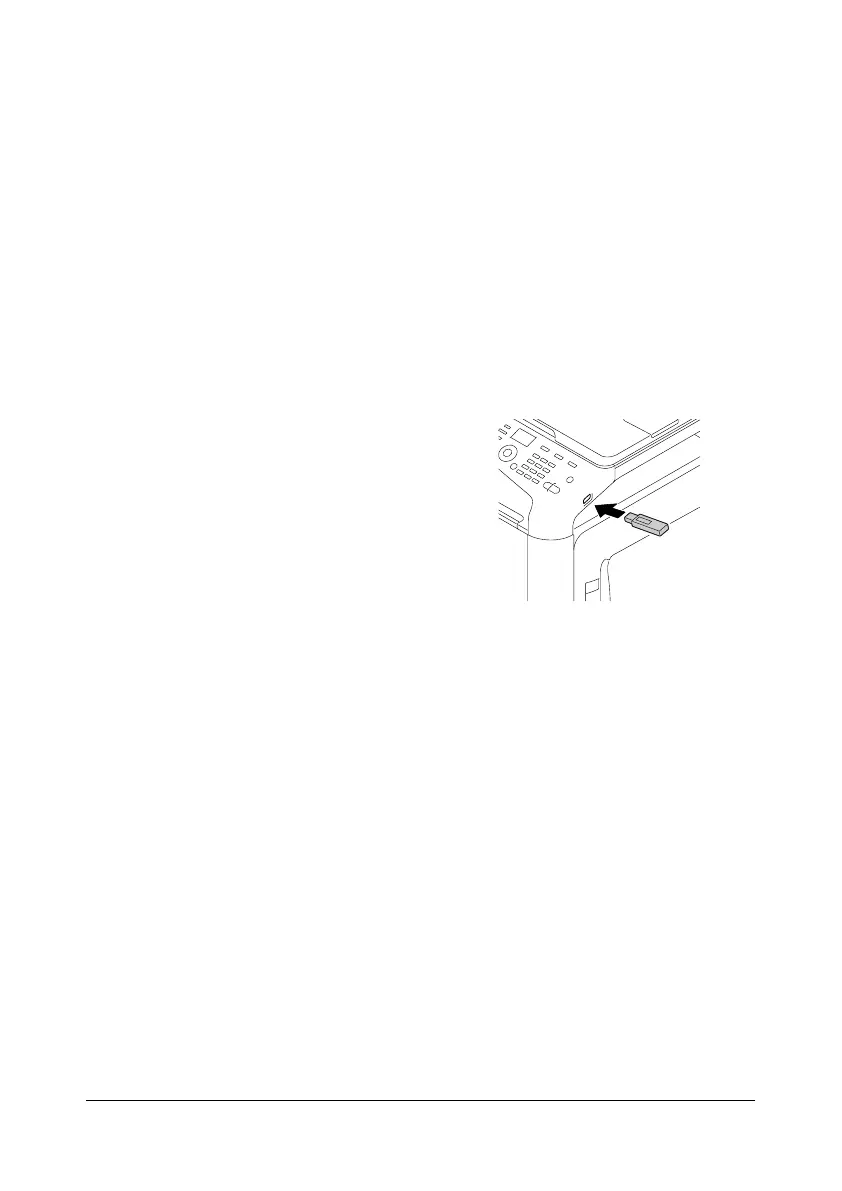
1 Plug the USB memory device
into the USB HOST port.
2 In the main screen, press the + or , key to select [MEMORY PRINT], and
then press the Select key.
3 Press the + or , key to select [LIST OF FILES], and then press the
Select key.
d
When all files (PDF, XPS, JPEG and TIFF) are displayed, select
[TYPE OF FILES], and then press the Select key.
4 From the file list, select the file that you wish to print, and then press the
Select key.
If the file to be printed is in a folder, select the folder, and then press the
Select key.
d
A maximum of 99 folders and files can be displayed.
d
Up to 7 folder levels can be displayed.
5 Specify the desired print settings.
d
For details on memory direct, refer to “MEMORY PRINT Menu” on
page 2-85.










 To Next Page