About Duplex Printing 3-27
About Duplex Printing
Duplex (double-sided) printing can be done with this machine, which has the
duplex unit built in as a standard. If the paper has low opacity (high translu-
cency), then the printed data from one side of the page will show through to
the other side. Check your application for margin information. For best
results, print a small quantity to make sure the opacity is acceptable.
Only plain paper (60 to 90 g/m
2
), special paper (60 to 90 g/m
2
) and thick
stock (91 to 210 g/m
2
) can be autoduplexed. See “Types” on page 3-3.
Duplexing envelopes, labels, letterheads, postcards, glossy media or
single side only paper is not supported.
How do I autoduplex?
Check your application to determine how to set your margins for duplex
(double-sided) printing.
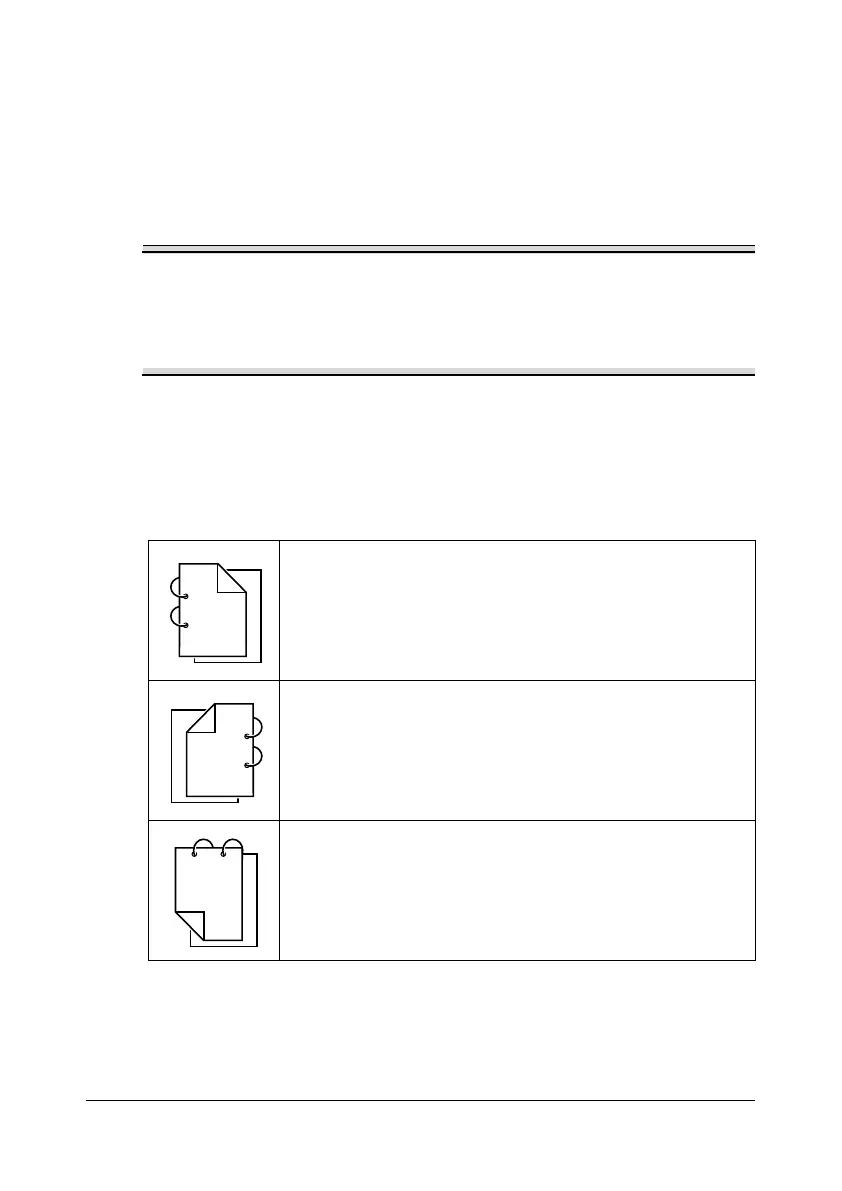
The following Binding Position settings are available.
If [Long Edge (Left)] is selected, the pages will be laid out
to flip at the side.
If [Long Edge (Right)] is selected, the pages will be laid out
to flip at the right.
If [Short Edge (Top)] is selected, the pages will be laid out
to flip at the top.










 To Next Page