Checking the Machine Status and Settings 2-15
Checking the Machine Status and Settings
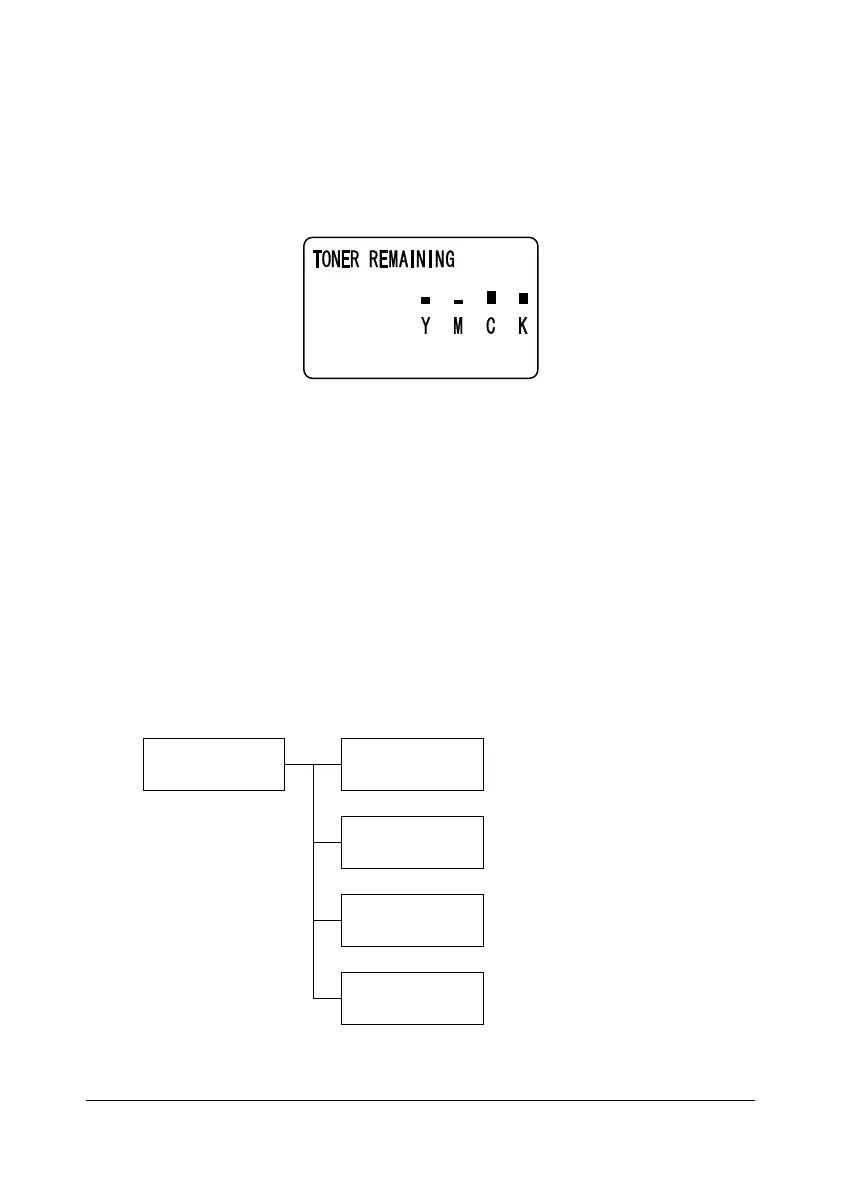
TONER REMAINING
With the main screen displayed, press the * key to display the [TONER
REMAINING] screen. From this screen, a general estimate of the amount of
toner remaining in the toner cartridges can be viewed.
To return to the main screen, press the Back key.
d
If the Select key is held down for at least 2 seconds while the screen
described above is displayed, the configuration page will be printed.
REPORT/STATUS Menu
To display the [REPORT/STATUS] screen, select [REPORT/STATUS] in the
main screen, and then press the Select key. From this menu, the total num-
ber of pages printed by this machine and the results of fax transmissions/
receptions can be viewed. In addition, the reports can be printed. The
[REPORT/STATUS] menu is structured as shown below.
d
To return to the previous screen, press the Back key. To display the
main screen, press the Stop/Reset key.
REPORT/STATUS TOTAL PRINT
SUPPLY STATUS
TX/RX RESULT
REPORT










 To Next Page