Making Advanced Copies 6-11
Setting Duplex (Double-Sided) Copying
Duplex (Double-Sided) Copying From the ADF
With duplex (double-sided) copying, two single-sided document pages can
be scanned with the ADF and printed onto a single sheet of paper.
1 In the main screen (Copy mode), press the + or , key to select the cur-
rent simplex/duplex (single-sided/double-sided) setting, and then press
the Select key.
2 Press the + or , key to select [1-SIDE%2-SIDE], and then press the
Select key.
3 Press the + or , key to select [LONG EDGE] or [SHORT EDGE], and then
press the Select key.
The main screen (Copy mode) appears again.
d
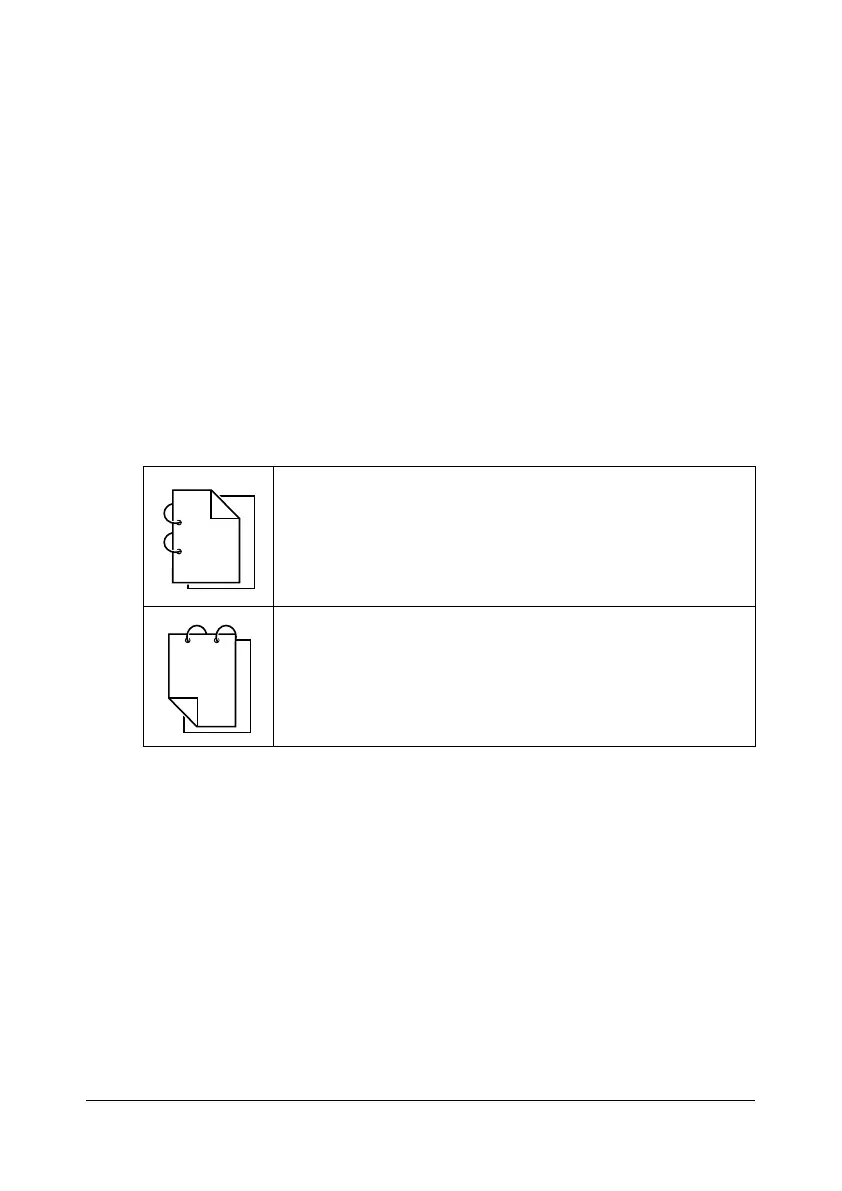
When [LONG EDGE] or [SHORT EDGE] is selected, duplex (dou-
ble-sided) copying is performed as described below.
If [LONG EDGE] is selected, the pages will be laid out to flip
at the sides.
If [SHORT EDGE] is selected, the pages will be laid out to
flip at the top.










 To Next Page