Replacing Consumables8-6
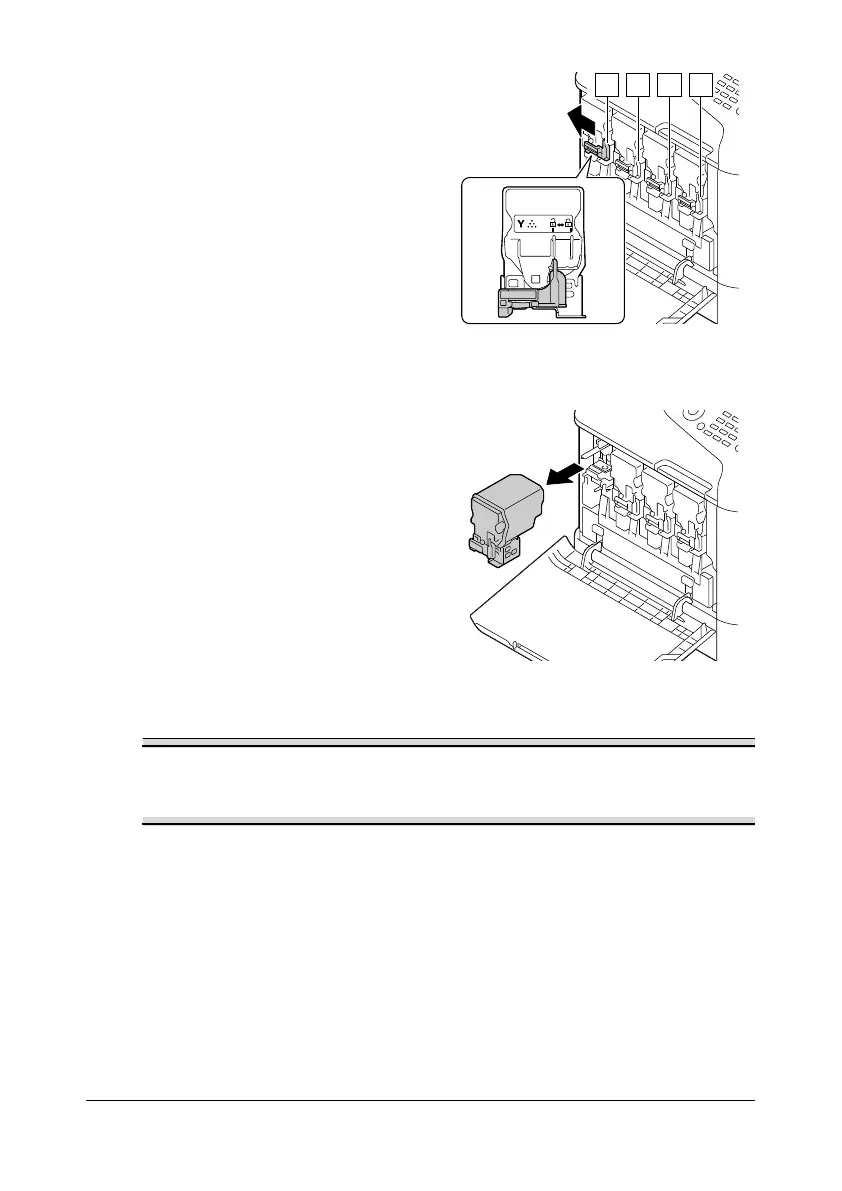
3 Pull the front lever of the color
toner cartridge indicated to the
left.
The replacement procedure for
the toner cartridge is the same
for all colors (yellow: Y,
magenta: M, cyan: C, and black:
K).
The following instructions show
the procedure to replace the
toner cartridge (Y).
4 Grab the handle of the toner
cartridge to be replaced, and
then pull out the cartridge.
The following instructions show
the procedure to replace the
toner cartridge(Y).
Dispose of the used toner cartridge according to your local regulations.
Do not burn the toner cartridge.
For details, refer to “About Toner Cartridges” on page 8-2.
5 Check the color of the new toner cartridge to be installed.










 To Next Page