Replacing Consumables 8-15
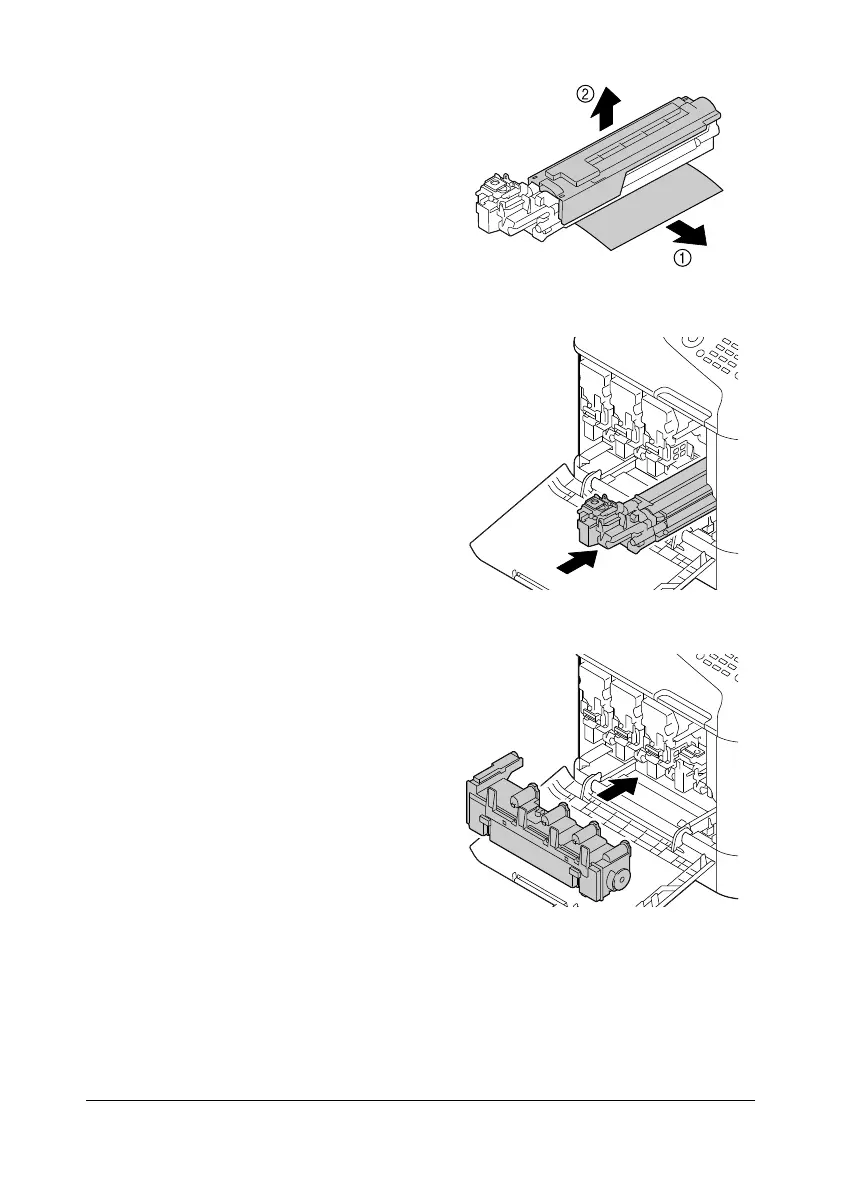
12 Remove the paper from the
imaging unit.
Remove the protective cover
from the imaging unit.
13 Make sure that the new imaging
unit to be installed is the same
color as the machine compart-
ment, and then install the imag-
ing unit in the machine.
14 Press in on the waste toner bot-
tle until it locks into place.










 To Next Page