Hard Disk Kit HD-P03 11-9
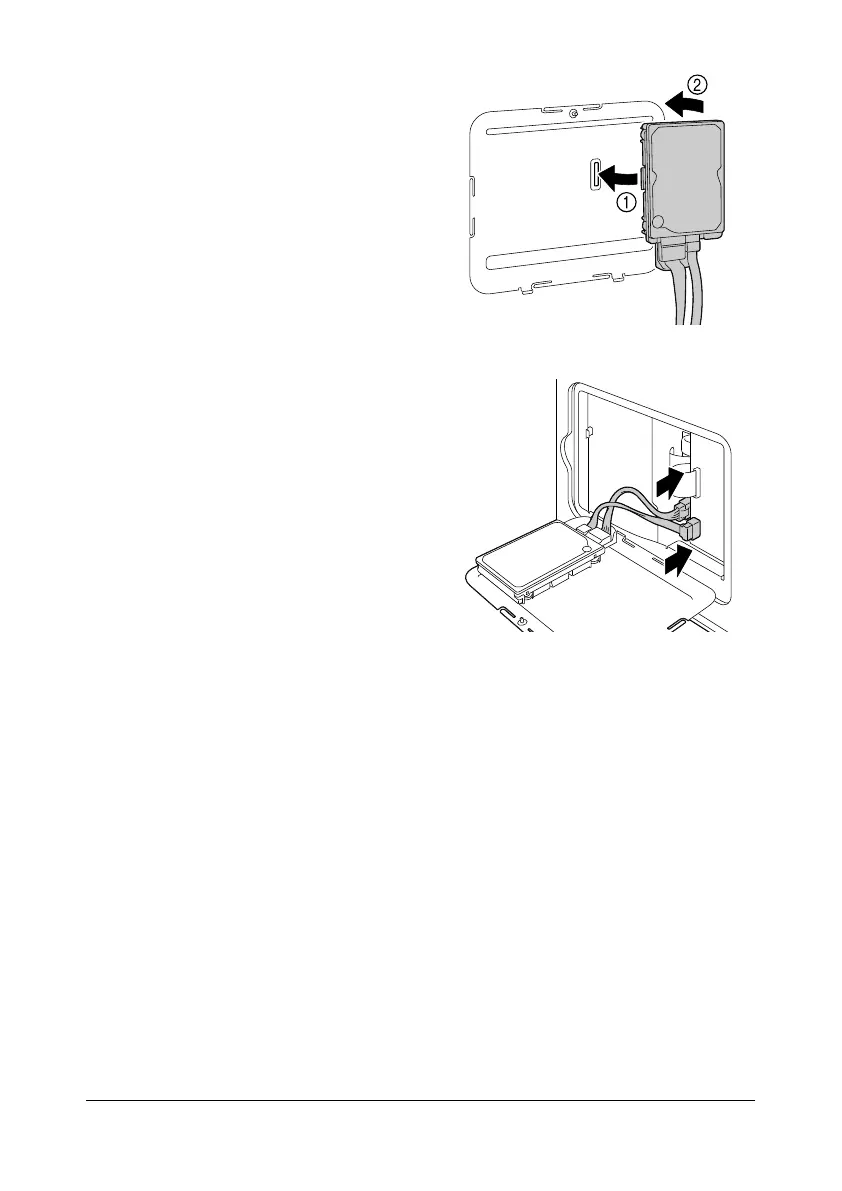
5 Attach Hard Disk Kit HD-P03 to
the back of the cover.
6 Plug the two cables on the Hard
Disk Kit HD-P03 into the con-
nector.
7 Attach the cover, and then tighten the screw.
8 Close the rear cover.
9 Reconnect all interface cables.
10 Reconnect the power cord, and turn on the machine.
11 Declare the Hard Disk in the Windows printer driver ([Properties]/[Config-
ure] tab).










 To Next Page