Maintenance Manual D900
49-MD900EN05
98
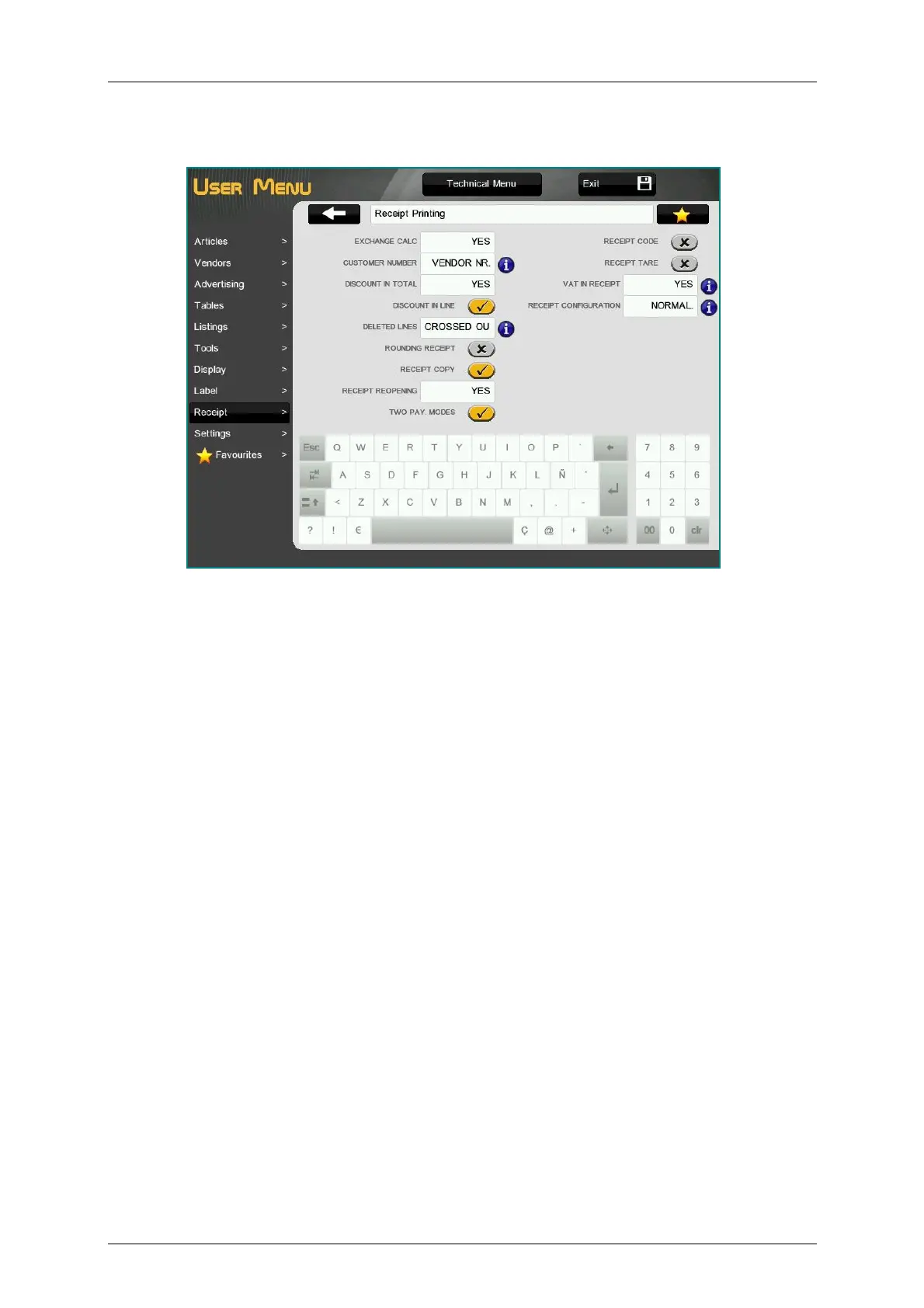
3.9.3.Receipt Printing
3.9.3.1.Exchange Calculation
With this option you determine if the scale must calculate the change before issuing the receipt or not. To
do so:
‘N0’ – Without calculation of the change. (Default value)
‘DELAYED’ – With calculation of the change, after a 5-sec. pause.
‘YES’ – With calculation of the change.
Enter the required change value with the numeric keypad.
3.9.3.2.Customer Number
Decides which number will appear on the receipt number, a successive number provided by the scale
itself, or a number the scale will request before printing the receipt (Customer number) and whether what
is printed is this receipt number or the sales assistant’s code.
Enter one of the following values:
‘0 – VENDOR NR.’ – The sales assistant number is printed in the heading.
‘1 – VENDOR NR. + CUSTOMER NR.’ – The customer number is requested before printing the
receipt, in order to print this number at the end. The sales assistant number is printed in the
heading.
‘2 – RECEIPT NR.’ – The next consecutive receipt number is printed in the heading.
‘3 – RECEIPT NR. + CUSTOMER NR.’ – A customer number is requested before the receipt is
printed, and this number is printed at the end. The next consecutive receipt number is printed in
the heading.
‘4 – VENDOR NR. + ACCOUNT NR.’ – The sales assistant number is printed in the heading. If the
“PAY TO ACCOUNT” mode of payment is selected, the scales request the customer number for
payment to account, and it will be printed below the receipt:
Account payment
Client: Client no. and name.
‘5 – VENDOR NR. + CUSTOMER NR. OR ACCOUNT NR.’ – It requests customer number before
printing the receipt and the sales assistant number is printed on the header. If ‘ON ACCOUNT’ is
selected as form of payment, the scale requests the customer number for payment on account,
and will print it on the header.



 To Next Page