Maintenance Manual D900
49-MD900EN05
106
3.10.2.6.Subtraction
Just like the previous parameter but for subtraction operations.
3.10.2.7.Addition
Just like the previous parameter but for addition operations.
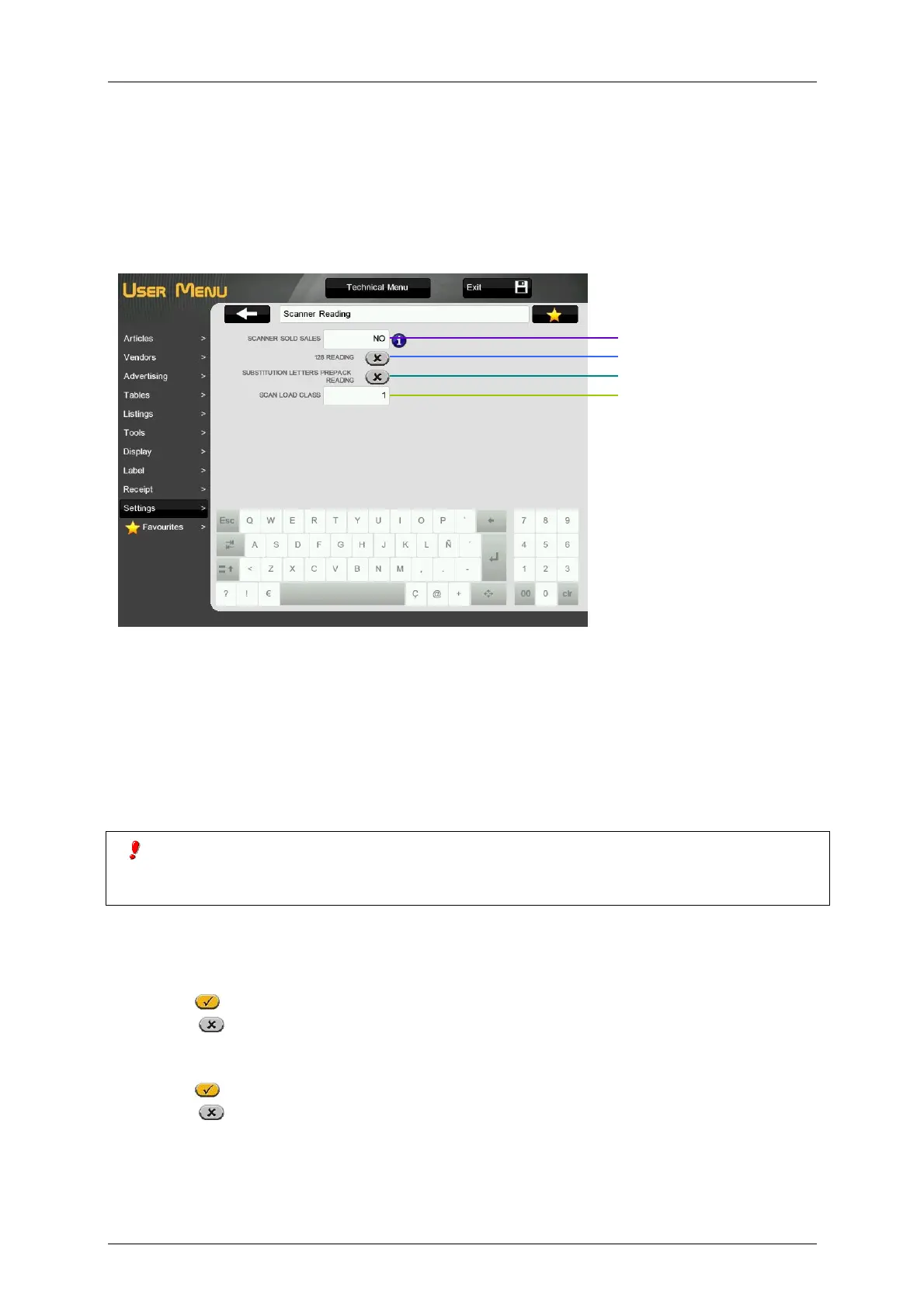
3.10.3.Scanner Reading
In this menu it is possible to configure all the parameters related with reading barcodes with scanner.
3.10.3.1.Scanner sold sales
It allows making a direct sale of read articles with scanner, when the scale is working in receipt mode.
The possible values are:
'NO' – It is not possible to make direct sale of the read articles with scanner.
‘WITH MEM SEL’ – It is possible to make direct sale of the read articles with scanner. In the first
sale of scanner read products the vendor must be selected.
‘W/O SEL MEM’ – It is possible to make direct sale of the read articles with scanner. The scale
assigns automatically the vendor for the scanner read articles (V1 in master and Slave number +1
in slaves).
If the parameter has the value ‘With mem sel’, once the first saving has been done and the memory
indicated on the display, all the savings done using the scanner will affect to that memory. It is no possible selling
working in other memory. When the receipt has been taken away, you can save over other memory.
3.10.3.2.128 reading
This parameter determines if the scanner reads EAN 128 format or other formats (EAN 13 y EAN 8). The
EAN 128 reading is only valid for MASTER scales.
Enabled
- The scale can read with scanner EAN128 barcodes.
Disabled
- The scale can’t read with scanner EAN128 barcodes.
3.10.3.3.Substitution letters prepack reading
Enabled
– Allows the direct reading using the scanner of FIX WEIGHT or FIX AMOUNT.
Disabled
– Does not allow the direct reading using the scanner of FIX WEIGHT or FIX AMOUNT
3.10.3.4.Scan load class
This parameter is used to set the Traceability Class to be assigned to a Traceability Product when it is
registered to be read in a barcode. The values can be between 1 and 10 (1 by default).
Substitution letters prepack reading



 To Next Page