Manual D900 Maintenance
49-MD900EN05
107
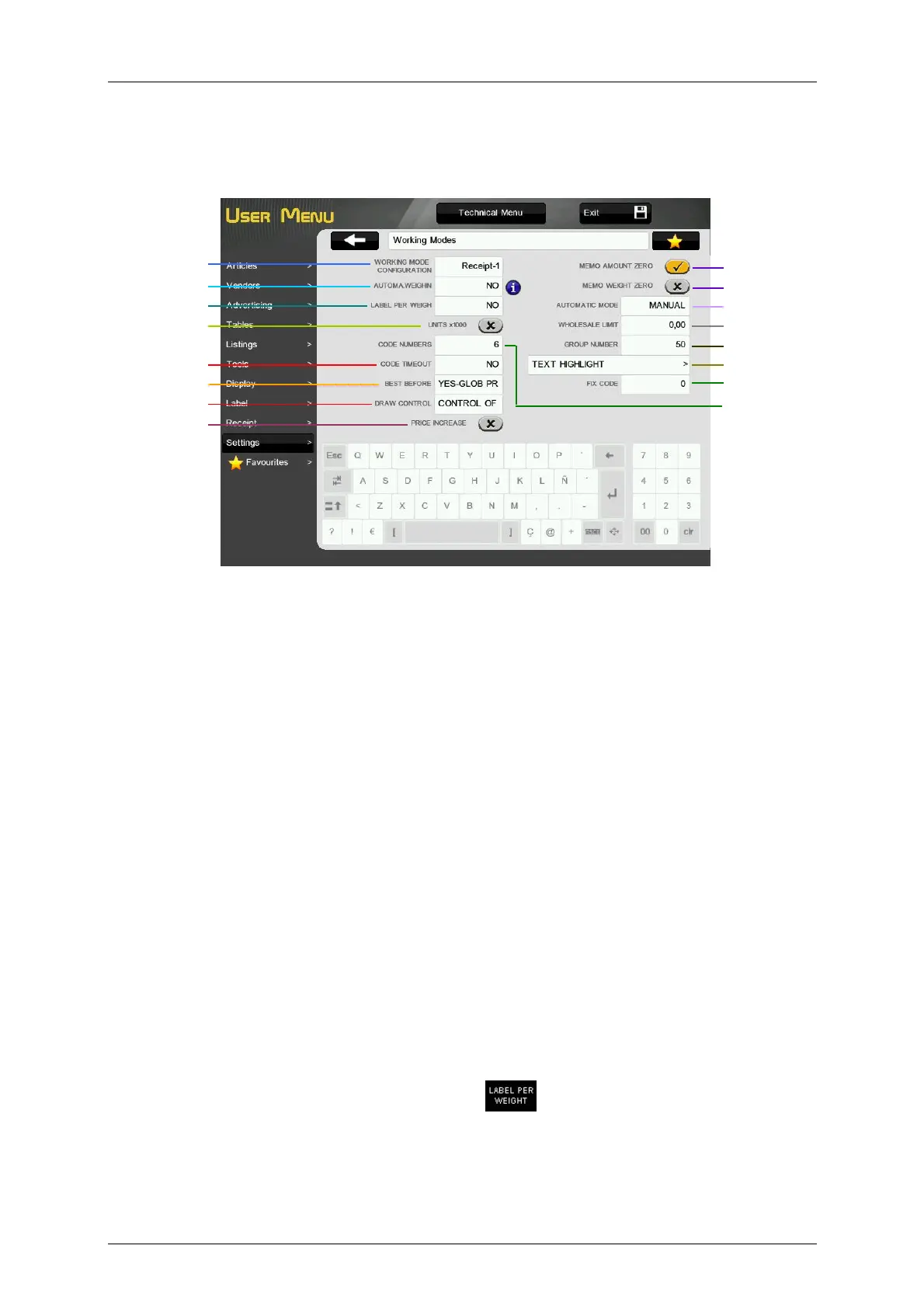
3.10.4.Working Modes
This menu allows to program and configure the different working modes of the scale and the values of
some parameters directly related with these working modes.
3.10.4.1.Working Mode configuration
This option allows to configure the different working modes of the scale (Receipt, Label, Self-Service 1,
Self-Service 2, Self-Service 3).
3.10.4.2.Automatic weighing
This option allows you to program the scale to work with labels, in such a way that if there is a fixed article,
when the weight placed on the dish is stable, a label will be printed.
‘NO’ – It does not enable automatic weighing.
‘WITH MEM SEL’ – It allows automatic weighing with the preselection of a memory key.
‘W/O SEL MEM’ – This permits automatic weighing without preselection of memory key. The
machine automatically assigns this to sales assistant V1 (MASTER) or to the slave number + 1
(SLAVE).
Example:
If weighing scales number 2 are used, and they are set up as a slave, when the automatic weighing
parameter is set to 2, the scales will memorize all amounts under sales assistant V3.
3.10.4.3.Label per weigh
Working in receipt mode, it is allowed to print a label for each weighing, according to the value its parameter
takes. It can have the following values.
‘NO’ – It enables to print a label for each weighing, apart from carrying out the information of sales in the
receipt.
‘YES’ – A label will be printed for each piece of information stored, thus allowing you to obtain a receipt of
the labels issued since the last receipt stored in that memory.
‘SELECTING FOR EACH WEIGHING’ – Pressing
before selecting a PLU, prints a label of
the weighing, in addition stores it for its subsequent recording on the receipt.
‘YES PROVIDING THAT THE ARTICLE IS NOT READ BY A SCANNER’ – Still in receipt mode, a
label will be issued for each memorization effected, PROVIDING THAT THE ARTICLE IS NOT READ BY
A SCANNER, and a receipt can be issued for labels issued, from the last receipt that is saved in this
memory.
Code numbers
Working Mode
configuration
Memo weight zero
Automatic Mode
Wholesalers Mode
Group number
Text Highlight
Automatic weighing
Label per weigh
Units x1000
Best Before
Draw Control
Price Increase
Code Tiemout
Memo amount zero
Fix Code



 To Next Page