Manual D900 Maintenance
49-MD900EN05
55
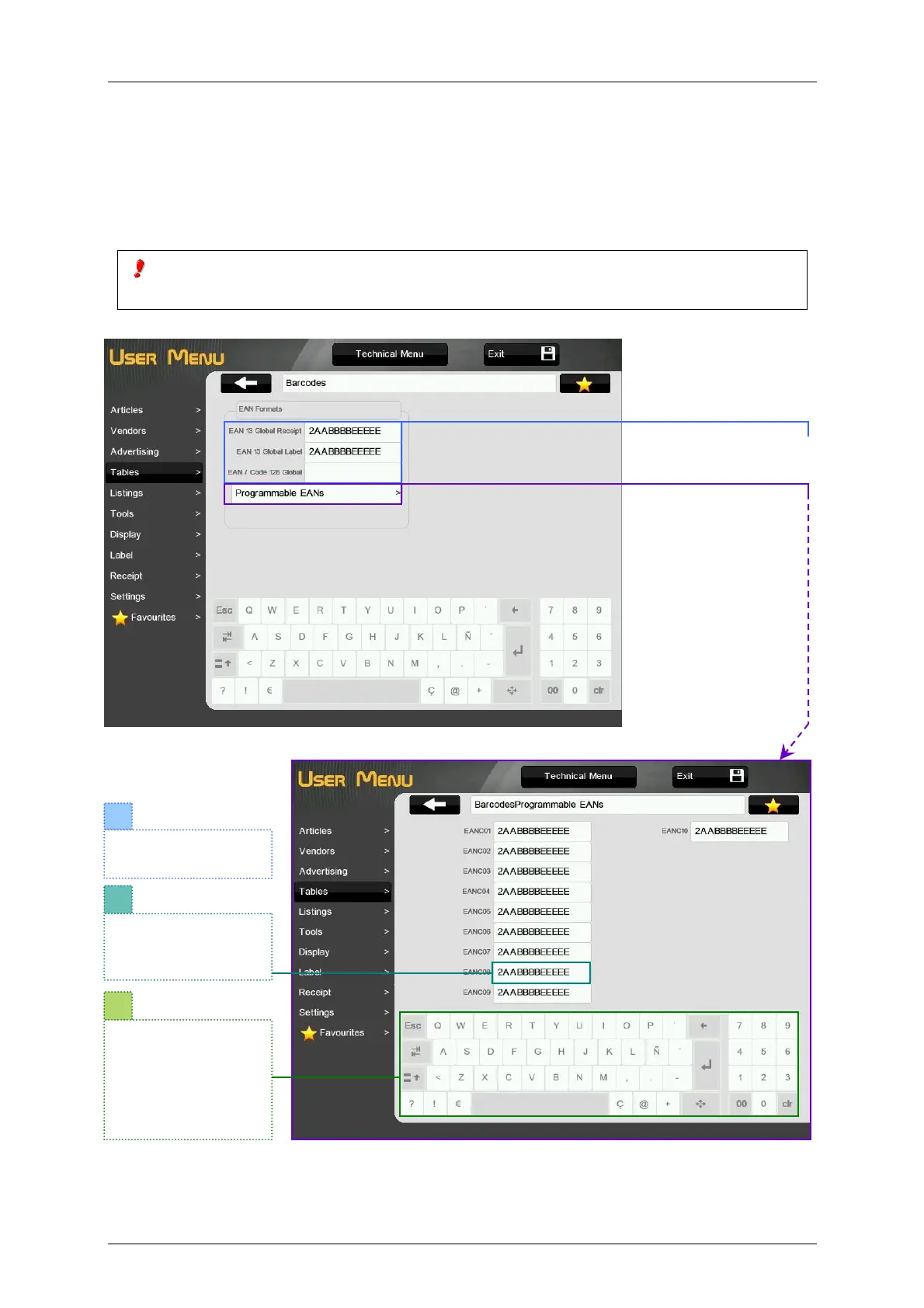
3.4.5.Barcodes
This is the menu to program the barcodes: Global EAN13 (receipt and label) and Global EAN128 and the
programmable EANs.
When the user selects Section EAN or Article EAN and these barcodes are not programmed, the Global
EAN will be printed. If the Global EAN is not programmed, the scale will not print any barcode.
To print EAN/CODE 128 in label, the filed is number 54. It is possible to have in the same label
two barcodes: EAN/CODE 128 and EAN13.
Global EAN Barcodes.
The field EAN Format of
the article referes to
these barcodes (see
paragraph 3.1 Articles).
2
3
Select the number of
programable EAN:
EANC01 - EANC10.
The scale must be
MASTER.
Use the keyboard to
program the EAN as
in table 3-2 of
paragraph 3.8.2.8.15
EAN13Label
Format.



 To Next Page