Manual D900 Maintenance
49-MD900EN05
103
3.10. SETTINGS
In the menu settings it is possible to configure: the parameters related to PC connection, keyboard
functions, the barcodes reading with scanner and the selection of the working modes.
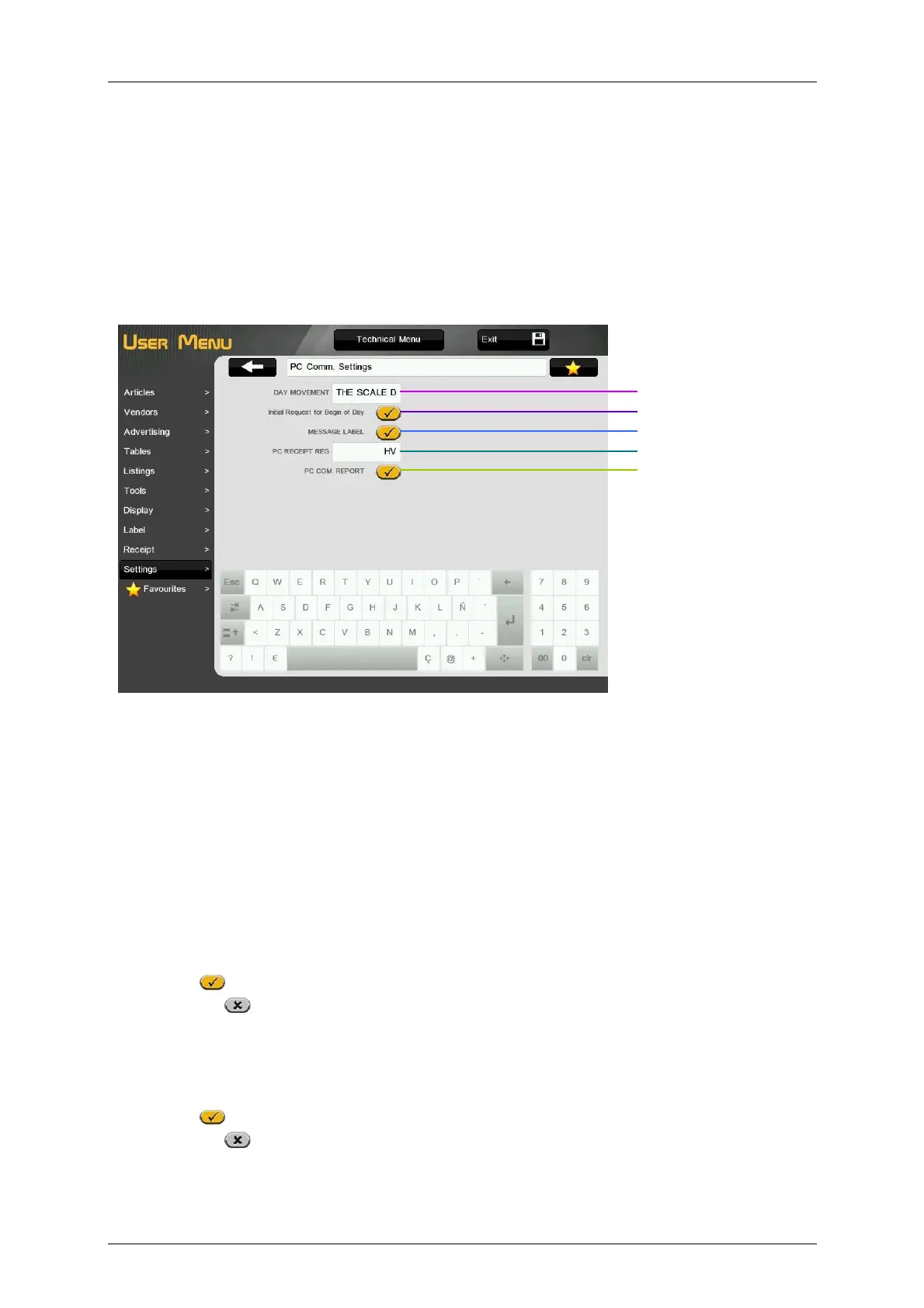
3.10.1.PC Communication Settings
This menu allows to configure the parameters related to the sending and reception of data from PC.
3.10.1.1.Day Movement
The value of this parameter indicates if the scale sends data to the computer. This parameter has either of
the following values:
‘0 – THE SCALE DOES NOT SEND DATA TO THE COMPUTER’
‘1 – THE SCALE SENDS DATA TO THE COMPUTER’
‘2 – THE SCALE SENDS DATA TO THE COMPUTER WHEN AND END OF DAY IS REQUESTED’
3.10.1.2.Initial request for Begin of Day
The value of this parameter indicates if the scale does a begin of day each time it starts up.
Activado
- Enabled initial begin of day.
Desactivado
- Disabled initial begin of day.
3.10.1.3.Message Label
This parameter is used to differentiate between the messages sent to the PC for the receipt and label.
Activado
– It differentiates between the messages on the receipt and label.
Desactivado
– It does not differentiate between the messages on the receipt and label.
Day movement
Initial request for Begin of Day
Message Label
PC receipt registers
PC communication report



 To Next Page