Maintenance Manual D900
49-MD900EN05
56
3.4.6.Tares
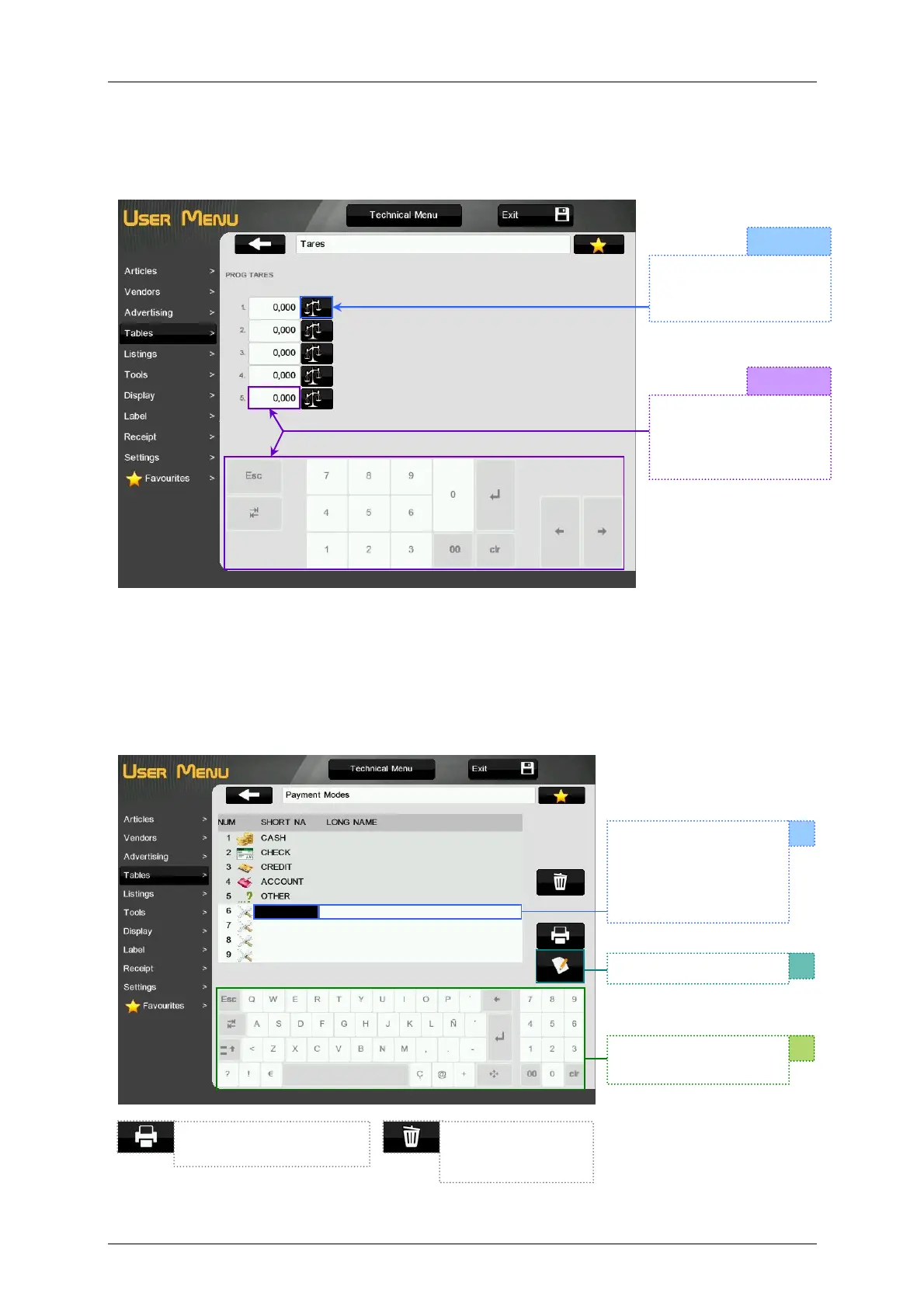
It is possible to program 5 Preset tares. There are two different ways for programming the tares
3.4.7.Payment Modes
The scale has 9 payment modes, 5 of them are programmed and 4 of them are programmable.
Every payment mode has a short description of 8 characters and a long description of 27 characters.
To program the names of the programmable payment modes:
OPTION 1
OPTION 2
Place the weight on the
plate and press the
icon.
Press the tare to be
programmed and enter
the tare value with the
numeric keyboard.
Select the field to be
edited: short
description or long
description. It will be
marked in black.
Press the icon Edit
Delete the selected
payment mode (from
6 to 9).
Print the list of payment
modes.
Use the keyboard for
the description.



 To Next Page