Loading images Manual D900
49-MD900EN05
124
6.1.2.Advertising Images
6.1.2.1.Load from DFS
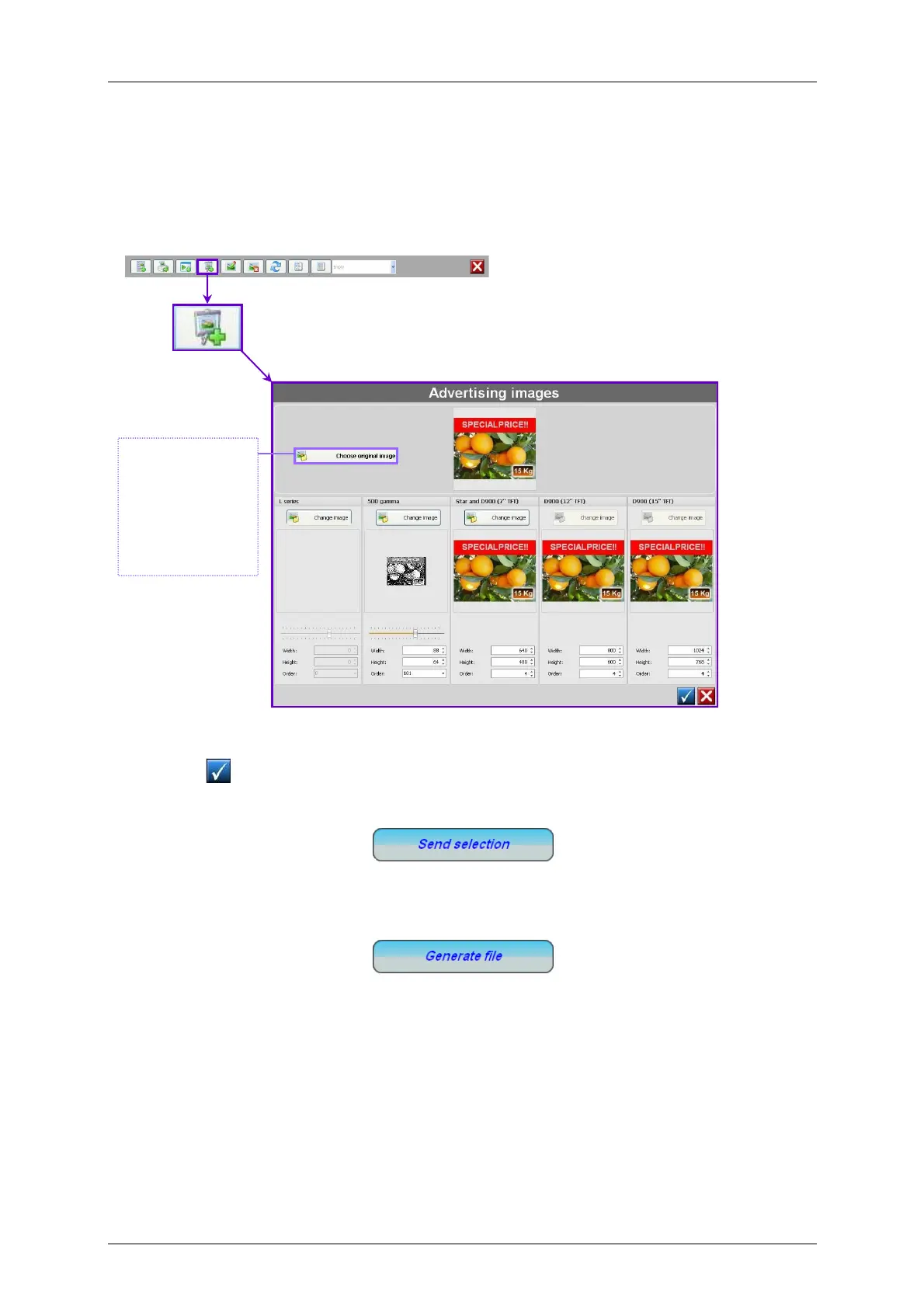
The advertising images are programmed in menu Logos by selecting the option New Advertising Image.
By clicking on the software shows the previous menu to select a new image to be added.
To send an image to the scale, select it in the list and click on Send Selection
If you do not wish to forward directly to the scales, select the “Generate File” option. This option
creates two files which contain the logos in the folder where the DFS is installed (for example,
C:\Program Files (x86)\DFS\).
TX_Logos.txt
TheTX_Logos.txt file can be sent to the scales using the Send File option in the DFS main menu.
TX_LogosUSB.bck
The TX_LogosUSB.bck file is a backup file including images which can be imported to the scale from
the scale’s “Load Data” menu (see paragraph 3.6.1.1 USB data load).
To configure the advertising see paragraph. 3.3 Advertising
Once the image
is selected, the
DFS software
processes it and
leaves the image
ready for sending
to the scale.



 To Next Page