Maintenance Manual D900
49-MD900EN05
34
3.1. ARTICLES
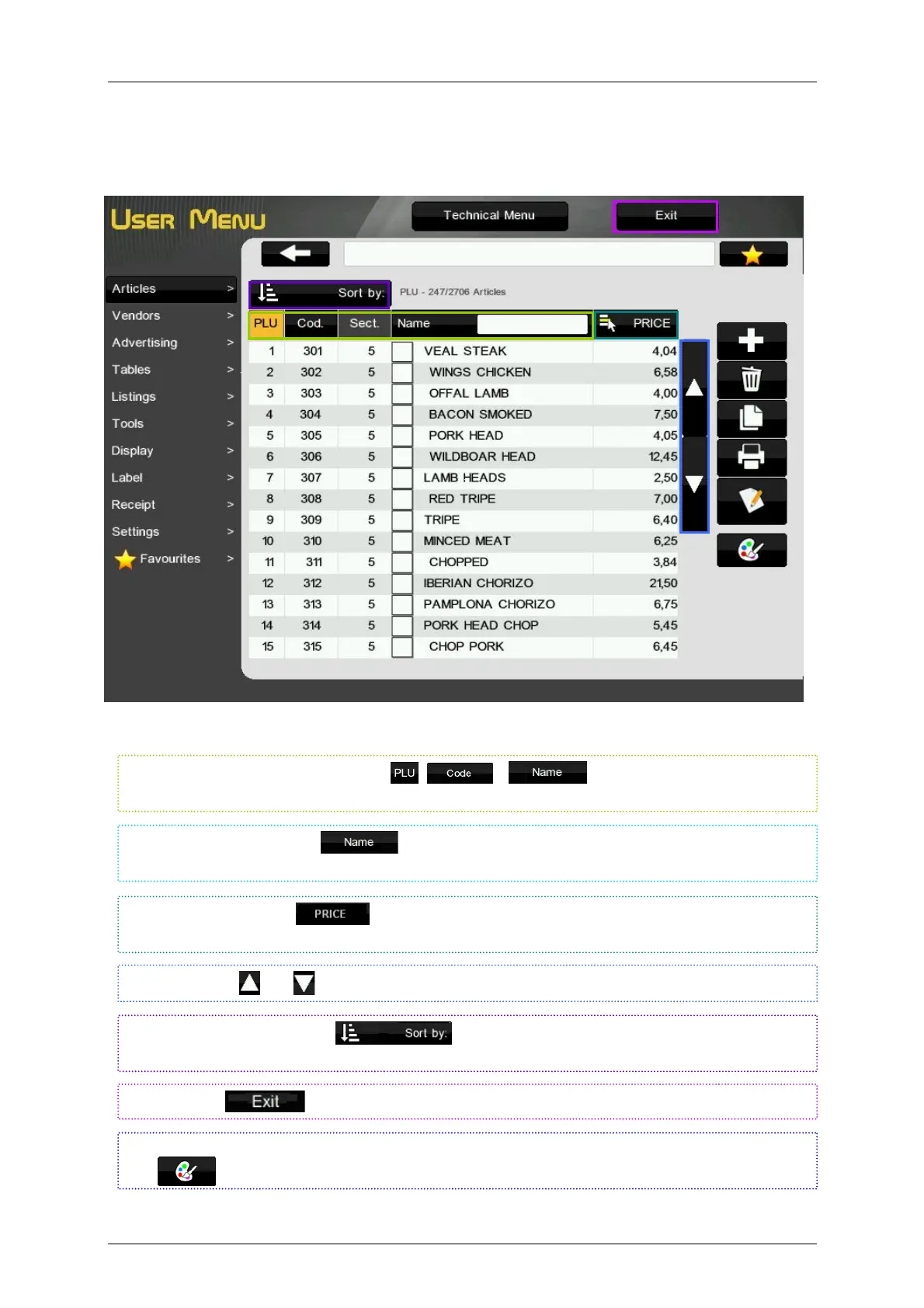
It is possible to program 10000 articles in the scale. Select the menu Articles to program them.
The scale will show the articles programmed and the function keys.
It is possible to arrange the articles by , y
by pressing on the selected key
at the top of the list
By pressing on the key
it is possible to show different fields of the article in this column:
Price, Type, VAT type, Tare, Label Format and Traceability Class
Use the buttons
and to move up and down in the articles list.
By pressing the key Sort by it is possible to view the articles arranged by the
selected field (Code, PLU or Name).
Press the key
to exit the User’s menu and return to the working mode.
Close to the article name is showed the PLU key colour, if you want change this colour press on the
key
and select the colour.
Writing in the square next to
is able to search articles by name.



 To Next Page