Manual D900 Maintenance
49-MD900EN05
105
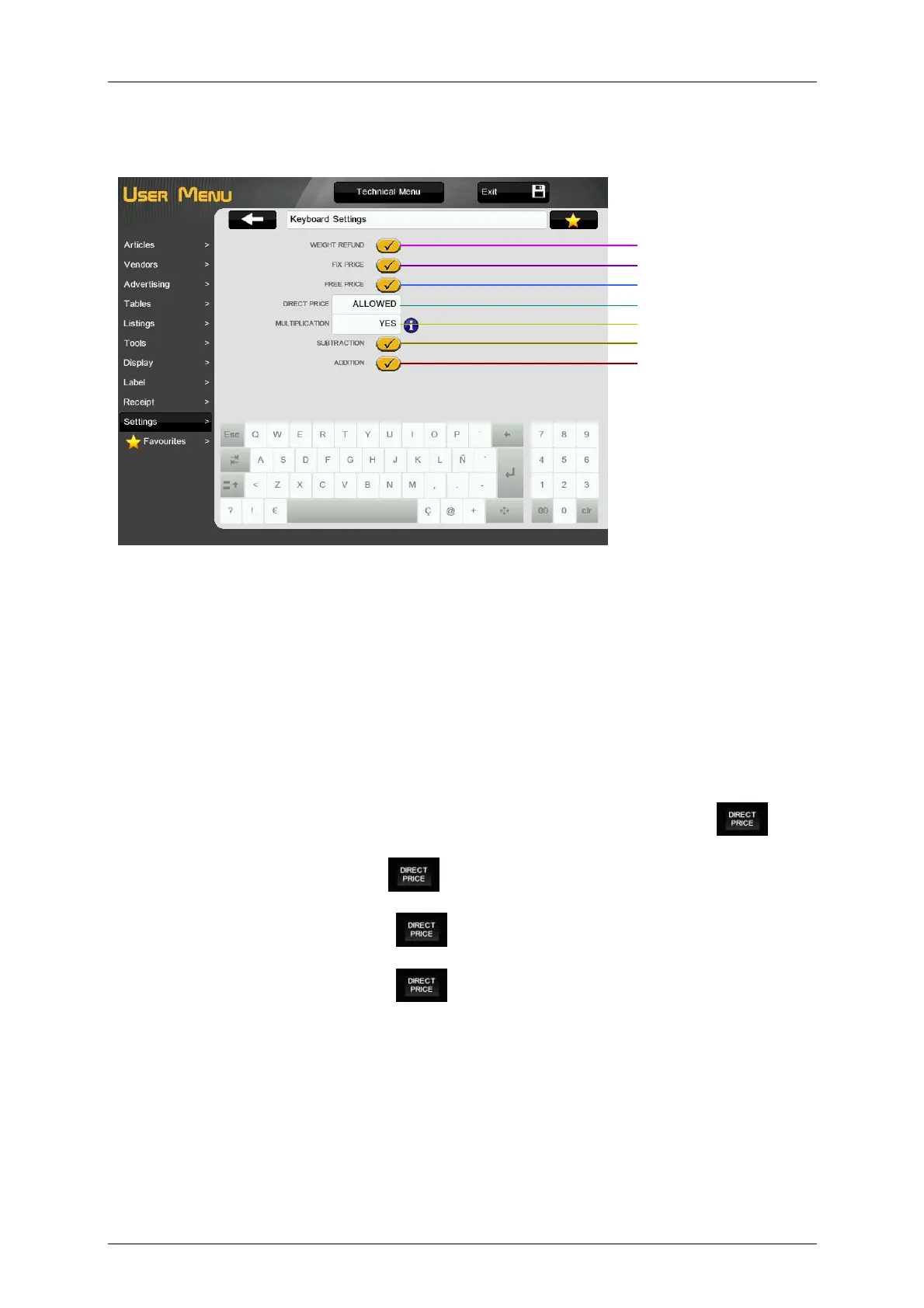
3.10.2.Keyboard Settings
These parameters define the functioning of some keys in normal working mode.
3.10.2.1.Weight refund
This parameter defines if it is possible to make the operation of refund of articles in the scale.
3.10.2.2.Fix price
This parameter defines if it is possible to make the operation of Fix and article or a price in the scale.
3.10.2.3.Free price
This parameter defines if it is possible to make the operation of Free Price (manual entering of the price of
an article programmed) of articles in the scale.
3.10.2.4.Disable direct price
It determines, with the scale in normal working mode, if it is allowed selling products in direct price.
‘0 - ALLOWED’ – It is allowed to operate with direct price, typing the price and pressing .
‘1 - NOT ALLOWED’ – Operations in direct price are not allowed.
‘2 - ALLOWED TO FIX DP - Pressing , working mode Direct Price is fixed. Everything you type
is interpreted as direct price without having to press commas.
‘3 - AFTER DP NORMAL’ - Pressing , working mode Direct Price is fixed. Once the sale is
memorized, Direct Price mode is automatically unfixed.
‘4 - AFTER NORMAL DP’ - Pressing , working mode Direct Price is fixed. Once the sale is
memorized, Direct Price mode is automatically fixed.
3.10.2.5.Multiplication
This option is used to determine if the scale can carry out multiplication operations in normal working
mode.
‘YES’ – It enables multiplication. (Default value)
‘NO’ – It does not enable multiplication.
‘FORCE UNIT’ – Permits multiplication. Units must be entered in all article sales that are classified as
UNIT type.
Substraction
Weight refund
Fix price
Free price
Disable direct price
Multiplication
Addition



 To Next Page