Maintenance Manual D900
49-MD900EN05
44
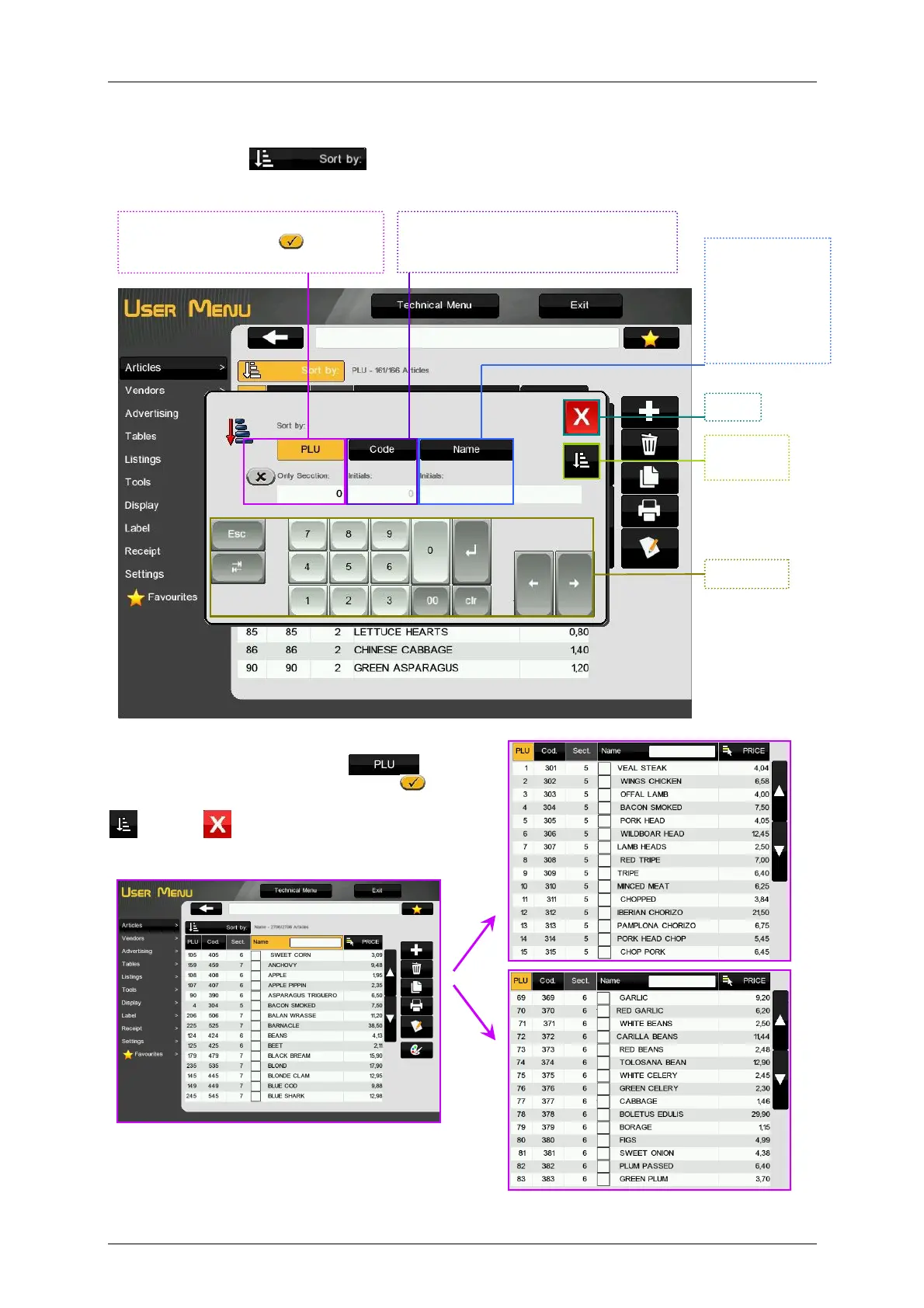
3.1.5.Sort by
By pressing the key it is possible to show the articles arranged by PLU Number (filtered
by section), code (filtered by number) or by name (alphabetically filtered).
SORT BY PLU: Just sort by PLU (1) or
sort by PLU activating Only Section and
entering a numeric value (i.e. 1) (2). Press the key
to sort or
to cancel.
Sort by
.
Activate Only Section , enter the
section name to filter by section.
Sort by
If we enter a number, only the codes
starting by this number will be shown.
Keyboard
Execute
Arrange.
Sort by
If we enter a
character, only
the names
staring by this
character will be
shown.
(1)
(2)



 To Next Page