Manual D900 Maintenance
49-MD900EN05
111
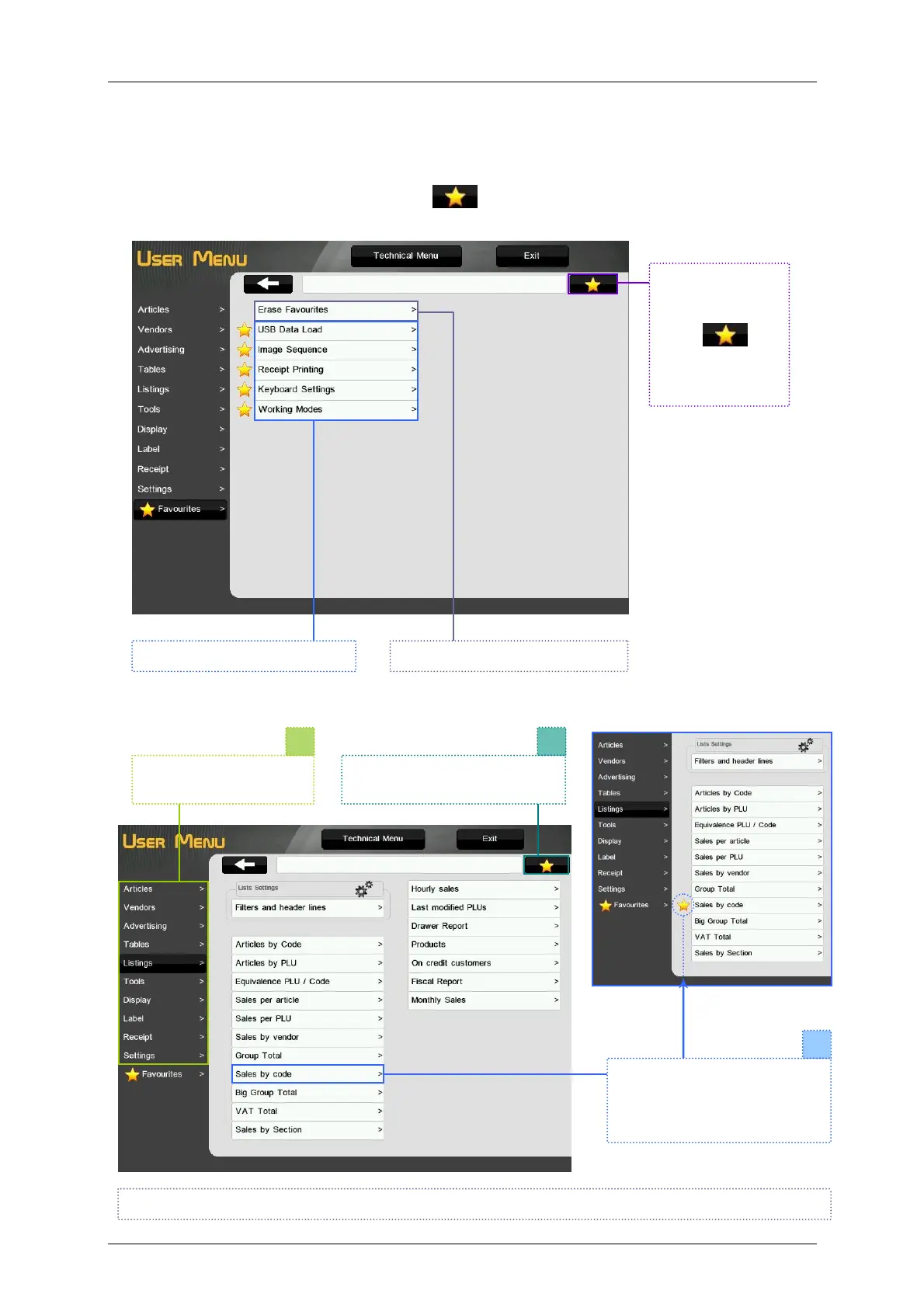
3.11. FAVOURITES
This menu allows to see the shortcuts to the selected menus and configurations.
To add a menu to the favourites, press the key
and then press the selected menu, a star key will
appear on the left side of the menu to indicate that the menu is assigned to favourites.
To add a menu to favourites:
1
Select the menu to be
added to favourites.
Press the button favourites. It
will be highlighted in yellow.
Select the menu to be added.
The icon of favourite will
appear on the left side of the
menu
Menus added to favourites. Deletes the entire favourites list.
To delete an
element from the
favourites list,
press and
then the element
you want to
delete.
Doing this operation on a menu that is already assigned as favourite, it will de-assign it as such.



 To Next Page