Maintenance Manual D900
49-MD900EN05
112
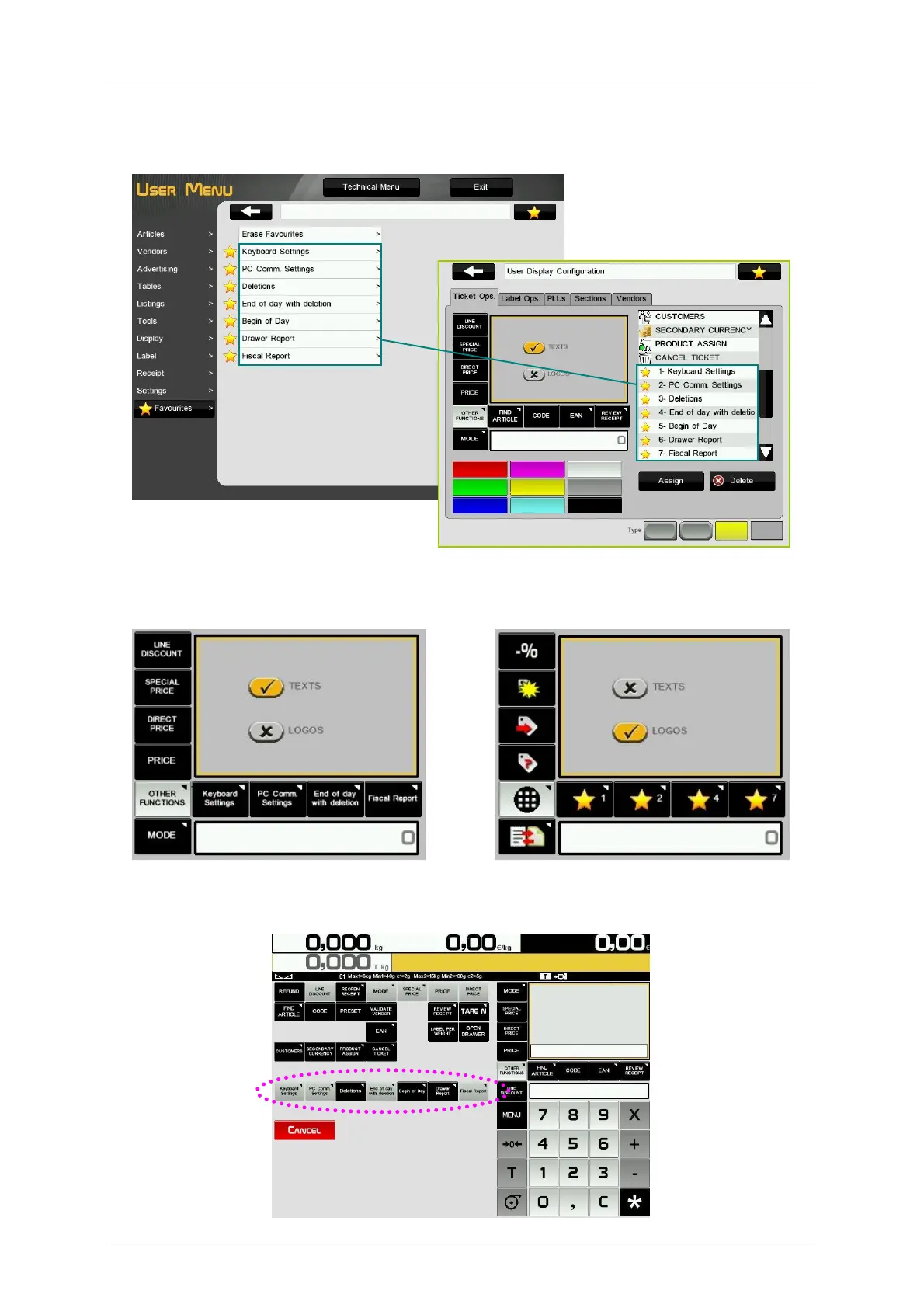
It is also possible to program favourites as function keys for the assisted sales screen. Programmed
favourites will be shown in the list of the possible operatives that we can assign to keys on the display
configuration menu:
If we choose “TEXTS” key view mode, the keys will show the names of the programmed favourites. If we
choose “LOGOS” key view mode, the keys will show a yellow star and the favourite number from the
favourites list (in the order that they have been programmed).
On the sales screen, if we press the button “Other Functions”, all programmed favourite shortcuts will be
shown after the operative functions. Favourite shortcuts that have been assigned to function keys will be
disabled.



 To Next Page