Maintenance Manual D900
49-MD900EN05
60
3.5.2.Available Listings
3.5.2.1.Report of Articles by Code
You can select the range of codes, the department, the section or the VAT rate in paragraph 3.5.1 Filters
and header lines. This list includes the codes of the PLU’s with their price and designation. At the end of
this list the number of codes stored in the scale appears.
CODE – PRICE – DESIGNATION
CODES
3.5.2.2. Report of Articles by PLU
This list shows the direct keys associated with each PLU, together with the price and designation. At the
end of the list the number of codes stored in the scale appears.
PLU – PRICE – DESIGNATION
CODES
3.5.2.3. Report of Articles by Equivalence PLU / CODE
This list shows the direct keys associated with each PLU, together with the code and designation. At the
end of this list the number of codes stored in the scale appears.
PLU – CODE – DESIGNATION
CODES
3.5.2.4.Sales per Article by Code
This list gives information about sold articles classified by code. You can select the range of codes, the
department, the section or the VAT type in paragraph 3.5.1 Filters and header lines. In this list does not
appear the article number operation. It includes the PLU’s codes with the weight (or units) sold and the
total amount. At the end of the list appears the total of the different articles sold, the sum of weights and
amounts.
*** WEIGHED ARTICLES***
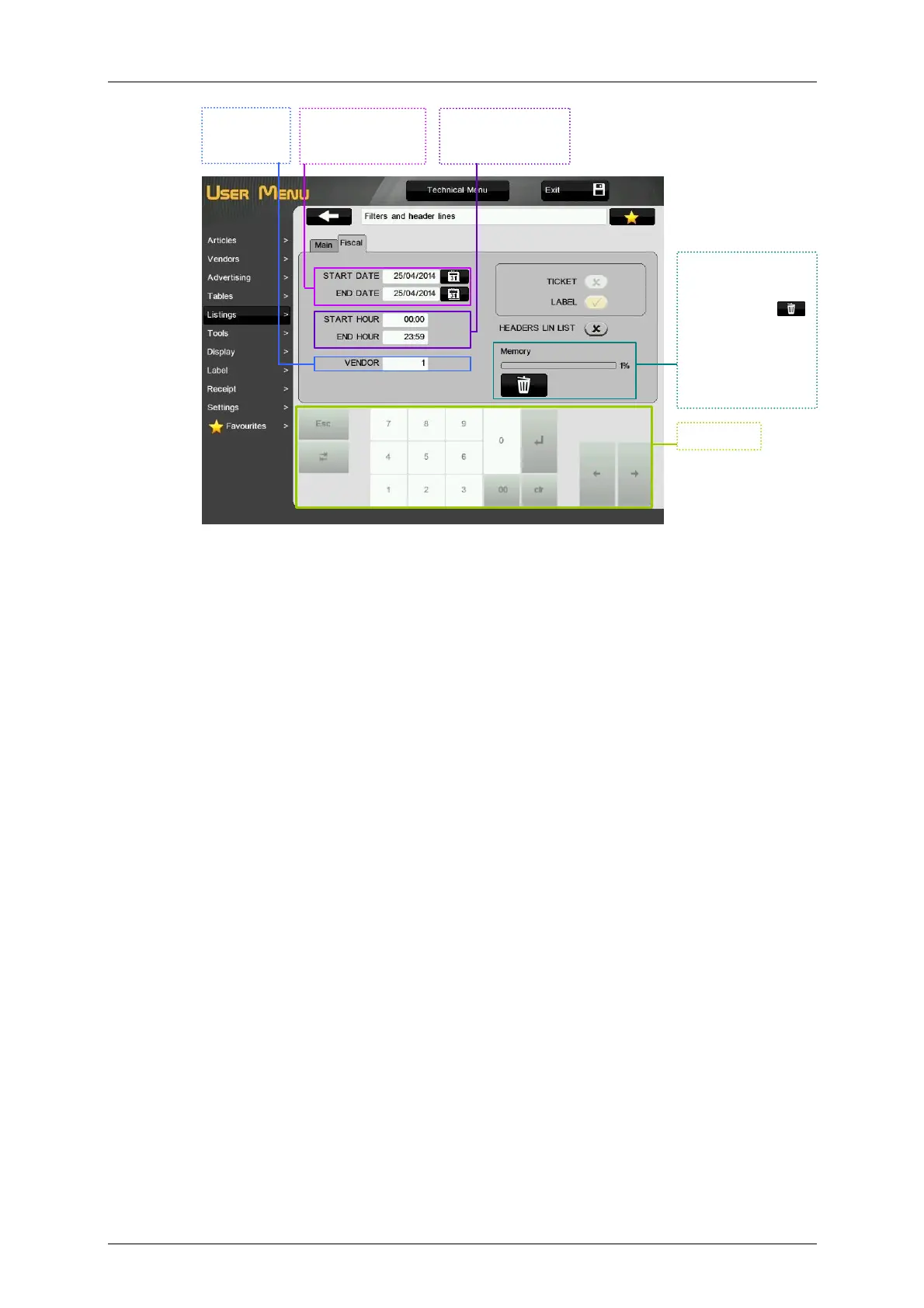
Keyboard.
Filter of fiscal
report between two
dates.
Filter of the fiscal
report in a time
range.
Filter of the
listings by
vendor.
It indicates the
percentage of the
occupied fiscal
memory. Press
to delete saved
tickets. The scale will
ask to check if the
tickets have been
printed before
deleting them.



 To Next Page