Manual D900 Paper change
49-MD900EN05
127
6.2.2.2.Flat Model
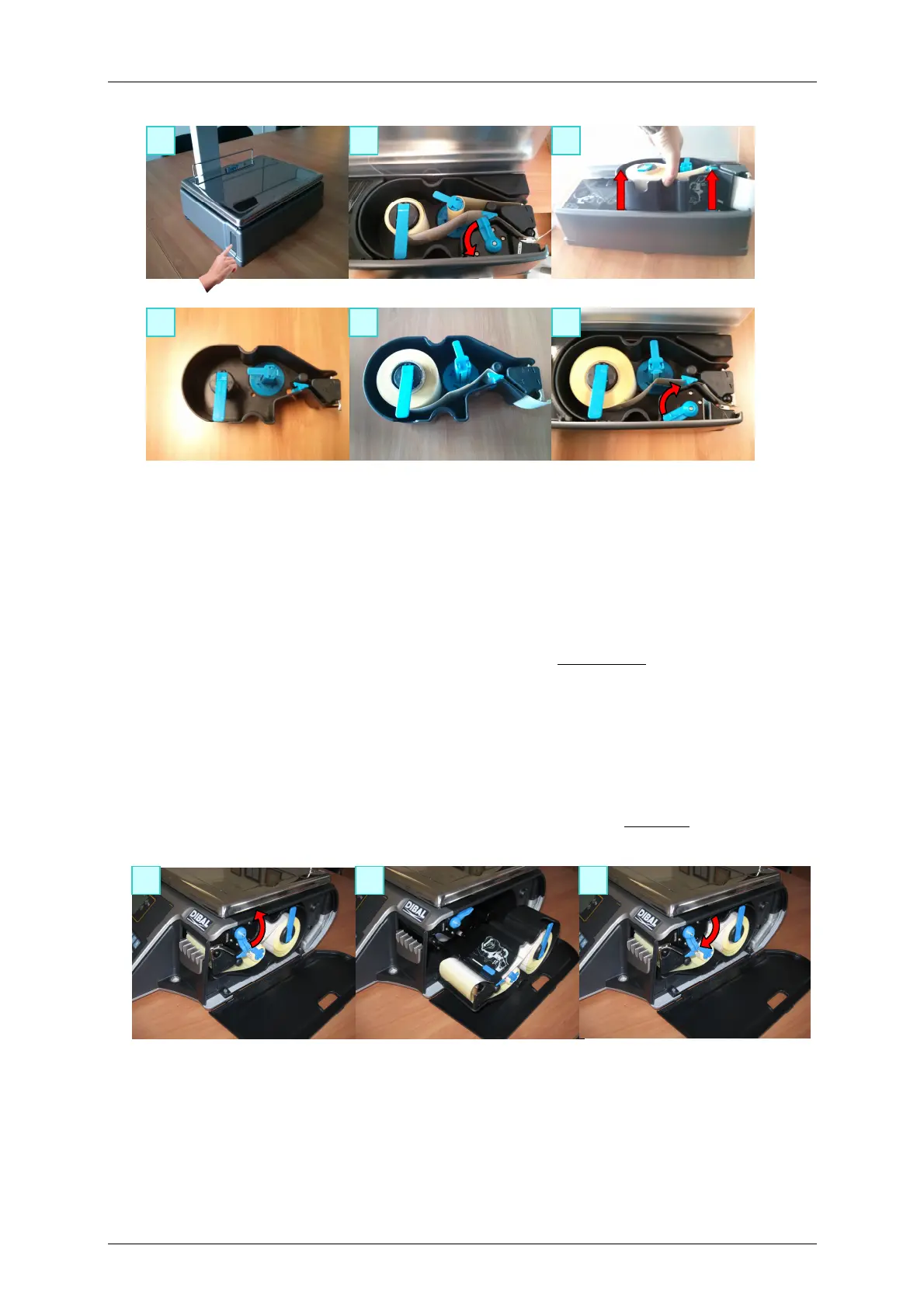
The scale is fitted with a cassette system to facilitate the job of changing the paper in the labeling
machine.
1. Open the side door of the machine by pressing the button located on the left hand side of the
machine.
2. You will then see three blue levers. Turn the lever on the right anticlockwise to release the cartridge.
3. Remove the cartridge roll to change the paper
Having removed the cartridge, you must open the other two levers in order to remove the old paper holder
and remove the remaining cardboard.
4. Put the new reel of labels in its place within the cartridge and slip the paper through as shown in the
photograph. Be careful to place the paper on top of the label holder and to line it up with the paper
guide
5. Last of all, place the cartridge in the scale and turn the lever on the right clockwise.



 To Next Page