Manual D900 Operation
49-MD900EN05
31
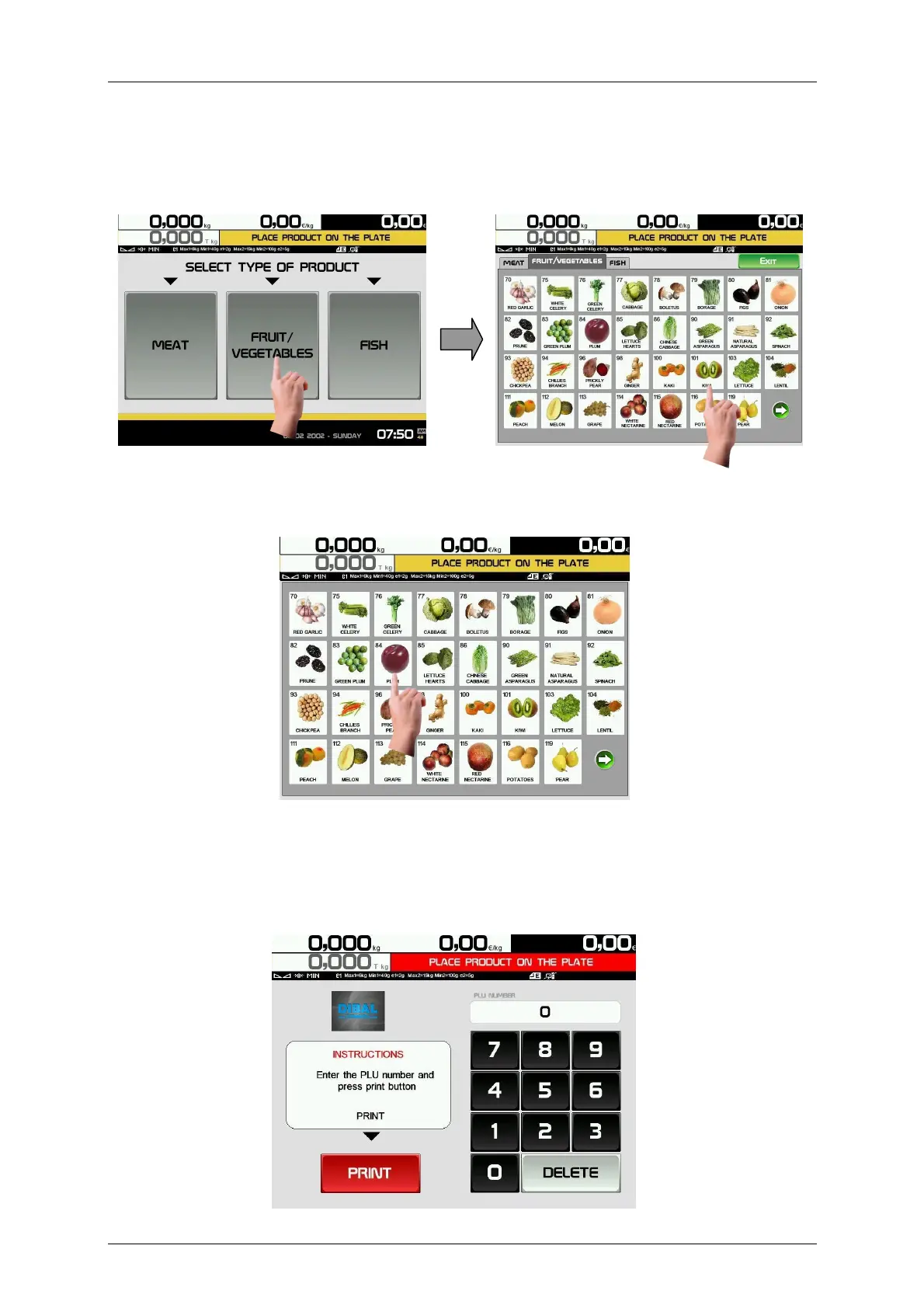
2.8.4.1.Self Service Mode 1 (Sections)
In this mode, after placing the product in the plate, select the corresponding section, then the scale will
show the articles corresponding to this section. Press the key of the selected article and the scale will print
the label.
2.8.4.2.Self Service Mode 2 (Keys)
The scale shows all the direct keys in the first screen.
After placing the product in the plate, press the key of the selected article and the scale will print the label.
2.8.4.3.Self Service Mode 3 (PLU Codes)
The scale shows a screen for entering the Article PLU Code.
After placing the product in the plate, enter the PLU Code of the article by means of the numeric keypad,
once entered press PRINT to print the label.
In case of error entering the PLU Code, press DELETE to start again.



 To Next Page