Maintenance Manual D900
49-MD900EN05
52
3.4.2.1.Define the class of the PLU
To program this PLUs fields go to Articles New article/Edit article, Main.
Class. Traceability class number of the article
- Class = 0: Without Traceability
- Class 0: With Traceability. Select the traceability class.
We choose traceability class 1 for example.
IDN. Identification Number, it is the number assigned to the traceability product from which the article
is obtained. There are a maximum of 99 products programmable in the scale and they can have an
IDN from 1 to 65535.
We choose 2 for example.
3.4.2.2.Programming of the Table of Texts
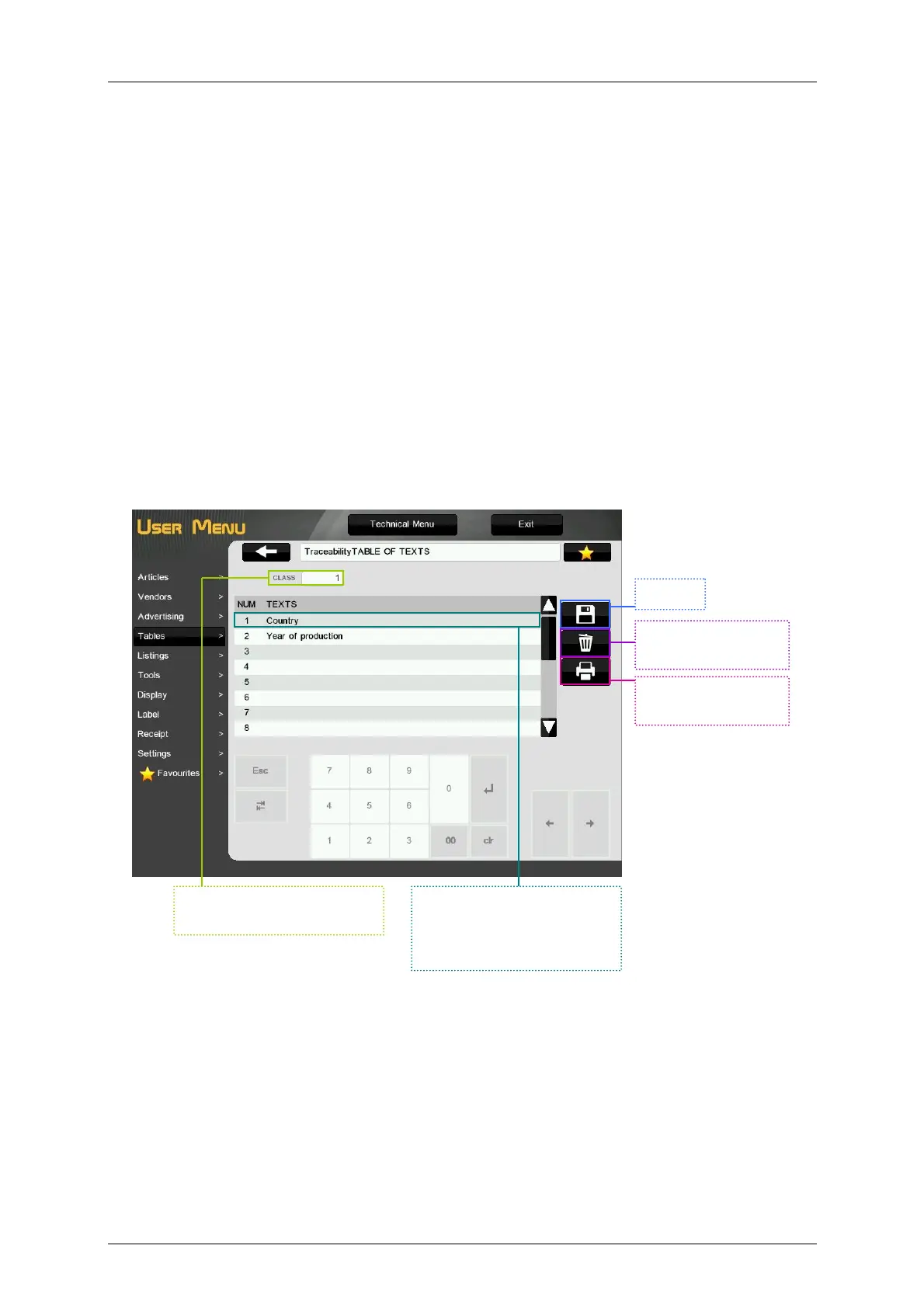
To program the table of texts select menu Tables Traceability Table of texts. The scale will show:
Selection of the Traceability
Class.
Save.
Delete the texts of
the table
Print all tables of
texts.
Press to enter the Texts
(Questions) i.e. (Country of
Birth, Country of
Slaughtering, etc…)



 To Next Page